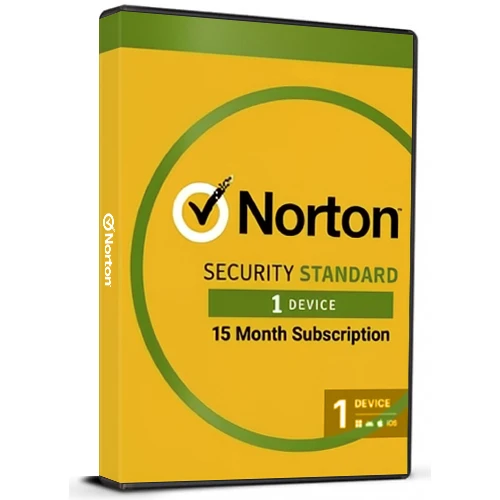
即時有効化: Norton 360 Standard (15 Month / 1 Device License) (Subscription / アメリカ合衆国) CD Key
Norton 360 Standardで、あなたのデジタルライフを安全に守りましょう。プリペイド契約で、1台のデバイスを15ヶ月間保護します。この多機能セキュリティスイートは、自宅でも外出先でも、デバイスのパフォーマンスを損なうことなく、継続的な保護を提供するように設計されています。
即時ダウンロードで継続的な保護を実現:数分でアプリケーションを有効化し、数多くのデジタル脅威からデバイスを保護しましょう。
リアルタイム脅威対策:** 現在および将来のマルウェアを阻止する最先端のセキュリティ対策を実施します。ランサムウェア、ウイルス、スパイウェアからお客様を守りながら、デバイスの速度と応答性を維持することをお約束します。
シームレスで安全なVPN利用:当社のセキュアVPNを使用して、安心して接続できます。匿名ブラウジングを楽しみ、広告トラッカーを回避し、ログを一切記録しない機能で公共Wi-Fiネットワーク上のデータを保護することで、安心感を得られます。
ダークウェブ監視:お客様の個人情報がダークウェブ上に継続的にスキャンされ、発見された場合は即座に通知されるため、一歩先を行くことができます。これにより、潜在的な個人情報盗難を迅速に防止するための対応が可能になります。
PC用10GBセキュアクラウドバックアップ:自動クラウドストレージによりデータ損失を防ぎ、大切なファイルを安全に保ちます。ハードウェアの故障や盗難が発生した場合でも、信頼性の高いバックアップ機能を提供します。
手間いらずのプリペイドサブスクリプション:すぐに料金が発生することなく、セキュリティ対策を万全に整えることができます。お支払い方法は保存されるだけで、プリペイド期間が終了するまで請求は発生しません。初期費用なしで、完全にコントロールできます。
**15ヶ月間のプリペイドサブスクリプション(自動更新付き):** 途切れることのない保護を実感してください。自動更新機能により、セキュリティは途切れることなく提供されますが、更新するかどうかはお客様次第です。最初の契約期間終了後、更新を希望されない場合は、ノートンアカウントからいつでもキャンセルできます。
サイバーセキュリティのリーダーであるNorton 360 Standardで、安心感を手に入れましょう。今すぐサブスクリプションを有効化して、堅牢で包括的な保護による安心感の中でデジタル世界を探索してください。

- 請求書は届きますか?
ご注文いただくと、請求書が自動的に作成されます。
- 請求書はどこで確認できますか?
注文が完了すると、請求書は「マイアカウント」(上部バーの右上隅)→「注文履歴」から確認できます。
- 請求書を編集できますか?
現在、お客様ご自身でこの操作を行うことはできません。[email protected]までメールにてサポートにお問い合わせください。喜んでお手伝いさせていただきます。より迅速な対応のため、ご注文番号と表示をご希望される関連情報(氏名、身分証明書番号/納税者番号など)をメールにご記入ください。
- これをmacOSにインストールできますか?
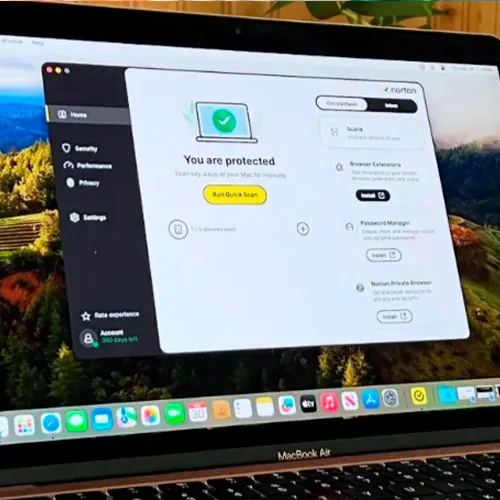
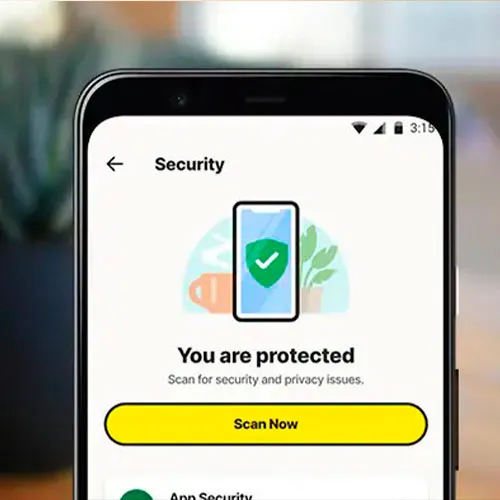
はい、この製品はmacOS、Windows、iOS、Androidに対応しています。
- この商品はどこからでも引き換えられますか?
いいえ、この製品は米国からのみアクティベートできます。
米国以外にお住まいの方は、VPNを使用して製品を有効化できます。(手順については、[email protected]までお問い合わせください。)
- この製品を新しいハードウェアに移行できますか?
いいえ、このコードは1台のPCまたは1回のインストールにのみ有効です。アンインストールまたは再インストールする場合は、新しいコードを購入する必要がある場合があります。
- この製品をインストールするにあたって、何か特別な手順が必要ですか?
「アクティベーション」タブをお読みください。
ACTIVATION INSTRUCTIONS:
To view the current system requirements, please visit this link: link to Norton support https://support.norton.com/sp/en/us/home/current/solutions/v133891548
Important! You must enroll with Norton to activate Norton 360 Enrollment Version, which offers continuous protection and automatically renews each year. Activation requires a credit/debit card or PayPal (Auto Renewal direct with Norton), but you can switch it off at any time. Norton will notify you of the renewal price 30-45 days before the end of your subscription, giving you plenty of time to review your current subscription and protection plan. You can then adjust or cancel the auto-renewal with Norton as desired.
1- Please visit norton.com/setup
2- Click on "Enter a Product Key" for new customers or sign in for returning customers.
3- If you aren't already signed in to Norton, you'll be prompted to do so. Enter your email address and password for Norton, and click on "Sign In."
*If you don't have an account, click "Create Account," and complete the sign-up process.
4-Once signed in, click on "Enter a New Product Key" and enter your license key.
5-Finally, click on "Download Norton" and proceed with installing Norton 360 Standard.











































 Subscription


