Office 2021 Professional Plus Cd Key Global Phone activation RETAIL
- $8.12
注文時に請求書が自動的に生成されます
利用可能な言語: 多言語
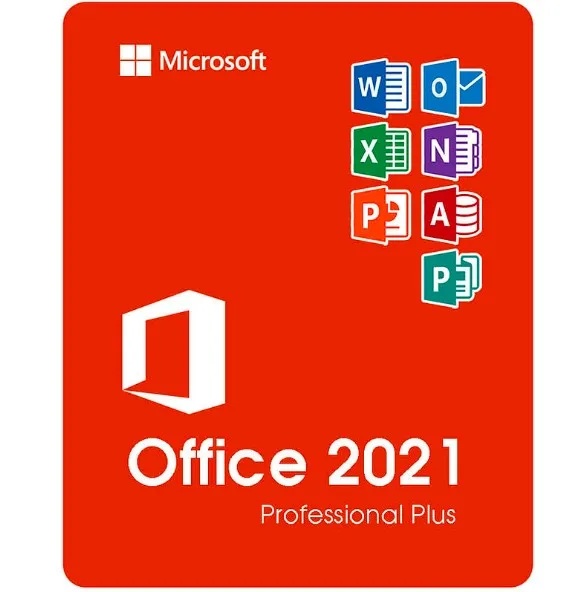
Word、Excel、PowerPoint、Outlook、Publisher、Access、OneNoteの2021 バージョン。
MacBook では動作しません。検索バーで「Home and Business」を検索してください。
コードは 1 台の PC / 1 回のインストールに有効です。Office をアンインストール/再インストールする場合は、新しいコードを購入する必要がある場合があります。
Android/ChromeOS/iOS Apple デバイスでは動作しません。Windows 10、Windows 11 のみと互換性があります。
アクティベーション コードは購入後 15 ~ 20 日以内に引き換える必要があります。指定された期間内に引き換えられなかった場合、コードが機能するかどうかは保証できません。
アクティベーション手順:

ACTIVATION INSTRUCTIONS:
Download the official ISO/image to activate: https://officecdn.microsoft.com/pr/492350f6-3a01-4f97-b9c0-c7c6ddf67d60/media/en-us/ProPlus2021Retail.img (Other languages can be found below)
1-After installation, open Word (or any Office app)
When the Office Activation Wizard appears, select “Activate by phone.”
The wizard will display your Installation ID (IID) - you will need this shortly.
The IID is shown as 9 groups of 7 digits.
2-Go to the activation website
Open your browser and go to: https://aka.ms/aoh
3-Sign in
Choose Microsoft Account as the login method and sign in with your Microsoft account.
4-Select “Activate a Microsoft Product”
On the first page, click Activate a Microsoft Product.
5-Choose the product type
Select the category that matches what you are activating:
Note: For Project and Visio, choose Microsoft Office.
6-Select your operating system
7-Choose the product version
Select the version you are activating, for example:
8-Enter your Installation ID (IID)
You will see nine empty boxes.
Enter each group of digits from your IID into the matching box (9 groups of 7 digits).
When finished, submit the form to continue.
9-Answer the usage question
When asked, “How many computers have you installed this copy on?”
Type 0, then continue.
10-Receive your Confirmation ID
The website will display your Confirmation ID.
11-Enter the Confirmation ID into your PC
Return to the Office activation wizard and enter the Confirmation ID to finish activation.
More languages:
https://www.gamers-outlet.net/download-office-2021-professional-plus-download-links-languages
**For a more visual guide, watch our tutorial video here:

注文時に請求書が自動的に生成されます利用可能な言語: 多言語ロシア語、英語、ドイツ語、フランス語、イタリア語、スペイン語、トルコ語、チェコ語、ポーランド語、日本語、中国語、韓国語など。 キーは、非アクティブ化された動作中の Win10 PRO または Windows 10 PRO のクリーン インストールで機能します。ご要望に応じて、COA ラベルの印刷物をスキャンしてお送りすることもできます (追加料金がかかります)。 Win10 Home のアップグレードには使用できません - アップグレード方法に関する手順をお送りします。このキーは、Microsoft アカウントにリンクした場合のみ、OS を再インストール/フォーマットした場合に再度使用できます (手順をお送りします)。ダウンロードリンク: https://www.microsoft.com/en-us/software-download/windows10ソフトウェアを PC にインストールするには、ここにある手順に従ってください。 Windows キーのアクティベーションで問題が発生した場合は、次のいずれかの方法を使用してください。方法1:ダウンロードリンク: https://www.microsoft.com/en-us/software-download/windows10 DVD や USB スティックなどの起動可能なデバイスにインストール キット メディア作成ツールをダウンロードします。 Windows のインストール後: 1. 「設定」に移動します2. 「更新とセキュリティ」を選択します3. 「アクティベー..
$6.95
注文時に請求書が自動的に生成されます 利用可能な言語: 多言語ロシア語、英語、ドイツ語、フランス語、イタリア語、スペイン語、トルコ語、チェコ語、ポーランド語、日本語、中国語、韓国語など。 キーは、非アクティブ化された動作中の Win11 Home または Windows 11 Home のクリーン インストールで機能します。 Microsoft アカウントにリンクした場合のみ、OS を再インストール/フォーマットすれば再度使用できます (手順をお送りします)。ダウンロードリンク: https://www.microsoft.com/software-download/windows11 Windows 11 Home のアクティベーションにのみ使用できます。他の Windows 11 バージョンでは動作しません。ソフトウェアを PC にインストールするには、ここにある手順に従ってください。 Windows キーのアクティベーションで問題が発生した場合は、次のいずれかの方法を使用してください。方法1:ダウンロードリンク: https://www.microsoft.com/software-download/windows11 DVD や USB スティックなどの起動可能なデバイスにインストール キット メディア作成ツールをダウンロードします。 Windows のインストール後: 1. 「設定」に移動します2 「アクティベーション」を見つける3. 「アクティベート」または「プロダクトキーの変更」を選択します4.購入したキーを挿入する5. Windows 11 Homeが動作可能..
$5.51
Windows 11 Pro リテール CD キー: 究極の Windows エクスペリエンスを解き放つWindows 11 Pro リテール CD キーは、Microsoft の最新かつ最も強力なオペレーティング システムへの黄金のチケットです。このソフトウェアは、ユーザー、企業、開発者にとって画期的な存在です。この記事では、Windows 11 Pro について知っておくべきことすべて、Microsoft Office 365 Family Home 1 年 CD キー、Office 2021 Professional Plus CD キー、Windows 11 Home CD キー OEM などの他の人気ソフトウェアとの比較、Windows 11 Pro リテール CD キーのアクティブ化方法について説明します。 Windows 11 Pro: 次世代のWindows Windows 11 Pro は、前バージョンの Windows 10 に比べてまったく新しい機能と改良点を備えています。洗練されたデザイン、再設計されたスタート メニュー、強力なパフォーマンス強化を備えた Windows 11 Pro は、プロフェッショナルとパワー ユーザーの両方にとって究極のオペレーティング システムです。際立った機能の 1 つはスナップ レイアウトです。これにより、開いているウィンドウを簡単に整理し、プロのようにマルチタスクを実行できます。また、さまざまなタスク用に個別のワークスペースを作成できる仮想デスクトップ機能も気に入っていただけるでしょう。これにより、整理整頓がこれまで以上に..
$8.11
注文時に請求書が自動的に生成されます利用可能な言語: 多言語アクティベーション手順: 1. ソフトウェアをダウンロード: ここ2. カスペルスキーソフトウェアをインストールする3. カスペルスキーを起動する4. 右下隅の「アクティベーションコードを入力」を押します5. 「アプリケーションをアクティブ化」オプションを選択します6. コードを入力し、「有効化」をクリックして保存します7. ソフトウェアは、カスペルスキーアカウントの作成またはログインを要求する場合があります。お子様の安全を守る - 高度なペアレンタルコントロール 自宅でのウェブカメラによる監視を阻止オンラインで送受信するデータを暗号化します。暗号化されたインターネット閲覧のために毎日 300 MB の VPN 使用が可能になり、パスワードや機密文書を簡単に管理できます。個人文書のパスワードと画像を保護します銀行レベルの暗号化で支払いを保護ウイルス、クリプトロッカー、その他の脅威をブロックします特徴:ウイルス対策、ランサムウェア対策、ウェブカメラ セキュリティ、パスワード マネージャー、VPN など 87 以上のテクノロジーがすべて 1 つのライセンスに含まれています。 Windows 11 CDキーもこちらで提供していますWindows 10 CDキーはこちらOffice 2021 CDキーはこちら..
$17.39
| JAMES LARGO | 03/01/2024 |
Soy técnico de computadoras y siempre recomiendo a mis clientes que inviertan en licencias originales para proteger sus equipos y la información contenida en ellos. Llevo ya dos años comprando y utilizando las licencias de este sitio web y no he tenido dificultades hasta el momento. Ya van mas de 10 licencias y todas han funcionado muy bien. 100% recomendado tanto por su fiabilidad como por sus bajos precios. |
|
| JAMES LARGO | 03/01/2024 |
Soy técnico de computadoras y siempre recomiendo a mis clientes comprar software con licencia original para no poner en riesgo sus equipos y la información contenida en ellos. Durante ya dos años he estado comprando licencias en ésta página web y jamás he tenido dificultades. Ya han sido mas de 10 licencias y no he tenido dificultades con ninguna. Incluso debí formatear un computador y al reinstalar el Office y hacer el proceso de activación con la misma licencia, no tuve ningún inconveniente. No fue necesario comprar una licencia nueva. |
|
| Juan I. Rosendo Martín | 20/07/2022 |
Estoy muy contento. |
|
| AMG | 23/05/2022 |
I bought Office 2021 license for 2 pc. |
|
| Miguel Ángel Glz | 15/05/2022 |
Compré esta versión para dos computadoras hace unas horas, recién la acabo de instalar y al querer activar quise hacerlo desde la opción de INTERNET que me daba Office, falló la activación (me dio a entender que ya estaban activadas dos computadoras), así que intenté nuevamente, pero ahora desde la opción VÍA TELEFÓNICA, aunque realmente no lo hice desde el teléfono, sino desde la página web a la que aquí mismo te enlazan. |
|