大量に購入したい場合は、[email protected] までご連絡ください。
オフィス 2024 プロフェッショナル プラス グローバルデジタルライセンス(電話認証)

オフィス 2024 プロフェッショナル プラス グローバルデジタルライセンス(電話認証)

Rating

レビュー
Official release
2024
価格
  • $17.40
cards klarna GPay Apple Pay affirm afterpay
プラットフォーム
Microsoft Windows Microsoft Office
獲得ポイント
15
在庫状況
在庫あり
サポート
24/7 サポート
配送
無料のデジタル配送
あなたの地域
対応済み
利用可能なオプション Office 2024 options

$17.40

Access、Excel、OneNote、Outlook、PowerPoint、Word の 2024 バージョン。

macOS/ChromeOS/Android/iOSのAppleデバイスでは動作しません。Windows 10、Windows 11のみ対応しています。

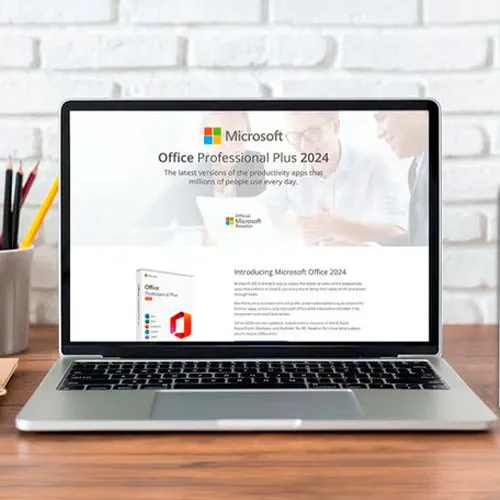
Office 2024 Professional Plus CDキー:生産性を解き放つ鍵

Microsoft Office 2024 Professional Plusで、生産性の頂点を体感してください。あらゆるタスクをシームレスに効率化するための鍵となるこの究極の生産性スイートのパワーを解き放つことで、ドキュメント、データ、プレゼンテーションの作成、管理、共有がスムーズでダイナミックな体験となる世界へと踏み出します。

学生、プロフェッショナル、起業家など、あらゆるニーズに応える最先端のソフトウェアスイートは、仕事の進め方に革命をもたらします。あらゆるデバイスからファイルにアクセスし、編集できるため、ワークフローを中断することなく効率的に進めることができます。Word、Excel、PowerPoint、Outlook、Access、OneNoteといった多機能アプリケーションをすぐに使えるので、無限の可能性を秘めています。

Office 2024 Professional Plusが提供する最新の機能と拡張機能で、あなたの仕事の創造性と精度を新たな高みへと引き上げましょう。Microsoft Office 2024 Professional Plus CD-ROM グローバルキーで、限界に別れを告げ、生産性が無限に広がる未来を手に入れましょう。


  • 請求書はもらえますか?
    注文すると請求書が自動的に生成されます。

  • 請求書はどこにありますか?
    注文が完了すると、請求書は「マイアカウント」(トップバーの右上)→「注文履歴」で確認できるようになります。

  • 請求書を編集できますか?
    現在、お客様ご自身で手続きを行うことはできません。[email protected] までメールでお問い合わせください。喜んでお手伝いさせていただきます。手続きを迅速に進めるため、ご注文番号と、表示させたい関連情報(お名前、ID番号、納税者番号など)をご記入ください。

  • これをmacOSにインストールできますか?
    いいえ、この製品は macOS をサポートしておらず、Windows 10 および 11 のみと互換性があります。

  • この商品はどこからでも引き換えられますか?
    はい、この商品はグローバル版です。

  • この製品を新しいハードウェアに転送できますか?
    いいえ、コードは 1 台の PC または 1 回のインストールに有効です。アンインストールまたは再インストールする場合は、新しいコードを購入する必要がある場合があります。

  • この製品をインストールするには特別な方法が必要ですか?
    「アクティベーション」タブをお読みください。

  • その製品に COA ステッカーが必要な場合はどうすればいいですか?
    ご要望に応じて、追加料金で COA ラベルの印刷をスキャンして送信することもできます。

To install the correct version of Office ProPlus 2024, please check out the instructions in this PDF: https://download.dlr-as.com/instructions/Installation-Office-ProPlus2024.pdf 

1-After installation, open Word (or any Office app)
When the Office Activation Wizard appears, select “Activate by phone.”
The wizard will display your Installation ID (IID) - you will need this shortly.
The IID is shown as 9 groups of 7 digits.

2-Go to the activation website
Open your browser and go to: https://aka.ms/aoh

3-Sign in
Choose Microsoft Account as the login method and sign in with your Microsoft account.

4-Select “Activate a Microsoft Product”
On the first page, click Activate a Microsoft Product.

5-Choose the product type
Select the category that matches what you are activating:

  • Windows → for Windows activation
  • Microsoft Office → for Office, Project, or Visio
  • Windows Server, etc., if applicable

Note: For Project and Visio, choose Microsoft Office.

6-Select your operating system

7-Choose the product version
Select the version you are activating, for example:

  • Office / Project / Visio 2024
  • Office / Project / Visio 2021
  • Office / Project / Visio 2019, etc. 

8-Enter your Installation ID (IID)
You will see nine empty boxes.
Enter each group of digits from your IID into the matching box (9 groups of 7 digits).
When finished, submit the form to continue.

9-Answer the usage question
When asked, “How many computers have you installed this copy on?”
Type 0, then continue.

10-Receive your Confirmation ID
The website will display your Confirmation ID.

11-Enter the Confirmation ID into your PC
Return to the Office activation wizard and enter the Confirmation ID to finish activation.


 **For a more visual guide, watch our tutorial video here:


Mladen Jevtić 27/11/2025

Works perfect, easy install and activation. Just follow the instructions.

Jonathan Lee 19/11/2025

Works perfectly, you just need to follow the exact steps outlined

Andrew Smith 15/11/2025

I contacted support because i mistakenly selected online activation for my product, they fixed the issue within 30mins and my product is now working fine.

Andrew Smith 15/11/2025

I contacted support because i mistakenly selected online activation, and the fixed the issue in less than 30mins... My product is activated and i am 100% satisfied

Vitor Miguel 14/11/2025

Bought the key, was emailed with the payment confirmation and activated my Office in less than 5 minutes, and had no issues whatsoever. Great! Thumbs up!
Comprei a chave, recebi o email com a confirmação do pagamento e ativei meu Office em menos de 5 minutos, e não tive nenhum problema. Maravilha!

レビューを書く

注: HTML は翻訳されません!
Captcha
Review Score: 5 / 5
Mladen Jevtić 27/11/2025

Works perfect, easy install and activation. Just follow the instructions.

Jonathan Lee 19/11/2025

Works perfectly, you just need to follow the exact steps outlined

Andrew Smith 15/11/2025

I contacted support because i mistakenly selected online activation for my product, they fixed the issue within 30mins and my product is now working fine.

Andrew Smith 15/11/2025

I contacted support because i mistakenly selected online activation, and the fixed the issue in less than 30mins... My product is activated and i am 100% satisfied

Vitor Miguel 14/11/2025

Bought the key, was emailed with the payment confirmation and activated my Office in less than 5 minutes, and had no issues whatsoever. Great! Thumbs up!
Comprei a chave, recebi o email com a confirmação do pagamento e ativei meu Office em menos de 5 minutos, e não tive nenhum problema. Maravilha!