即時有効化: Microsoft Office 365 Business Standard (1 Year License) (Subscription / ヨーロッパ) CD Key
チームの生産性を向上させるために設計された究極のコラボレーションツールセット、Microsoft 365 Business Standardをご紹介します。最新のWord、Excel、PowerPointをはじめとする強化されたアプリケーションスイートで、かつてないほどスムーズに連携、コミュニケーション、そして創造性を発揮できます。レポートの作成、魅力的なプレゼンテーションのデザイン、財務データの整理など、ワークフローをより迅速かつ効率的に進めることができます。Microsoft 365 Business Standardは、チームの潜在能力を最大限に引き出し、仕事をより良くするだけでなく、より楽しくします。
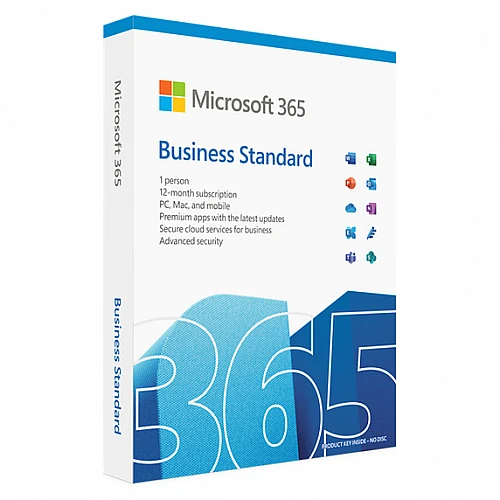
このMicrosoft 365 Business Standardパッケージには、1年間のサブスクリプションが含まれています。
今日の目まぐるしく変化するビジネス環境で成功するために必要なツールをチームに提供しましょう。Microsoft 365 Business Standard を活用して、コラボレーション、イノベーション、そして共に成長を実現してください。
Microsoft 365アプリは、最大5台のPCまたはMac、5台のタブレット、および5台のモバイルデバイスにインストールできます。
つまり、モバイル端末とタブレット端末を合わせると、合計で最大15台の端末を登録できるということです。
このライセンスは1ユーザー向けです。
Windows | Mac | Android | iOS
アクティベーション手順:
ライセンスを有効化するには、Microsoft アカウントが必要です。下記のリンクから無料で作成できます。(指定されたリンクからアカウントを作成する必要があります。Microsoft ウェブサイト https://microsoft.com で作成した個人用 Microsoft アカウントではライセンスを有効化できません。)
1. PCまたはMacで、 https://microsoft365.com/setupbusinessにアクセスしてください。
2. 電子ライセンスを購入した際に受信したメールに記載されている25桁のコード、またはパッケージ版を購入した場合は製品カードの裏面に記載されているコードを入力してください。
3. 新しいアカウントを作成するか、会社のアカウント(例:mailto:[email protected])を使用してログインしてください。Microsoft 365をすべてのデバイスで使用したり、いつでもアカウントを管理したりできるように、アカウント情報をメモしておいてください。
4. 画面の指示に従って、Microsoft 365 の使用を開始してください。
これらの手順に関するヘルプについては、 https://aka.ms/smbsetup を参照してください。
さらに多くのメリットを活用しましょう:
1. https://admin.microsoft.comにアクセスして、以下の手順を実行してください。
別のデバイスにソフトウェアをインストールしてください。
購読プランを管理する。
ユーザーアカウントの追加、編集、削除を行います。
パスワードをリセットする。
2. 詳しいヘルプや情報については、 https://aka.ms/exploresmbをご覧ください。
Windows 10、Windows 11 に対応
Mac版Office 365は、macOSの最新3バージョン(Big Sur、Monterey、Ventura)のみに対応しています。
- 請求書は届きますか?
ご注文いただくと、請求書が自動的に作成されます。
- 請求書はどこで確認できますか?
注文が完了すると、請求書は「マイアカウント」(上部バーの右上隅)→「注文履歴」から確認できます。
- 請求書を編集できますか?
現在、お客様ご自身でこの操作を行うことはできません。[email protected]までメールにてサポートにお問い合わせください。喜んでお手伝いさせていただきます。より迅速な対応のため、ご注文番号と表示をご希望される関連情報(氏名、ID番号/納税者番号など)をメールにご記入ください。
- これをmacOSにインストールできますか?
はい、この製品はmacOS、Windows、iOS、Androidに対応しています。
- この商品はどこでも引き換えできますか?
いいえ、この製品はヨーロッパからのみアクティベート可能です。
ヨーロッパ以外にお住まいの方は、VPNを使用して製品を有効化できます。(手順については、[email protected]までお問い合わせください。)
- この製品を新しいハードウェアに移行できますか?
はい、このプロダクトキーはMicrosoftアカウントに紐付けることができます。
- この製品をインストールするにあたって、何か特別な手順が必要ですか?
「アクティベーション」タブをお読みください。
- その製品にCOAステッカーが必要な場合はどうすればいいですか?
ご要望に応じて、追加料金でCOAラベルの印刷物をスキャンして送信いたします。
A Microsoft account is required to activate the license. It can be
created for free via the link below. (It is necessary to create an account
through the given link, the license cannot be activated on a personal Microsoft
account created on the website https://microsoft.com)
1. On your PC or Mac, go to Here
2. Enter the 25-digit code that you will find in the email you
received when you purchased the electronic license, or on the back of the
product card if you purchased the boxed version.
3. Create a new account or log in using a company account (e.g.
mailto:[email protected]). Write down your account information so you can
use Microsoft 365 on all your devices and manage your account at any time.
4. Follow the on-screen instructions to start using Microsoft 365.
See https://aka.ms/smbsetup for help with these steps
Take advantage of more benefits:
1. Go to https://admin.microsoft.com and:
Install the software on another device.
Manage your subscription.
Add, edit or remove user accounts.
Reset passwords.
2. For more help and information, visit https://aka.ms/exploresmb














































 Subscription


