Trials of the Blood Dragon (PC Ubisoft Connect Key / Global)
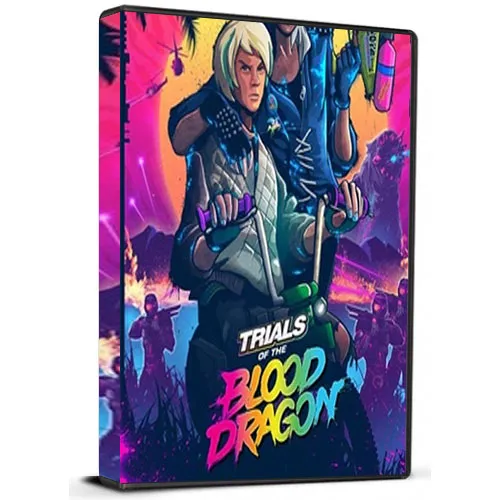
Trials of the Blood Dragon (PC Ubisoft Connect Key / Global)
Rating

レビュー
価格
  • $5.63
cards klarna GPay Apple Pay affirm afterpay

公式ライセンス: グローバル | 24時間年中無休の米国サポート | Gamers Outlet - CD Keys

プラットフォーム
Uplay PC Ubisoft Connect Key
獲得ポイント
5
在庫状況
在庫あり
サポート
24/7 サポート
配送
無料のデジタル配送
あなたの地域
対応済み

$5.63

即時配信: Trials of the Blood Dragon (PC Ubisoft Connect Key / グローバル) Game Key

『Trials of the Blood Dragon』は、終末後の世界を舞台にしたアクション満載のプラットフォームゲームです。本作は、ダートバイクを使った難易度の高い障害物コースで知られる『Trials』シリーズのスピンオフ作品です。『Trials of the Blood Dragon』は、シューティングとプラットフォームアクションの要素を融合させ、シリーズに新たな方向性をもたらしています。物語は、ミュータント、ロボット、そしてその他の危険に満ちた世界を戦い抜く兄妹、ロクサーヌとスレイターの冒険を描いています。

『トライアルズ・オブ・ザ・ブラッドドラゴン』のゲームプレイは、テンポが速く、スリリングです。プレイヤーは、プラットフォームアクションのスキルとシューティング能力を組み合わせて、各レベルを進んでいく必要があります。ゲームには、ダートバイクやジェットパックなど、さまざまな乗り物も登場し、ゲームプレイの多様性を高めています。ゲームの難易度は急速に上昇し、後半のレベルでは、クリアするために正確なタイミングと素早い反射神経が求められます。

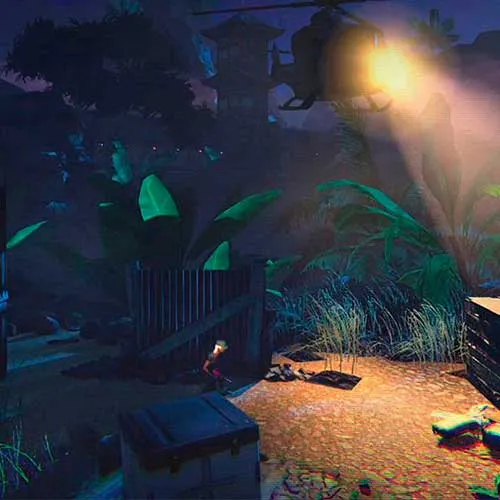
『Trials of the Blood Dragon』の際立った特徴の一つは、その演出です。本作は、スタイリッシュで楽しい80年代風のレトロな美学を特徴としています。サウンドトラックも素晴らしく、オリジナル曲と80年代の名曲がミックスされています。ストーリーも面白く、ユーモアとアクションが絶妙に融合し、最後まで飽きさせません。総じて、『Trials of the Blood Dragon』は、『Trials』シリーズのゲームプレイに新たな要素を巧みに融合させ、ユニークで刺激的な体験を生み出した、優れたスピンオフ作品と言えるでしょう。


  • 請求書は届きますか?
    ご注文いただくと、請求書が自動的に作成されます。

  • 請求書はどこで確認できますか?
    注文が完了すると、請求書は「マイアカウント」(上部バーの右上隅)→「注文履歴」から確認できます。

  • 請求書を編集できますか?
    現在、お客様ご自身でこの操作を行うことはできません。[email protected]までメールにてサポートにお問い合わせください。喜んでお手伝いさせていただきます。より迅速な対応のため、ご注文番号と表示をご希望される関連情報(氏名、身分証明書番号/納税者番号など)をメールにご記入ください。

  • この製品はすべてのプラットフォームに対応していますか?
    いいえ、この製品はUplayプラットフォーム専用です。

  • この商品はどこでも引き換えできますか?
    はい、この製品はグローバル版です。

  • この商品はゲーム、クレジット、サブスクリプション、それともDLCですか?
    この製品は基本ゲームです。

  • このゲームを新しいハードウェアや新しいコンソールに移行できますか?
    はい、このキーはあなたのUplayアカウントに紐付けられています。

  • この製品をインストールするにあたって、何か特別な手順が必要ですか?
    「アクティベーション」タブをお読みください。

To activate your product key on the Ubisoft Connect client, please follow these simple steps: 

  1. Download and open Ubisoft Connect: https://ubisoftconnect.com/#experience-pc-section
  2. If you don't have an account, create one or log in: https://www.ubisoft.com/help/article/000078663
  3. Click the 3 lines icon in the top left corner of the application: https://imgur.com/a/aMlMQLg
  4. Choose "Activate a key" from the dropdown menu.
  5. Enter your product key into the "Activation Code" field.
  6. Click "Activate" to confirm.

The game/downloadable content will now appear in your library.

Juan L 10/02/2020

This website has earned my trust with its exceptional product selection, competitive pricing, and top-notch customer service. I will continue to shop here and recommend it to others.

レビューを書く

注: HTML は翻訳されません!
Captcha
Review Score: 5 / 5
Juan L 10/02/2020

This website has earned my trust with its exceptional product selection, competitive pricing, and top-notch customer service. I will continue to shop here and recommend it to others.

Support