大量にご購入をご希望の場合は、[email protected]までご連絡ください。
このプロダクトキーは、非アクティベート済みのWindows 11 Education、またはWindows 11 Educationのクリーンインストール環境で使用できます。
Microsoft Windows 11 Education Retail (5 PC) (Lifetime License / Global)

Microsoft Windows 11 Education Retail (5 PC) (Lifetime License / Global)

Rating

レビュー
価格
  • $13.21
cards klarna GPay Apple Pay affirm afterpay

公式ライセンス: グローバル | 24時間年中無休の米国サポート | Gamers Outlet - CD Keys

プラットフォーム
Microsoft Lifetime License
獲得ポイント
11
在庫状況
在庫あり
サポート
24/7 サポート
配送
無料のデジタル配送
あなたの地域
対応済み

$13.21

即時有効化: Microsoft Windows 11 Education Retail (5 PC) (Lifetime License / グローバル) CD Key

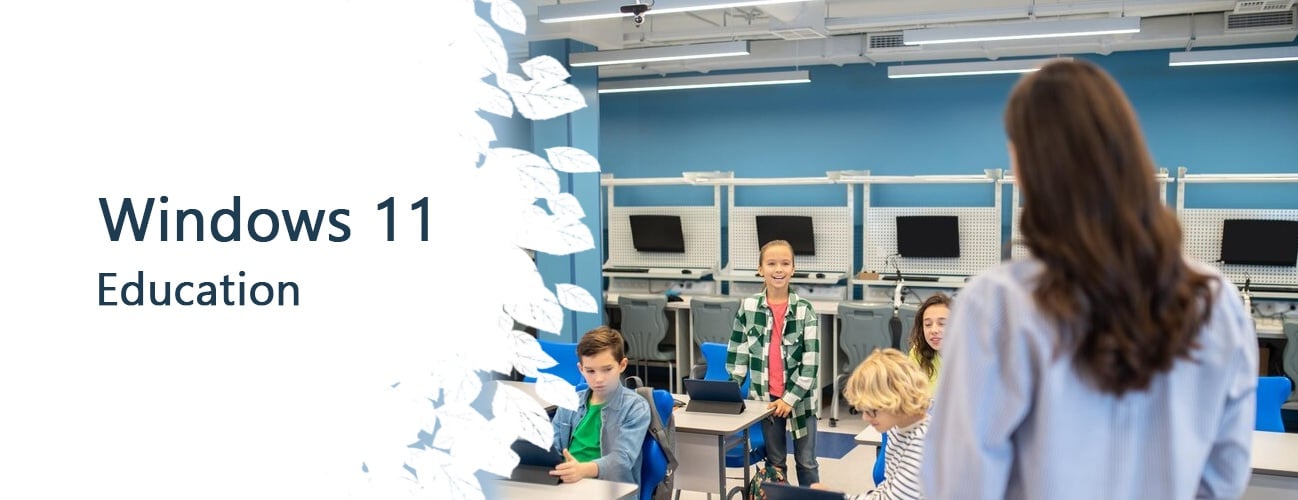
Windows 11は、教育機関向けに最新のワークスペースを提供します。教育と学習体験を向上させるためのさまざまな機能とツールを備えています。Windows 11 Educationを使用することで、教育者は学生にとって安全で協調的な環境を構築できます。機密情報を保護し、不正アクセスを防止するための高度なセキュリティ対策も提供されます。

Windows 11 Education リテール版 5PC - 1つのプロダクトキーで、最大5台の異なるコンピューターでWindows 11をアクティベートできます。

ダウンロードリンク: https://www.microsoft.com/software-download/windows11

お使いのPCにソフトウェアをインストールするには、こちらの指示に従ってください。

Windowsキーのアクティベーションに問題が発生した場合は、以下のいずれかの方法をお試しください。

方法1:

ダウンロードリンク: https://www.microsoft.com/software-download/windows11
インストールキットのメディア作成ツールを、DVDやUSBメモリなどの起動可能なデバイスにダウンロードしてください。
Windowsのインストール後:

1. 「設定」を開きます。

2. 「アクティベーション」を探す

3. 「アクティベート」または「プロダクトキーの変更」を選択します。

4. 購入したキーを挿入します。

5. Windows 11 Education は動作しています

方法2:

1. 「スタート」アイコンをクリックし、「設定」を開き、「更新とセキュリティ」を選択してから「ライセンス認証」を選択します。

2. 「 電話でアクティベートする」オプションを選択してください。

3. ドロップダウンメニューをクリックし、 国を選択してから「次へ」をクリックします。

4. フリーダイヤルに電話し、指示に従って確認IDを生成し、Windowsをアクティベートしてください。

方法3:

1. キーボードの「Windows」キーを押しながら「R」キーを押します。

2. ポップアップウィンドウに「SLUI 4」と入力し、Enterキーを押します。

3. ドロップダウンメニューをクリックし、 国を選択してから「次へ」をクリックします。

4. フリーダイヤルに電話し、指示に従って確認IDを生成し、Windowsをアクティベートしてください。

電話の有効化に関する詳細はこちらをご覧ください。


  • 請求書は届きますか?
    ご注文いただくと、請求書が自動的に作成されます。

  • 請求書はどこで確認できますか?
    注文が完了すると、請求書は「マイアカウント」(上部バーの右上隅)→「注文履歴」から確認できます。

  • 請求書を編集できますか?
    現在、お客様ご自身でこの操作を行うことはできません。[email protected]までメールにてサポートにお問い合わせください。喜んでお手伝いさせていただきます。より迅速な対応のため、ご注文番号と表示をご希望される関連情報(氏名、ID番号/納税者番号など)をメールにご記入ください。

  • これをmacOSにインストールできますか?
    いいえ、この製品はmacOSに対応していません。

  • この商品はどこでも引き換えできますか?
    はい、この製品はグローバル版です。

  • この製品をインストールするにあたって、何か特別な手順が必要ですか?
    このプロダクトキーは、非アクティブなWindows 11 Educationシステム、またはWindows 11 Educationのクリーンインストール環境で使用できます
    詳細については、「アクティベーション」タブをご覧ください。

  • その製品にCOAステッカーが必要な場合はどうすればいいですか?
    ご要望に応じて、追加料金でCOAラベルの印刷物をスキャンして送信いたします。

Download link: https://www.microsoft.com/software-download/windows11

In order to install the software on your PC, please follow the instructions here.

In case of an issue with activating your Windows key, please use one of the methods:

Method 1:

Download link: https://www.microsoft.com/software-download/windows11
Download the installation kit media creation tool on a bootable device like dvd or usb stick.
After Windows installation:

1. Go to "Settings''

2. Find "Activation"

3. Select "Activate" or "Change Product Key"

4. Insert the purchased key

5. Windows 11 Education is operational


Method 2:

1. Click on ”Start” icon , then open ”Settings”, choose ”Update & security”, and then select ”Activation”.

2. Choose the ”Activate by phone” option.

3. Click the drop-down menu, select your country, and then click ”Next”.

4. Call the Toll free number and follow instructions to generate confirmation ID to activate your Windows.


Method 3:

1. Press and hold "Windows" key and press "R" on your keyboard.

2. Type "SLUI 4" in the window that pops up and press enter.

3. Click the drop-down menu, select your country and then click Next.

4. Call the Toll free number and follow instructions to generate confirmation ID to activate your Windows.

More information regarding phone activation can be found here.

Natalia 06/01/2025

Works perfectly. Was a bit hesitant at first to purchase this but decided to go ahead and do it. Code works as should.

レビューを書く

注: HTML は翻訳されません!
Captcha
Review Score: 5 / 5
Natalia 06/01/2025

Works perfectly. Was a bit hesitant at first to purchase this but decided to go ahead and do it. Code works as should.

Support