大量にご購入をご希望の場合は、[email protected]までご連絡ください。
注:Windows 11 Pro Nには、Windows Media Playerおよび関連技術(音楽、ビデオ、ボイスレコーダー、Skypeなど)はプリインストールされていません。
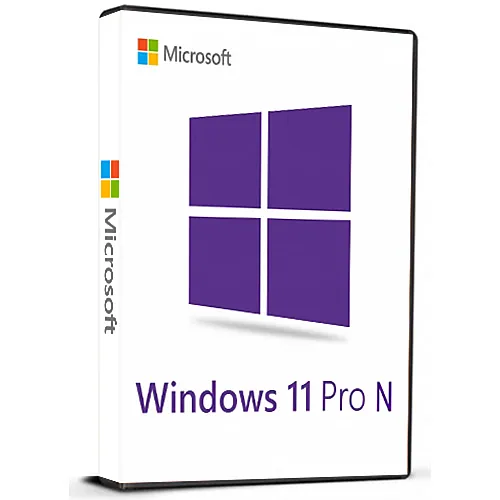
Microsoft Windows 11 Pro N Retail (Lifetime License / Global)

Microsoft Windows 11 Pro N Retail (Lifetime License / Global)

Rating

レビュー
価格
  • $5.18
cards klarna GPay Apple Pay affirm afterpay

公式ライセンス: グローバル | 24時間年中無休の米国サポート | Gamers Outlet - CD Keys

プラットフォーム
Microsoft Lifetime License
獲得ポイント
4
在庫状況
在庫あり
サポート
24/7 サポート
配送
無料のデジタル配送
あなたの地域
対応済み
利用可能なオプション Windows 11 options

$5.18

即時有効化: Microsoft Windows 11 Pro N Retail (Lifetime License / グローバル) CD Key

GamersOutlet.netへようこそ!ここは、MicrosoftのCDキーをはじめとする様々なソフトウェアの公式ライセンス販売店です。当サイトでは、AAA級ビデオゲームからインディーゲーム、Microsoft Office、Windows OS OEM、McAfeeなどのウイルス対策ソフトといった日常的に使用するソフトウェアやアプリケーションまで、幅広いCDキーを取り揃えています。

これは、世界中でアクティベート可能なWindows 11 Pro N(リテール版)の公式ライセンス製品CDキーです。この製品のアクティベーション方法については、こちらの説明をお読みください。

https://www.microsoft.com/en-us/software-download/windows11

このプロダクトキーは、OSの再インストールやフォーマットを行った場合でも、Microsoftアカウントにリンクしておけば再度使用できます(手順については別途ご案内いたします)。

このプロダクトキーは、非アクティベート済みの動作中のWindows 11 Pro N、またはWindows 11 Pro Nのクリーンインストール環境で使用できます。

Windows 11 Pro OEM版とリテール版、どちらが自分にとってより良い選択肢なのか判断に迷っていますか?それでは、以下の簡単な概要をご覧ください


用途:これは主にプロフェッショナルな作業やビジネス用途を対象としています。そのため、プロフェッショナルや企業はWindows 11 Proから大きな恩恵を受けることができます。Windows 11 Pro OEM版とリテール版の違いは、ライセンスの種類です。OEM版は単一のコンピューター/PC/デバイス(通常はプリインストールされたデバイス)に紐付けられますが、Windows 11 Proリテール版は異なるコンピューター/システム間で転送できます。

機能:両バージョンとも、リモートデスクトップホスティング、BitLocker暗号化、グループポリシーエディター、Hyper-V仮想化などの機能を備えていますが、一般ユーザーが気軽に利用する場合には必ずしも役立つとは限りません。違いはライセンスの種類のみであり、機能自体に違いはありません。

価格:弊社のメインウェブサイトwww.gamers-outlet.netでは、Windows 11 Pro OEMキー1個の価格は5.21ドル、Windows 11 Proリテールキーは8.11ドルです。どちらも世界中のどこでもアクティベート可能です。

なぜ当社から購入するのか?

GamersOutlet.netでは、何よりもサービスを重視しています。世界でもトップクラスのベンダー評価を誇り、ご注文いただいた商品は迅速にお届けいたします。安全な取引と24時間365日体制のサポートで、あらゆるご質問にお答えします。Trustpilotでもぜひ当社の評価をご確認ください!

https://www.trustpilot.com/review/www.gamers-outlet.net

Windows 11 Proは、特にWindowsユーザーであれば、素晴らしいオペレーティングシステムです。macOSからの移行は少し戸惑うかもしれませんが、Windowsユーザーであれば、これまでにないほどスムーズな操作感を体験できるでしょう。Windows 10からの大幅なアップグレードで、読み込み速度は格段に向上し、UIもミニマルで洗練されています。

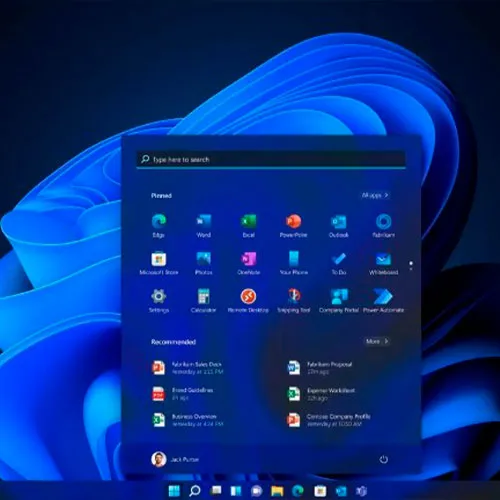
Windows 11は、創造性を刺激する新しい環境で、あなたの情熱を追求できるモダンなワークスペースを提供します。刷新されたスタートメニュー、再設計されたタスクバー、最適化されたシステムトレイ、改良されたアクションセンター、新しい設定パネル、ウィジェットなど、数々の新機能が搭載されています。ぜひ今すぐダウンロードしてください。

  • 請求書は届きますか?
    ご注文いただくと、請求書が自動的に作成されます。

  • 請求書はどこで確認できますか?
    注文が完了すると、請求書は「マイアカウント」(上部バーの右上隅)→「注文履歴」から確認できます。

  • 請求書を編集できますか?
    現在、お客様ご自身でこの操作を行うことはできません。[email protected]までメールにてサポートにお問い合わせください。喜んでお手伝いさせていただきます。より迅速な対応のため、ご注文番号と表示をご希望される関連情報(氏名、身分証明書番号/納税者番号など)をメールにご記入ください。

  • これをmacOSにインストールできますか?
    いいえ、この製品はmacOSに対応していません。

  • この商品はどこでも引き換えできますか?
    はい、この製品はグローバル版です。

  • この製品を新しいハードウェアに移行できますか?
    はい、このキーはOSやソフトウェアを再インストールまたはフォーマットした場合でも再度使用できます。
    手順については、[email protected]までお問い合わせください。

  • この製品をインストールするにあたって、何か特別な手順が必要ですか?
    このプロダクトキーは、非アクティブなWindows 11 Pro Nシステム、またはWindows 11 Pro Nのクリーンインストール環境で使用できます。
    詳細については、「アクティベーション」タブをご覧ください。

  • このプロダクトキーを使って、Windows 10 Homeから直接アップグレードできますか?
    このプロダクトキーは、Windows 11 Homeからのアップグレードには使用できません。

  • その製品にCOAステッカーが必要な場合はどうすればいいですか?
    ご要望に応じて、追加料金でCOAラベルの印刷物をスキャンして送信いたします。

Download link: https://www.microsoft.com/en-us/software-download/windows11

In order to install the software on your PC, please follow the instructions here.

In case of an issue with activating your Windows key, please use one of the methods:


Method 1:

After Windows installation

1. Go to "Settings''

2. Select "Update & Security"

3. Find "Activation"

4. Select "Activate" or "Change Product Key"

5. Enter your windows product key


Method 2:

1. Click on ”Start” icon , then open ”Settings”, choose ”Update & security”, and then select ”Activation”.

2. Choose the ”Activate by phone” option.

3. Click the drop-down menu, select your country, and then click ”Next”.

4. Call the Toll free number and follow instructions to generate confirmation ID to activate your Windows.


Method 3:

1. Press and hold "Windows" key and press "R" on your keyboard.

2. Type "SLUI 4" in the window that pops up and press enter.

3. Click the drop-down menu, select your country and then click Next.

4. Call the Toll free number and follow instructions to generate confirmation ID to activate your Windows.

More information regarding phone activation can be found here.

Joseph W 21/07/2026

Updated my bios and it deactivated my windows, tried to call windows and they were quoting me £220 for a new license, hahahaha idiots. Bought this code for around £4.50 and it took 10 seconds to deliver and activated without issue.

Kestutis K 09/04/2026

Had thoughts if it would work on 11 pro N, but it worked instatly. Very pleased, saved me headache from reinstalling OS

Thomas W 28/03/2026

Wasn't working at first, but the support helped me and it works perfectly now, thanks !

Josh 26/01/2026

Got the key instant, worked. Good price, Thanks =)

Cez 20/01/2026

Everything works great. Very happy with that key.

レビューを書く

注: HTML は翻訳されません!
Captcha
Review Score: 5 / 5
Joseph W 21/07/2026

Updated my bios and it deactivated my windows, tried to call windows and they were quoting me £220 for a new license, hahahaha idiots. Bought this code for around £4.50 and it took 10 seconds to deliver and activated without issue.

Kestutis K 09/04/2026

Had thoughts if it would work on 11 pro N, but it worked instatly. Very pleased, saved me headache from reinstalling OS

Thomas W 28/03/2026

Wasn't working at first, but the support helped me and it works perfectly now, thanks !

Josh 26/01/2026

Got the key instant, worked. Good price, Thanks =)

Cez 20/01/2026

Everything works great. Very happy with that key.

Support