即時有効化: Microsoft Office 2019 Pro Plus (Phone Activation) (Lifetime License / グローバル) CD Key
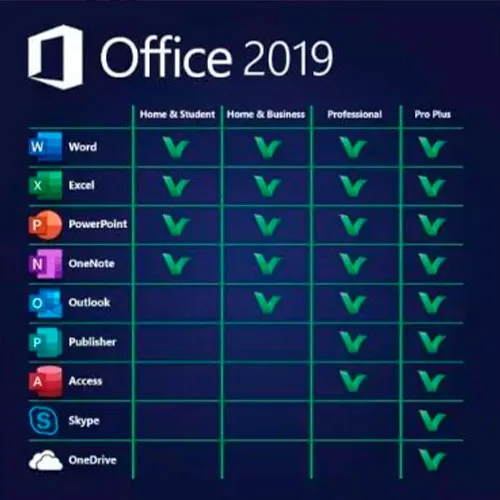
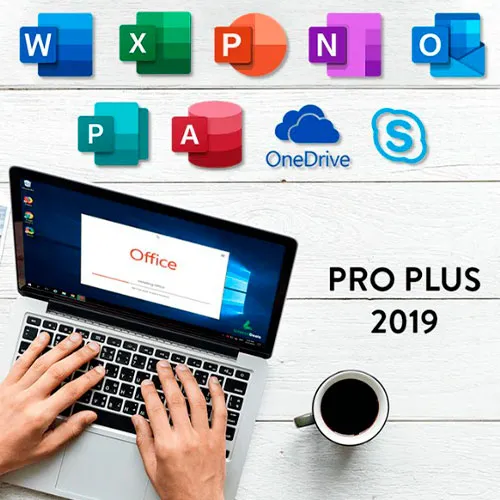
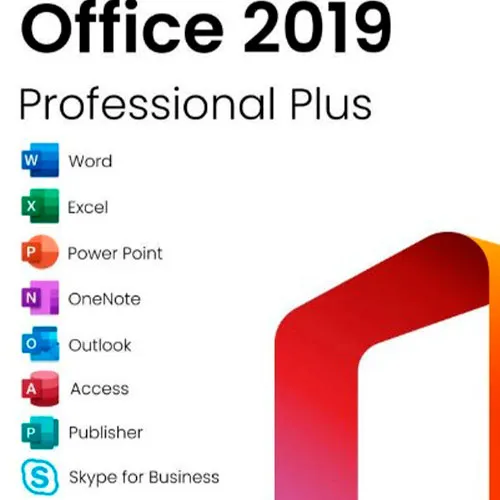
Microsoft Office 2019 Professional Plusには、Word、Excel、PowerPoint、OneNote、Outlook、Access、Publisher、Skype for Businessの従来の2019バージョンが含まれています。
Office 2019 Professional Plusは、エンドユーザーである私たちにとって、ほぼ毎日欠かせない強力なツールです。仕事、学生生活、メモ、メールなど、あらゆる場面で活躍します。Office 2019 Professional Plusは、新しいデザインと新機能で、私たちの生活をさらに快適にします!今すぐ最安値で手に入れましょう。在庫保証と24時間365日のサポート体制も万全です。
アクティベーション手順:
1. こちらのリンクから公式インストーラーをダウンロードしてください:
こちら2. ソフトウェアをアクティベートするために、弊社からお送りしたプロダクトキーを入力してください。
3. 「電話でアクティベートする」オプションを選択します。
より詳しい手順については、ダウンロードセクションにアクセスし、「アクティベーション方法」ボタンをクリックしてください。
Windows 11のCDキーもこちらで提供しています 
- 請求書は届きますか?
ご注文いただくと、請求書が自動的に作成されます。
- 請求書はどこで確認できますか?
注文が完了すると、請求書は「マイアカウント」(上部バーの右上隅)→「注文履歴」から確認できます。
- 請求書を編集できますか?
現在、お客様ご自身でこの操作を行うことはできません。[email protected]までメールにてサポートにお問い合わせください。喜んでお手伝いさせていただきます。より迅速な対応のため、ご注文番号と表示をご希望される関連情報(氏名、身分証明書番号/納税者番号など)をメールにご記入ください。
- これをmacOSにインストールできますか?
いいえ、この製品はmacOSに対応していません。
- この商品はどこでも引き換えできますか?
はい、この製品はグローバル版です。
- この製品を新しいハードウェアに移行できますか?
いいえ、このコードは1台のPCまたは1回のインストールにのみ有効です。アンインストールまたは再インストールする場合は、新しいコードを購入する必要がある場合があります。
- この製品をインストールするにあたって、何か特別な手順が必要ですか?
「アクティベーション」タブをお読みください。
- その製品にCOAステッカーが必要な場合はどうすればいいですか?
ご要望に応じて、追加料金でCOAラベルの印刷物をスキャンして送信いたします。
ACTIVATION INSTRUCTIONS:
Download the official ISO/image to activate: https://officecdn.microsoft.com/pr/492350f6-3a01-4f97-b9c0-c7c6ddf67d60/media/en-US/ProPlus2019Retail.img
1-After installation, open Word (or any Office app)
When the Office Activation Wizard appears, select “Activate by phone.”
The wizard will display your Installation ID (IID) - you will need this shortly.
The IID is shown as 9 groups of 7 digits.
2-Go to the activation website
Open your browser and go to: https://aka.ms/aoh
3-Sign in
Choose Microsoft Account as the login method and sign in with your Microsoft account.
4-Select “Activate a Microsoft Product”
On the first page, click Activate a Microsoft Product.
5-Choose the product type
Select the category that matches what you are activating:
- Windows → for Windows activation
- Microsoft Office → for Office, Project, or Visio
- Windows Server, etc., if applicable
Note: For Project and Visio, choose Microsoft Office.
6-Select your operating system
7-Choose the product version
Select the version you are activating, for example:
- Office / Project / Visio 2024
- Office / Project / Visio 2021
- Office / Project / Visio 2019, etc.
8-Enter your Installation ID (IID)
You will see nine empty boxes.
Enter each group of digits from your IID into the matching box (9 groups of 7 digits).
When finished, submit the form to continue.
9-Answer the usage question
When asked, “How many computers have you installed this copy on?”
Type 0, then continue.
10-Receive your Confirmation ID
The website will display your Confirmation ID.
11-Enter the Confirmation ID into your PC
Return to the Office activation wizard and enter the Confirmation ID to finish activation.
For other Office languages, scroll down here: https://gamersoutlet.zendesk.com/hc/en-us/articles/360058263113-Office-2019-pro-plus-activation-methods
Video Guide:









































 Lifetime License


