如果您想大量购买,请联系 [email protected]
这是 Office 2019 电话激活的零售版本。
该代码仅适用于 1 台电脑/1 次安装 - 如果您卸载/重新安装,则可能需要购买新的代码。
Microsoft Office 2019 Pro Plus Retail (Phone Activation) (Lifetime License / Global)

Microsoft Office 2019 Pro Plus Retail (Phone Activation) (Lifetime License / Global)

評級

評論
價格
  • $8.63
cards klarna GPay Apple Pay affirm afterpay

官方授权: Global | 7x24小时美国支持 | Gamers Outlet - CD Keys

平台
Microsoft Lifetime License
獲得的積分:
7
可用性
有貨
支援
24/7 支援
交付
免费数字交付
您的地区
支持
可用选项 Office 2019 options

$8.63

即时激活: Microsoft Office 2019 Pro Plus Retail (Phone Activation) (Lifetime License / Global) CD Key

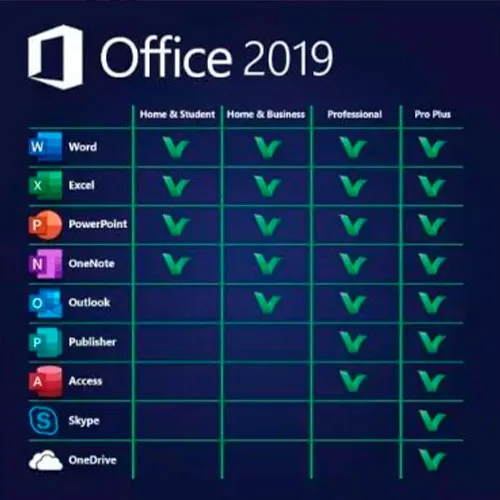
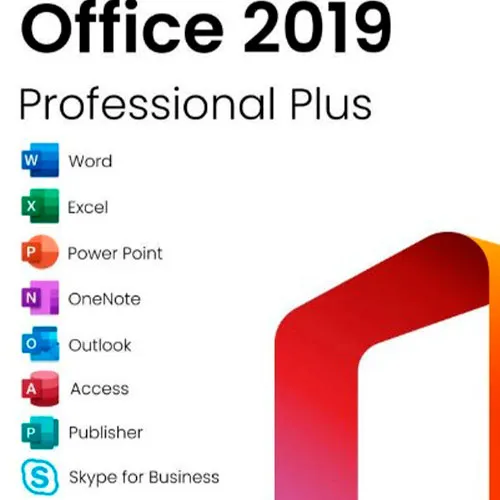
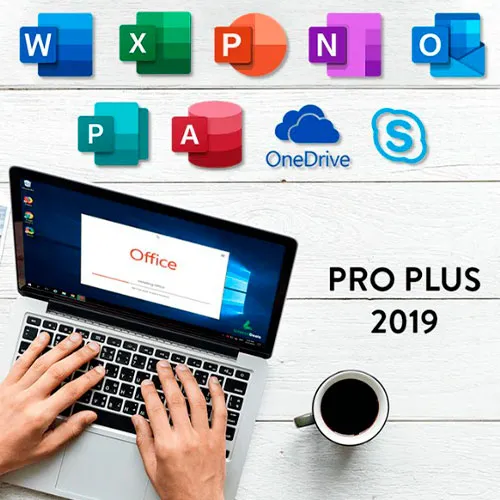
Microsoft Office 2019 专业增强版包括Word、Excel、PowerPoint、OneNote、Outlook、Access、Publisher 和 Skype for Business 的经典 2019 版本。

Office 2019 专业增强版是一款功能强大的工具,几乎每天都能为我们的最终用户提供服务。无论是工作、学习、记笔记还是收发电子邮件,它都能胜任。Office 2019 专业增强版拥有全新的设计和功能,将使我们的生活更加轻松便捷!赶快以最低价格入手一份吧!保证库存充足,并提供全天候 (24/7) 支持。

激活说明:

1. 从此链接下载官方安装程序: [链接]
2. 输入您从我们这里收到的产品密钥以激活软件。
3. 选择“通过电话激活”选项。

如需更详细的说明,请访问下载部分并点击“如何激活”按钮。

  • 我会收到发票吗?
    订单提交后,系统将自动生成发票。

  • 我的发票在哪里可以找到?
    订单完成后,发票将在“我的账户”(顶部栏右上角)->“订单历史记录”中提供。

  • 我可以修改我的发票吗?
    目前您无法自行操作。请发送电子邮件至 [email protected] 联系我们的客服,我们将竭诚为您提供帮助。为了加快处理速度,请在邮件中提供订单号以及您希望显示的任何相关信息(例如您的姓名、身份证/税号等)。

  • 我可以在macOS上安装这个吗?
    不,本产品不支持MacOS。

  • 我可以在哪里兑换这个产品?
    是的,本产品为全球版本。

  • 我可以将此产品转移到新的硬件上吗?
    不,该代码仅适用于一台电脑或一次安装——如果您卸载或重新安装,可能需要购买新的代码。

  • 安装这款产品有什么特定方法吗?
    请阅读“激活”选项卡。

  • 如果我需要该产品的COA标签怎么办?
    如有需要,我们可以扫描 COA 标签打印件并发送给您,但需额外收费。

ACTIVATION INSTRUCTIONS:

Download the official ISO/image to activate: https://officecdn.microsoft.com/pr/492350f6-3a01-4f97-b9c0-c7c6ddf67d60/media/en-US/ProPlus2019Retail.img 

1-After installation, open Word (or any Office app)
When the Office Activation Wizard appears, select “Activate by phone.”
The wizard will display your Installation ID (IID) - you will need this shortly.
The IID is shown as 9 groups of 7 digits.

2-Go to the activation website
Open your browser and go to: https://aka.ms/aoh

3-Sign in
Choose Microsoft Account as the login method and sign in with your Microsoft account.

4-Select “Activate a Microsoft Product”
On the first page, click Activate a Microsoft Product.

5-Choose the product type
Select the category that matches what you are activating:

  • Windows → for Windows activation
  • Microsoft Office → for Office, Project, or Visio
  • Windows Server, etc., if applicable

Note: For Project and Visio, choose Microsoft Office.

6-Select your operating system

7-Choose the product version
Select the version you are activating, for example:

  • Office / Project / Visio 2024
  • Office / Project / Visio 2021
  • Office / Project / Visio 2019, etc. 

8-Enter your Installation ID (IID)
You will see nine empty boxes.
Enter each group of digits from your IID into the matching box (9 groups of 7 digits).
When finished, submit the form to continue.

9-Answer the usage question
When asked, “How many computers have you installed this copy on?”
Type 0, then continue.

10-Receive your Confirmation ID
The website will display your Confirmation ID.

11-Enter the Confirmation ID into your PC
Return to the Office activation wizard and enter the Confirmation ID to finish activation.


For other Office languages, scroll down here: https://gamersoutlet.zendesk.com/hc/en-us/articles/360058263113-Office-2019-pro-plus-activation-methods 

Video Guide:


Frank 10/11/2023

Wasn't 100% sure on activation so contacted Support. In just a few minutes they replied with the necessary information. Activation of Office 2019 Pro was successful. Thank you!

Konstantinos 14/04/2023

Purchased a phone activation key. During the activation, I got informed that the key was not valid.
After contacting the support, they provide me immediately with a valid key and activated my product.
I will buy again for sure!

Saj Gul 24/01/2023

First class service and delivery

Saj Gul 24/01/2023

First class delivery and service

Zoilo Garcia 10/01/2023

Habria que renovarlas anualmente o son perpetuas?

寫評論

注意: HTML 未翻譯!
Captcha
Review Score: 5 / 5
Frank 10/11/2023

Wasn't 100% sure on activation so contacted Support. In just a few minutes they replied with the necessary information. Activation of Office 2019 Pro was successful. Thank you!

Konstantinos 14/04/2023

Purchased a phone activation key. During the activation, I got informed that the key was not valid.
After contacting the support, they provide me immediately with a valid key and activated my product.
I will buy again for sure!

Saj Gul 24/01/2023

First class service and delivery

Saj Gul 24/01/2023

First class delivery and service

Zoilo Garcia 10/01/2023

Habria que renovarlas anualmente o son perpetuas?

Support