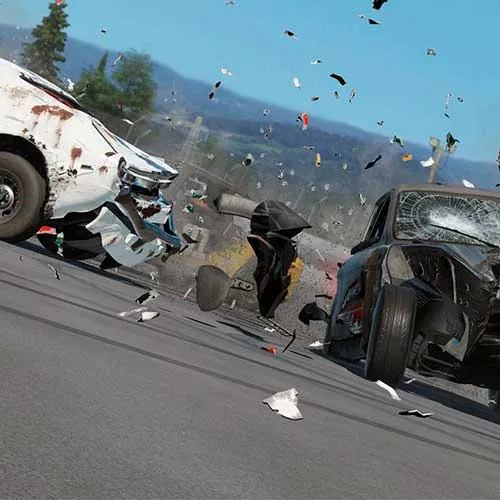















Wreckfest (PC Steam-code / Global)

Wreckfest (PC Steam-code / Global)
Waardering:

Beoordelingen
Prijs
  • $9.24
cards klarna GPay Apple Pay affirm afterpay

Officiële licentie: Wereldwijd | 24/7 ondersteuning in de VS | Gamers Outlet - CD-sleutels

Platform
Steam PC Steam Key
Verdiende punten
8
Beschikbaarheid
Niet op voorraad
Ondersteuning
24/7 Ondersteuning
Levering
Gratis digitale levering
Uw regio
Niet ondersteund


$9.24

Directe levering: Wreckfest (PC Steam-code / Wereldwijd) Spelcode

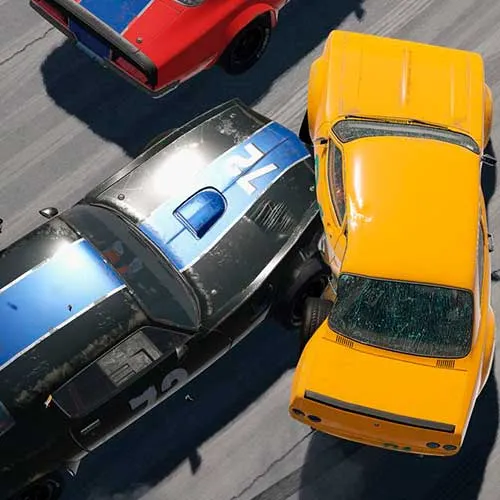
- Autoracen wordt een full-contactsport in Wreckfest!

- Epische crashes komen net zo vaak voor als spannende finishes in deze chaotische race-ervaring.

- Maak je auto klaar voor de volgende race (en het volgende gevecht) met een enorme keuze aan aanpassingsmogelijkheden!


  • Krijg ik een factuur?
    De factuur wordt automatisch gegenereerd zodra u een bestelling plaatst.

  • Waar kan ik mijn factuur vinden?
    Zodra de bestelling is afgerond, is de factuur beschikbaar onder 'Mijn account' (rechtsboven in de menubalk) -> 'Bestelgeschiedenis'.

  • Kan ik mijn factuur wijzigen?
    Momenteel kunt u dit niet zelf doen. Neem contact op met onze klantenservice via e-mail op [email protected], dan helpen we u graag verder. Vermeld voor een snellere afhandeling het ordernummer en alle relevante informatie die u wilt laten zien (zoals uw naam, ID-/btw-nummer, enz.).

  • Is dit product geschikt voor alle platformen?
    Nee, dit product is specifiek voor het Steam-platform.

  • Kan ik dit product ergens inwisselen?
    Ja, dit product is een wereldwijde versie.

  • Is dit product een spel, tegoed, abonnement of DLC?
    Dit product is het basisspel.

  • Kan ik dit spel overzetten naar nieuwe hardware of een nieuwe console?
    Ja, deze sleutel is gekoppeld aan je Steam-account.

  • Is er een specifieke manier waarop ik dit product moet installeren?
    Lees het tabblad 'Activering'.

Please follow the steps below to redeem your Steam key:

1) Download and install the Steam client on your PC: https://store.steampowered.com/about/
2) Open the Steam client, log in or create an account if you don't have one, and locate the Games tab on the top menu. Click this and then select "Activate a Product on Steam…"


3) Enter your code into the product activation field


Your game is now viewable in the "Library" tab and is available to download/install when you're ready.
Happy Gaming!

Kevin Fernandez 04-11-2018

I've shopped on this website multiple times, and each time, the process has been smooth and hassle-free. The products are always as described, and the shipping is prompt.

Fen 26-10-2018

This website has earned my trust with its exceptional product selection, competitive pricing, and top-notch customer service. I will continue to shop here and recommend it to others.

Geef beoordeling

Note: HTML-code wordt niet vertaald!
Captcha
Review Score: 5 / 5
Kevin Fernandez 04-11-2018

I've shopped on this website multiple times, and each time, the process has been smooth and hassle-free. The products are always as described, and the shipping is prompt.

Fen 26-10-2018

This website has earned my trust with its exceptional product selection, competitive pricing, and top-notch customer service. I will continue to shop here and recommend it to others.

Support