KAN ALLEEN IN EUROPA WORDEN GEACTIVEERD
Game Pass Ultimate - 3 maanden Europa (Xbox-code / Europa)
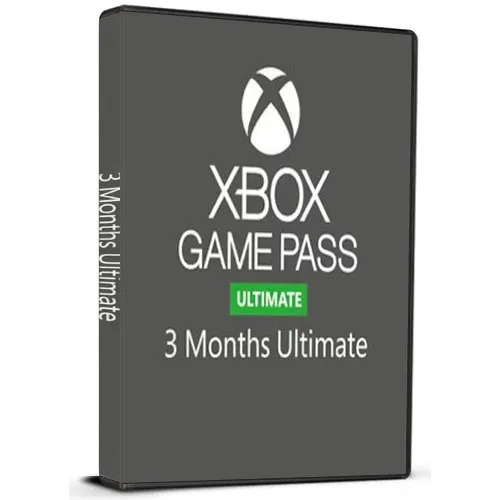
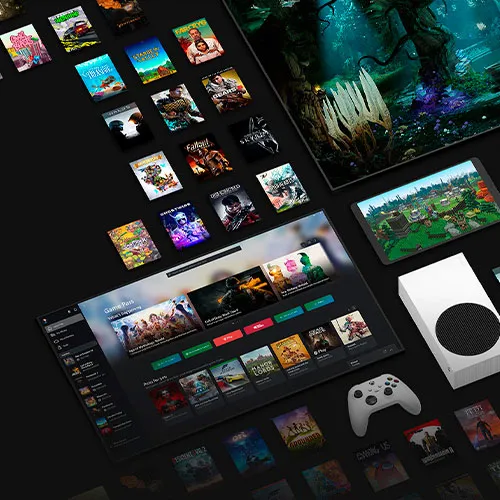
Game Pass Ultimate - 3 maanden Europa (Xbox-code / Europa)
Waardering:

Beoordelingen
Prijs
  • $43.70
cards klarna GPay Apple Pay affirm afterpay

Officiële licentie: Europa | 24/7 ondersteuning in de VS | Gamers Outlet - CD-sleutels

Platform
Xbox Xbox Key
Verdiende punten
30
Beschikbaarheid
Niet op voorraad
Ondersteuning
24/7 Ondersteuning
Levering
Gratis digitale levering
Uw regio
Niet ondersteund
Beschikbare opties voor GamePass Regions

$43.70

Directe levering: Game Pass Ultimate – 3 maanden Europa (Xbox-code / Europa) Spelcode
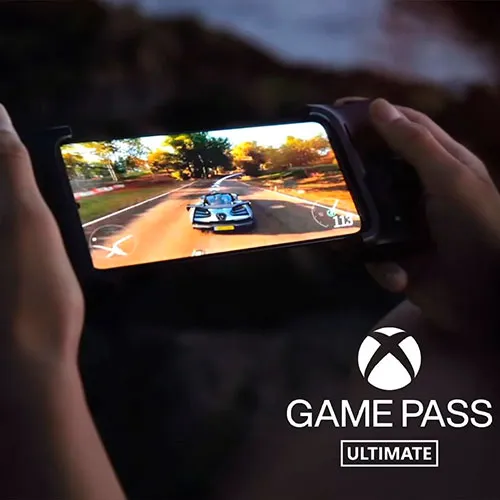
Xbox Game Pass Ultimate is een gamingdienst op basis van een abonnement die gameliefhebbers toegang biedt tot meer dan honderd van de allerbeste videogames op de Xbox-console, PC en mobiele apparaten. De dienst combineert de voordelen van Xbox Live Gold, waarmee je toegang krijgt tot games die veel mensen online spelen en die zijn geïntegreerd in digitale games. Daarnaast krijg je speciale kortingen op de Game Pass-bibliotheek, die populaire games bevat zoals Halo, Gears of War, Forza Horizon, enzovoort. Met een Xbox Game Pass Ultimate-abonnement kunnen spelers genieten van een breed scala aan videogames, naast specifieke kortingen op online multiplayer-games, allemaal in één pakket voor een lage maandelijkse prijs

Een voordeel van Xbox Game Pass Ultimate is dat het op meerdere apparaten kan worden gebruikt. Zo kunnen spelers hun favoriete videogames spelen op hun Xbox-console, PC of mobiel apparaat, wat extra flexibiliteit en gemak biedt. Met de Xbox mobiele app hebben spelers onderweg toegang tot hun games, waardoor ze hun favoriete games kunnen blijven spelen, waar ze ook zijn. Dit is met name handig voor gamers die een druk leven leiden en niet veel tijd hebben om rustig te gaan zitten en te spelen.

Een ander voordeel van Xbox Game Pass Ultimate is dat er regelmatig nieuwe games aan de Game Pass-bibliotheek worden toegevoegd. Microsoft voegt voortdurend nieuwe titels toe aan de dienst, zodat gameliefhebbers altijd iets nieuws en spannends te spelen hebben. Hierdoor hoeven klanten zich nooit zorgen te maken dat ze zonder games komen te zitten of dat ze het aanbod beu raken. Bovendien zijn sommige van de games in de Game Pass-bibliotheek nieuwe releases of populaire titels, wat betekent dat klanten toegang krijgen tot enkele van de beste en meest gewilde games in de branche.

  • Krijg ik een factuur?
    De factuur wordt automatisch gegenereerd zodra u een bestelling plaatst.

  • Waar kan ik mijn factuur vinden?
    Zodra de bestelling is afgerond, is de factuur beschikbaar onder 'Mijn account' (rechtsboven in de menubalk) -> 'Bestelgeschiedenis'.

  • Kan ik mijn factuur wijzigen?
    Momenteel kunt u dit niet zelf doen. Neem contact op met onze klantenservice via e-mail op [email protected], dan helpen we u graag verder. Vermeld voor een snellere afhandeling het ordernummer en alle relevante informatie die u wilt laten zien (zoals uw naam, ID-/btw-nummer, enz.).

  • Is dit product geschikt voor alle platformen?
    Nee, dit product is specifiek voor het Xbox-platform.

  • Kan ik dit product ergens inwisselen?
    Nee, dit product kan alleen vanuit de EU worden geactiveerd.
    Als u buiten de EU woont, kunt u een VPN gebruiken om het product te activeren (neem voor instructies contact op met [email protected]).

  • Is dit product een spel, tegoed, abonnement of DLC?
    Dit product is een abonnement op Xbox Game Pass Ultimate . Hiermee krijgt u toegang tot Xbox Game Pass Ultimate gedurende de looptijd van het abonnement.

  • Kan ik dit spel overzetten naar nieuwe hardware of een nieuwe console?
    Ja, deze sleutel is gekoppeld aan je Xbox- account.

  • Is er een specifieke manier waarop ik dit product moet installeren?
    Lees het tabblad 'Activering'.

How to activate the key for Xbox Game Pass Ultimate

Xbox One Console:

1-Sign in to your Xbox Live account and navigate to the "Home" screen.
2-Go to the "Store" in the "Categories" section.
3-Choose "Games" and then select "Use a code."
4-Opt to "enter the 25 character code" and input the code.


Web Browser:

1-Visit redeem.microsoft.com in a web browser.
2-Log in with your Microsoft account details.
3-Enter the code and click "Next"; follow the instructions to complete the redemption process.

Note: Currently, the Microsoft activation servers are experiencing an issue when redeeming Xbox Game Pass. In the meantime, please change the country of your account to Mexico (Here), and it should work. No VPN is needed.

MikeO 26-02-2025

Y'all MFs shady but can't argue with the results, keep it up

Valexiem 24-02-2025

Initially, the key would not activate within the United States which was confusing given it's listed as a global key. But after going back and forth with Gamers-Outlet's support team I managed to get it activated by temporarily changing my region to Mexico and back. Good job and good customer service.

jopezzo 10-02-2025

Gave me a scare at first, but it was just microsoft potato servers being slow. All good

Fab 04-02-2025

All works well from Canada, thanks ;)

Salvis Daukšte 10-01-2025

Works perfect, Latvia is supported country for global key, reccommend.

Geef beoordeling

Note: HTML-code wordt niet vertaald!
Captcha
Review Score: 5 / 5
MikeO 26-02-2025

Y'all MFs shady but can't argue with the results, keep it up

Valexiem 24-02-2025

Initially, the key would not activate within the United States which was confusing given it's listed as a global key. But after going back and forth with Gamers-Outlet's support team I managed to get it activated by temporarily changing my region to Mexico and back. Good job and good customer service.

jopezzo 10-02-2025

Gave me a scare at first, but it was just microsoft potato servers being slow. All good

Fab 04-02-2025

All works well from Canada, thanks ;)

Salvis Daukšte 10-01-2025

Works perfect, Latvia is supported country for global key, reccommend.

Support