Jeśli chcesz kupić większą liczbę kopii, skontaktuj się z [email protected]
Office 2019 Professional Plus Cd Key Phone Activation RETAIL

Office 2019 Professional Plus Cd Key Phone Activation RETAIL

Ocena

Recenzje
Cena
  • $8.70
cards klarna GPay Apple Pay affirm afterpay
Platforma
Microsoft Windows Microsoft Office
Zdobyte punkty
7
Dostępność
W magazynie
Wsparcie
24/7 Wsparcie
Dostawa
Darmowa dostawa cyfrowa
Twój region
Obsługiwane
Dostępne opcje dla Office 2019 options

$8.70

faktura zostanie wygenerowana automatycznie po złożeniu zamówienia

Dostępne języki: WIELOJĘZYCZNY

Jest to wersja DETALICZNA aktywacji telefonicznej pakietu Office 2019.

INSTRUKCJA AKTYWACJI:

1. Pobierz oficjalny instalator z tego linku: Tutaj
2. Wprowadź klucz produktu, który od nas otrzymałeś, aby aktywować oprogramowanie.
3. Wybierz opcję „Aktywuj przez telefon”.
4. Zadzwoń pod numer telefonu podany w wytycznych dotyczących aktywacji.
5. Podczas połączenia postępuj zgodnie z instrukcjami zawartymi w wiadomości głosowej.

Aby uzyskać bardziej szczegółowe instrukcje, przejdź do sekcji pobierania i kliknij przycisk „Jak aktywować”.

Kod jest ważny na 1 komputer / 1 instalację - przy odinstalowywaniu i ponownej instalacji może być konieczny zakup nowego kodu.

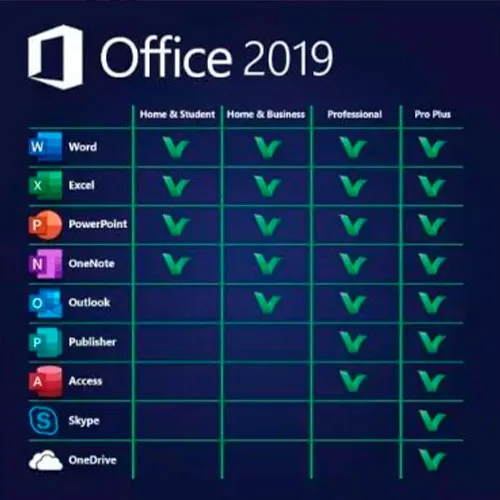
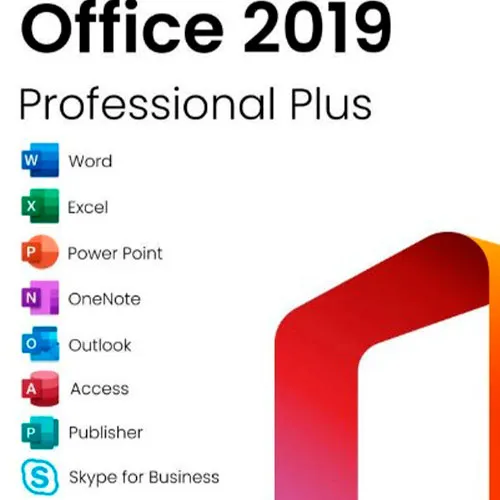
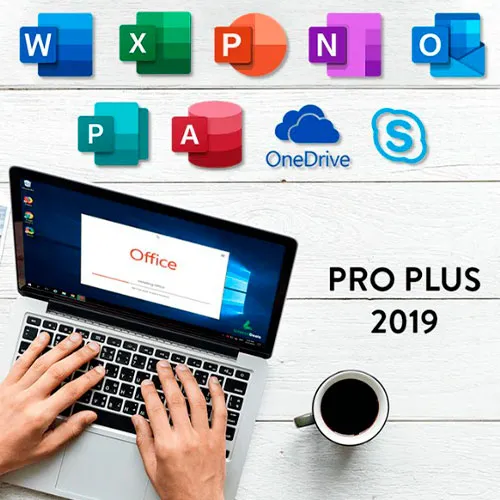
Pakiet Microsoft Office 2019 Professional Plus obejmuje klasyczne wersje 2019 aplikacji Word, Excel, PowerPoint, OneNote, Outlook, Access, Publisher i Skype dla firm.

Office 2019 professional plus to potężne narzędzie, które służy nam jako użytkownikom końcowym niemal codziennie. Do pracy, jako student, do robienia notatek i do wysyłania e-maili. Office 2019 pro plus oferuje nowy design i nowe funkcje, które jeszcze bardziej ułatwią nam życie! Pospiesz się i kup własną kopię w najniższej cenie. Gwarancja dostępności z całodobowym wsparciem.

Oferujemy również klucze CD do systemu Windows 11 TUTAJ
Klucze CD systemu Windows 10 TUTAJ
Klucze CD do pakietu Office 2021
TUTAJ

  • Czy otrzymam fakturę?
    Faktura zostanie wygenerowana automatycznie po złożeniu zamówienia.

  • Gdzie znajdę swoją fakturę?
    Po złożeniu zamówienia faktura będzie dostępna w zakładce „Moje konto” (prawy górny róg górnego paska) -> „Historia zamówień”.

  • Czy mogę edytować swoją fakturę?
    Obecnie nie możesz tego zrobić samodzielnie. Skontaktuj się z naszym działem wsparcia za pośrednictwem poczty e-mail na adres [email protected], a chętnie pomożemy Ci w tej sprawie. Aby przyspieszyć proces, podaj numer zamówienia i wszelkie istotne informacje, które chcesz wyświetlić (takie jak imię i nazwisko, numer identyfikacyjny/podatkowy itp.).

  • Czy mogę zainstalować to na macOS?
    Nie, ten produkt nie obsługuje systemu MacOS.

  • Czy mogę zrealizować ten produkt gdziekolwiek?
    Tak, ten produkt jest wersją globalną.

  • Czy mogę przenieść ten produkt na nowy sprzęt?
    Nie, kod jest ważny na 1 komputer lub jedną instalację. Jeśli odinstalujesz lub zainstalujesz ponownie program, może być konieczne zakupienie nowego kodu.

  • Czy muszę zainstalować ten produkt w jakiś konkretny sposób?
    Przeczytaj zakładkę „Aktywacja”.

  • A co jeśli dla tego produktu potrzebuję naklejki COA?
    Wydruk etykiety COA może zostać zeskanowany i przesłany na życzenie, za dodatkową opłatą.

ACTIVATION INSTRUCTIONS:

Download the official ISO/image to activate: https://officecdn.microsoft.com/pr/492350f6-3a01-4f97-b9c0-c7c6ddf67d60/media/en-US/ProPlus2019Retail.img 

1-After installation, open Word (or any Office app)
When the Office Activation Wizard appears, select “Activate by phone.”
The wizard will display your Installation ID (IID) - you will need this shortly.
The IID is shown as 9 groups of 7 digits.

2-Go to the activation website
Open your browser and go to: https://aka.ms/aoh

3-Sign in
Choose Microsoft Account as the login method and sign in with your Microsoft account.

4-Select “Activate a Microsoft Product”
On the first page, click Activate a Microsoft Product.

5-Choose the product type
Select the category that matches what you are activating:

  • Windows → for Windows activation
  • Microsoft Office → for Office, Project, or Visio
  • Windows Server, etc., if applicable

Note: For Project and Visio, choose Microsoft Office.

6-Select your operating system

7-Choose the product version
Select the version you are activating, for example:

  • Office / Project / Visio 2024
  • Office / Project / Visio 2021
  • Office / Project / Visio 2019, etc. 

8-Enter your Installation ID (IID)
You will see nine empty boxes.
Enter each group of digits from your IID into the matching box (9 groups of 7 digits).
When finished, submit the form to continue.

9-Answer the usage question
When asked, “How many computers have you installed this copy on?”
Type 0, then continue.

10-Receive your Confirmation ID
The website will display your Confirmation ID.

11-Enter the Confirmation ID into your PC
Return to the Office activation wizard and enter the Confirmation ID to finish activation.


For other Office languages, scroll down here: https://gamersoutlet.zendesk.com/hc/en-us/articles/360058263113-Office-2019-pro-plus-activation-methods 

Video Guide:


Frank 10/11/2023

Wasn't 100% sure on activation so contacted Support. In just a few minutes they replied with the necessary information. Activation of Office 2019 Pro was successful. Thank you!

Konstantinos 14/04/2023

Purchased a phone activation key. During the activation, I got informed that the key was not valid.
After contacting the support, they provide me immediately with a valid key and activated my product.
I will buy again for sure!

Saj Gul 24/01/2023

First class service and delivery

Saj Gul 24/01/2023

First class delivery and service

Zoilo Garcia 10/01/2023

Habria que renovarlas anualmente o son perpetuas?

Napisz recenzję

Uwaga: HTML nie jest przetłumaczony!
Captcha
Review Score: 5 / 5
Frank 10/11/2023

Wasn't 100% sure on activation so contacted Support. In just a few minutes they replied with the necessary information. Activation of Office 2019 Pro was successful. Thank you!

Konstantinos 14/04/2023

Purchased a phone activation key. During the activation, I got informed that the key was not valid.
After contacting the support, they provide me immediately with a valid key and activated my product.
I will buy again for sure!

Saj Gul 24/01/2023

First class service and delivery

Saj Gul 24/01/2023

First class delivery and service

Zoilo Garcia 10/01/2023

Habria que renovarlas anualmente o son perpetuas?