Se você quiser comprar uma grande quantidade de cópias, entre em contato com [email protected]
Office 2024 Profissional Plus Licença digital global para ativação por telefone

Office 2024 Profissional Plus Licença digital global para ativação por telefone

Avaliação

Avaliações
Official release
2024
Preço
  • $17.40
cards klarna GPay Apple Pay affirm afterpay
Plataforma
Microsoft Windows Microsoft Office
Pontos ganhos
15
Disponibilidade
Em estoque
Suporte
24/7 Suporte
Entrega
Entrega digital gratuita
Sua região
Suportado
Opções disponíveis para Office 2024 options


$17.40

Versão 2024 do Access, Excel, OneNote, Outlook, PowerPoint e Word.

Não funciona em dispositivos Apple com macOS/ChromeOS/Android/iOS. Compatível apenas com Windows 10 e Windows 11.

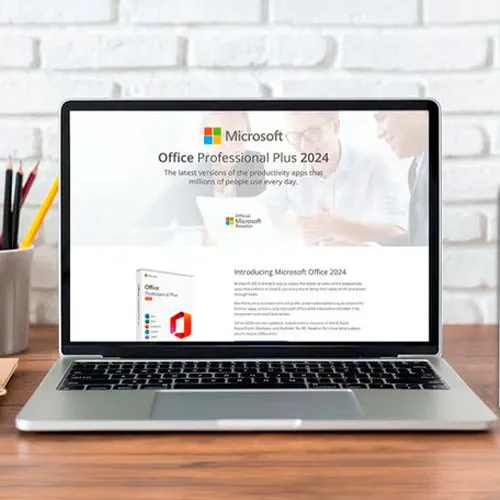
Chave de CD do Office 2024 Professional Plus: Sua chave para a produtividade liberada

Experimente o auge da produtividade com o Microsoft Office 2024 Professional Plus — a chave para uma eficiência impecável em todas as tarefas. Libertar o poder deste pacote de produtividade definitivo significa mergulhar em um mundo onde criar, gerenciar e compartilhar documentos, dados e apresentações se torna uma experiência fluida e dinâmica.

Feito sob medida para estudantes, profissionais e empreendedores, este pacote de software de ponta revoluciona a forma como o trabalho é realizado. Acesse e edite seus arquivos sem esforço algum, de qualquer dispositivo, garantindo que seu fluxo de trabalho permaneça ininterrupto e eficiente. Com aplicativos versáteis como Word, Excel, PowerPoint, Outlook, Access e OneNote ao seu alcance, não há limites para o que você pode realizar.

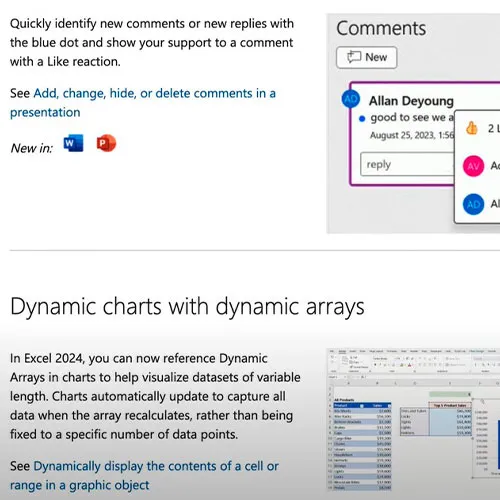
Capacite-se com os recursos e aprimoramentos mais recentes que o Office 2024 Professional Plus oferece, elevando seu trabalho a novos patamares de criatividade e precisão. Diga adeus às limitações e abrace um futuro onde a produtividade não tem limites – tudo isso com a Chave de CD Global do Microsoft Office 2024 Professional Plus.


  • Receberei uma fatura?
    A fatura será gerada automaticamente ao fazer um pedido.

  • Onde posso encontrar minha fatura?
    Assim que o pedido for concluído, a fatura estará disponível em "Minha conta" (canto superior direito da barra superior) -> "Histórico de pedidos".

  • Posso editar minha fatura?
    No momento, você não pode fazer isso sozinho. Entre em contato com nosso suporte por e-mail em [email protected] e teremos prazer em ajudar. Para agilizar o processo, inclua o número do pedido e quaisquer informações relevantes que você queira que sejam exibidas (como seu nome, CPF/CNPJ, etc.).

  • Posso instalar isso no macOS?
    Não, este produto não é compatível com macOS, sendo compatível apenas com Windows 10 e 11.

  • Posso resgatar este produto em qualquer lugar?
    Sim, este produto é uma versão global.

  • Posso transferir este produto para um novo hardware?
    Não, o código é válido para 1 PC ou 1 instalação. Se você desinstalar ou reinstalar, talvez seja necessário comprar um novo código.

  • Existe uma maneira específica de instalar este produto ?
    Leia a aba "Ativação".

  • E se eu precisar de um adesivo COA para esse produto?
    A impressão da etiqueta COA pode ser digitalizada e enviada a você mediante solicitação, por um custo adicional.

To install the correct version of Office ProPlus 2024, please check out the instructions in this PDF: https://download.dlr-as.com/instructions/Installation-Office-ProPlus2024.pdf 

1-After installation, open Word (or any Office app)
When the Office Activation Wizard appears, select “Activate by phone.”
The wizard will display your Installation ID (IID) - you will need this shortly.
The IID is shown as 9 groups of 7 digits.

2-Go to the activation website
Open your browser and go to: https://aka.ms/aoh

3-Sign in
Choose Microsoft Account as the login method and sign in with your Microsoft account.

4-Select “Activate a Microsoft Product”
On the first page, click Activate a Microsoft Product.

5-Choose the product type
Select the category that matches what you are activating:

  • Windows → for Windows activation
  • Microsoft Office → for Office, Project, or Visio
  • Windows Server, etc., if applicable

Note: For Project and Visio, choose Microsoft Office.

6-Select your operating system

7-Choose the product version
Select the version you are activating, for example:

  • Office / Project / Visio 2024
  • Office / Project / Visio 2021
  • Office / Project / Visio 2019, etc. 

8-Enter your Installation ID (IID)
You will see nine empty boxes.
Enter each group of digits from your IID into the matching box (9 groups of 7 digits).
When finished, submit the form to continue.

9-Answer the usage question
When asked, “How many computers have you installed this copy on?”
Type 0, then continue.

10-Receive your Confirmation ID
The website will display your Confirmation ID.

11-Enter the Confirmation ID into your PC
Return to the Office activation wizard and enter the Confirmation ID to finish activation.


 **For a more visual guide, watch our tutorial video here:


Mladen Jevtić 27/11/2025

Works perfect, easy install and activation. Just follow the instructions.

Jonathan Lee 19/11/2025

Works perfectly, you just need to follow the exact steps outlined

Andrew Smith 15/11/2025

I contacted support because i mistakenly selected online activation for my product, they fixed the issue within 30mins and my product is now working fine.

Andrew Smith 15/11/2025

I contacted support because i mistakenly selected online activation, and the fixed the issue in less than 30mins... My product is activated and i am 100% satisfied

Vitor Miguel 14/11/2025

Bought the key, was emailed with the payment confirmation and activated my Office in less than 5 minutes, and had no issues whatsoever. Great! Thumbs up!
Comprei a chave, recebi o email com a confirmação do pagamento e ativei meu Office em menos de 5 minutos, e não tive nenhum problema. Maravilha!

Escreva um comentário

Nota: HTML não suportado.
Imagem antispam
Review Score: 5 / 5
Mladen Jevtić 27/11/2025

Works perfect, easy install and activation. Just follow the instructions.

Jonathan Lee 19/11/2025

Works perfectly, you just need to follow the exact steps outlined

Andrew Smith 15/11/2025

I contacted support because i mistakenly selected online activation for my product, they fixed the issue within 30mins and my product is now working fine.

Andrew Smith 15/11/2025

I contacted support because i mistakenly selected online activation, and the fixed the issue in less than 30mins... My product is activated and i am 100% satisfied

Vitor Miguel 14/11/2025

Bought the key, was emailed with the payment confirmation and activated my Office in less than 5 minutes, and had no issues whatsoever. Great! Thumbs up!
Comprei a chave, recebi o email com a confirmação do pagamento e ativei meu Office em menos de 5 minutos, e não tive nenhum problema. Maravilha!