






























Als u een groot aantal exemplaren wilt kopen, kunt u contact opnemen met [email protected].

Werkt niet op MacBook

Je kunt deze licentie niet koppelen aan je eigen MB-account! Hij is alleen gekoppeld aan je client/apparaat!
Malwarebytes Anti-Malware Premium (1 apparaat) (licentie voor onbepaalde tijd / Global)
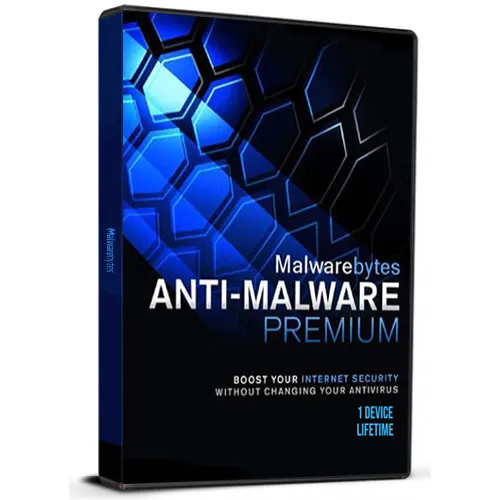

Malwarebytes Anti-Malware Premium (1 apparaat) (licentie voor onbepaalde tijd / Global)

Waardering:

Beoordelingen
Prijs
  • $10.61
cards klarna GPay Apple Pay affirm afterpay

Officiële licentie: Wereldwijd | 24/7 ondersteuning in de VS | Gamers Outlet - CD-sleutels

Platform
Malwarebytes Lifetime License
Verdiende punten
13
Beschikbaarheid
Op voorraad
Ondersteuning
24/7 Ondersteuning
Levering
Gratis digitale levering
Uw regio
Ondersteund


$10.61

Directe activering: Malwarebytes Anti-Malware Premium (1 apparaat) (levenslange licentie / Wereldwijd) CD-sleutel

Malwarebytes is een toonaangevende desktop-scanner die malware zoals wormen, Trojaanse paarden, rootkits, nepsoftware, spyware en meer op uw Windows-PC detecteert en verwijdert. Het enige wat u hoeft te doen, is de software starten en een scan uitvoeren. Zo simpel is het. Of als je nog betere bescherming wilt, overweeg dan Anti-Malware Premium en de realtime scanner die automatisch voorkomt dat malware en websites je PC infecteren. Hoe dan ook, je verslaat malware en dwarsboomt hackers. Volgens OPSWAT is het offline installatieprogramma van Malwarebytes voor PC het populairste beveiligingsproduct dat door gebruikers wordt geïnstalleerd.


Je moet Malwarebytes deactiveren voordat je je PC formatteert, anders raak je de licentie kwijt. Als je je PC formatteert of hardwarewijzigingen aanbrengt zonder Malwarebytes te deactiveren, kun je het programma mogelijk niet opnieuw activeren. Om de licentie te deactiveren, open je de Malwarebytes-app en ga je naar Instellingen > Account > Licentie deactiveren

Instructies voor activering:

1-Downloaden en installeren de nieuwste versie via deze link https://downloads.malwarebytes.com/file/mb4-Windows   

2-Klik op de knop Licentie activeren (zo doe je dat) https://i.ibb.co/3BKsP3c/1-2.png

3-Klik op het tekstvak onder de Licentiesleutel en voer vervolgens je licentie-ID en Licentiesleutel in. Zorg ervoor dat je de koppeltekens en hoofdletters correct overneemt.

4-Klik op de knop 'Activeren'.


You can't link this license to your own MB account! It is tied to your client/device only.

Activation instructions:

1-Download and install the latest version from this link

2-Click the Activate license button ( This is how ) https://i.ibb.co/3BKsP3c/1-2.png

3-Click the text box under the License key, then enter your License ID and License Key. Be sure to include hyphens and capitalization.

4-Click the Activate button.

Fiorella Suárez 24-08-2026

Muy sencillo de instalarlo, no tuve ningún inconveniente

Croat 22-08-2026

After problems with activation and writing to the chat, it was solved in a minute. Satisfied

Riccardo Signer 29-07-2026

At first Ihad some problems with license registration but I asked support and after few minutes and some proves, I managed to register successfully

Badr Eddin amma 20-07-2026

Thank you, and the activation works correctly.

Aic 13-07-2026

Key activation kept saying "You've hit your device limit". Support gave me 3 different keys, and it finally worked.

Geef beoordeling

Note: HTML-code wordt niet vertaald!
Captcha
Review Score: 5 / 5
Fiorella Suárez 24-08-2026

Muy sencillo de instalarlo, no tuve ningún inconveniente

Croat 22-08-2026

After problems with activation and writing to the chat, it was solved in a minute. Satisfied

Riccardo Signer 29-07-2026

At first Ihad some problems with license registration but I asked support and after few minutes and some proves, I managed to register successfully

Badr Eddin amma 20-07-2026

Thank you, and the activation works correctly.

Aic 13-07-2026

Key activation kept saying "You've hit your device limit". Support gave me 3 different keys, and it finally worked.

Support

