
























Als u een groot aantal exemplaren wilt kopen, neem dan contact op met [email protected]
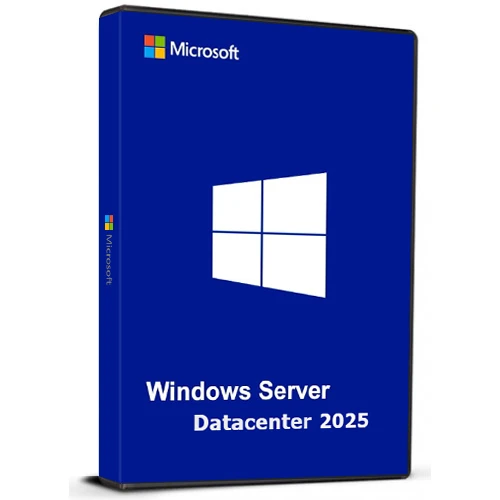
Microsoft Windows Server Datacenter 2025 Cd Key Global

Microsoft Windows Server Datacenter 2025 Cd Key Global

Waardering:

Beoordelingen
Prijs
  • $17.39
cards klarna GPay Apple Pay affirm afterpay
Platform
Microsoft Windows Windows
Verdiende punten
15
Beschikbaarheid
Op voorraad
Ondersteuning
24/7 Ondersteuning
Levering
Gratis digitale levering
Uw regio
Ondersteund
Beschikbare opties voor Windows Server Option
$17.39

Windows Server Datacenter 2025

Windows Server Datacenter 2025 biedt bedrijven een uiterst schaalbaar, veilig en hybride-ready platform. Het is ontworpen voor het beheren van grootschalige, data-intensieve applicaties, zowel on-premises als in de cloud.

Belangrijkste hoogtepunten:

Hybride cloudintegratie
Beheer on-premises en cloudresources via Azure Arc voor een uniforme ervaring.
Geavanceerde beveiliging
Verbeterde beveiliging met geüpgradede Active Directory voor verbeterde identiteits- en gegevensbeveiliging.
Superieure prestaties
Geoptimaliseerd voor zware workloads zoals SQL Server met snellere netwerken en live hotpatching om downtime te minimaliseren.
AI-klaar
Voer AI- en machine learning-taken efficiënt uit met GPU-versnelling.
Gebruiksvriendelijk
Vertrouwde, gebruiksvriendelijke interface met ondersteuning voor moderne functies zoals wifi en Bluetooth.

Ontworpen om te voldoen aan de behoeften van de snel evoluerende bedrijven van vandaag, met de flexibiliteit om te groeien en zich aan te passen aan toekomstige technologieën.

De code is geldig voor 1 pc / 1 installatie. Als u de software verwijdert/opnieuw installeert, moet u mogelijk een nieuwe code kopen.

  • Krijg ik een factuur?
    De factuur wordt automatisch gegenereerd wanneer u een bestelling plaatst.

  • Waar kan ik mijn factuur vinden?
    Zodra de bestelling is voltooid, is de factuur beschikbaar onder 'Mijn account' (rechtsboven in de bovenste balk) -> 'Bestelgeschiedenis'.

  • Kan ik mijn factuur bewerken?
    Momenteel kunt u dit niet zelf doen. Neem contact op met onze support via e-mail op [email protected], en we helpen u graag verder. Voor een sneller proces, vermeldt u het ordernummer en alle relevante informatie die u wilt laten zien (zoals uw naam, ID/belastingnummer, etc.).

  • Kan ik dit op macOS installeren?
    Nee, dit product ondersteunt MacOS niet.

  • Kan ik dit product overal inwisselen?
    Ja, dit product is een wereldwijde versie.

  • Kan ik dit product overzetten naar nieuwe hardware?
    Nee, de code is geldig voor 1 pc of 1 installatie. Als u de app verwijdert of opnieuw installeert, moet u mogelijk een nieuwe code kopen.

  • Is er een specifieke manier waarop ik dit product moet installeren?
    Lees het tabblad 'Activering'.

  • Wat als ik een COA-sticker voor dat product nodig heb?
    Op verzoek kunnen wij tegen een meerprijs het COA-label scannen en naar u opsturen.

ACTIVATION INSTRUCTIONS

Download and install Windows Server Datacenter 2025 using the ISO below:

X23-81958_26100.1742.240906-0331.ge_release_svc_refresh_SERVER_OEMRET_x64FRE_en-us.iso


Note: You need to rename extension to .iso after file is downloaded.

Links are taken from the Official OEM portal.

Carl 10-07-2025

I purchased a Windows Server 2025 Datacenter key after installing the official ISO downloaded directly from Microsoft's website (Evaluation version). Before activating the OS with your purchased key, you must first upgrade the edition using the following steps:

How to Activate:
Click Start, type CMD, right-click and select Run as Administrator.

Enter the following command and press Enter:

DISM /online /Set-Edition:ServerDatacenter /ProductKey:D764K-2NDRG-47T6Q-P8T8W-YP6DF /AcceptEula

Wait for the process to complete (may take several minutes).

The server will automatically reboot.

Once restarted, go to Settings > Activation.

Click Activate Now, then Change Product Key.

Enter your purchased key and follow the prompts.

After activation, proceed with Windows Updates and you're good to go.

Oliver Krause 26-02-2025

Super-Schneller Versand online direkt nach Bezahlung. Funktioniert auch mit deutschem Evaluierungs-ISO und anschließendem Befehl "DISM /online /Set-Edition:ServerDatacenter /ProductKey:D764K-2NDRG-47T6Q-P8T8W-YP6DF /AcceptEula", anschließendem Neustart - zum Schluss den gekauften Key eingeben. Aktivierung hat reibungslos funktioniert.

C M 17-01-2025

Good codes easy to use have multiple ordered

Pablo Laredo Agenjo 11-01-2025

EL link de descarga de la ISO está caído

Geef beoordeling

Note: HTML-code wordt niet vertaald!
Captcha
Review Score: 5 / 5
Carl 10-07-2025

I purchased a Windows Server 2025 Datacenter key after installing the official ISO downloaded directly from Microsoft's website (Evaluation version). Before activating the OS with your purchased key, you must first upgrade the edition using the following steps:

How to Activate:
Click Start, type CMD, right-click and select Run as Administrator.

Enter the following command and press Enter:

DISM /online /Set-Edition:ServerDatacenter /ProductKey:D764K-2NDRG-47T6Q-P8T8W-YP6DF /AcceptEula

Wait for the process to complete (may take several minutes).

The server will automatically reboot.

Once restarted, go to Settings > Activation.

Click Activate Now, then Change Product Key.

Enter your purchased key and follow the prompts.

After activation, proceed with Windows Updates and you're good to go.

Oliver Krause 26-02-2025

Super-Schneller Versand online direkt nach Bezahlung. Funktioniert auch mit deutschem Evaluierungs-ISO und anschließendem Befehl "DISM /online /Set-Edition:ServerDatacenter /ProductKey:D764K-2NDRG-47T6Q-P8T8W-YP6DF /AcceptEula", anschließendem Neustart - zum Schluss den gekauften Key eingeben. Aktivierung hat reibungslos funktioniert.

C M 17-01-2025

Good codes easy to use have multiple ordered

Pablo Laredo Agenjo 11-01-2025

EL link de descarga de la ISO está caído