Tilt Brush VR (PC Steam-code / Global)

Tilt Brush VR (PC Steam-code / Global)

Waardering:

Beoordelingen
Prijs
  • $27.60
cards klarna GPay Apple Pay affirm afterpay

Officiële licentie: Wereldwijd | 24/7 ondersteuning in de VS | Gamers Outlet - CD-sleutels

Platform
Steam PC Steam Key
Verdiende punten
26
Beschikbaarheid
Niet op voorraad
Ondersteuning
24/7 Ondersteuning
Levering
Gratis digitale levering
Uw regio
Niet ondersteund


$27.60

Directe levering: Tilt Brush VR (PC Steam-code / Wereldwijd) Spelcode

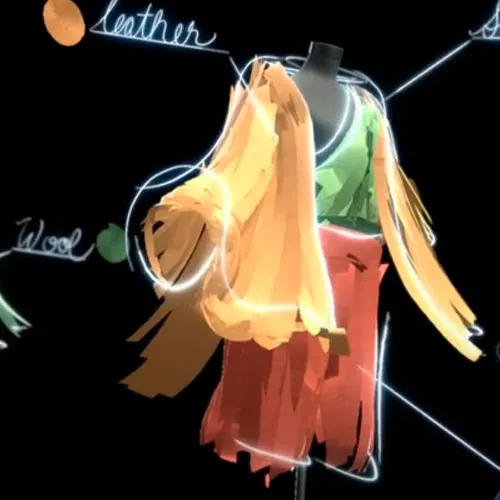
Met Tilt Brush kun je in een 3D-ruimte schilderen met behulp van virtual reality. Laat je creativiteit de vrije loop met driedimensionale penseelstreken, sterren, licht en zelfs vuur. Je kamer is je schildersdoek. Je verbeelding is je palet. De mogelijkheden zijn eindeloos.

  • Krijg ik een factuur?
    De factuur wordt automatisch gegenereerd zodra u een bestelling plaatst.

  • Waar kan ik mijn factuur vinden?
    Zodra de bestelling is afgerond, is de factuur beschikbaar onder 'Mijn account' (rechtsboven in de menubalk) -> 'Bestelgeschiedenis'.

  • Kan ik mijn factuur wijzigen?
    Momenteel kunt u dit niet zelf doen. Neem contact op met onze klantenservice via e-mail op [email protected], dan helpen we u graag verder. Vermeld voor een snellere afhandeling het ordernummer en alle relevante informatie die u wilt laten zien (zoals uw naam, ID-/btw-nummer, enz.).

  • Is dit product geschikt voor alle platformen?
    Nee, dit product is specifiek voor het Steam-platform.

  • Kan ik dit product ergens inwisselen?
    Ja, dit product is een wereldwijde versie.

  • Is dit product een spel, tegoed, abonnement of DLC?
    Dit product is het basisspel.

  • Kan ik dit spel overzetten naar nieuwe hardware of een nieuwe console?
    Ja, deze sleutel is gekoppeld aan je Steam-account.

  • Is er een specifieke manier waarop ik dit product moet installeren?
    Lees het tabblad 'Activering'.

Please follow the steps below to redeem your Steam key:

1) Download and install the Steam client on your PC: https://store.steampowered.com/about/
2) Open the Steam client, log in or create an account if you don't have one, and locate the Games tab on the top menu. Click this and then select "Activate a Product on Steam…"


3) Enter your code into the product activation field


Your game is now viewable in the "Library" tab and is available to download/install when you're ready.
Happy Gaming!

Pasquale Caringi 24-09-2020

This website offers a great variety of products, and I've never been disappointed with my purchases. The customer support is excellent, and they always go the extra mile to ensure customer satisfaction.

Geef beoordeling

Note: HTML-code wordt niet vertaald!
Captcha
Review Score: 5 / 5
Pasquale Caringi 24-09-2020

This website offers a great variety of products, and I've never been disappointed with my purchases. The customer support is excellent, and they always go the extra mile to ensure customer satisfaction.

Support