如果您想大量购买,请联系 [email protected]
OEM 版本
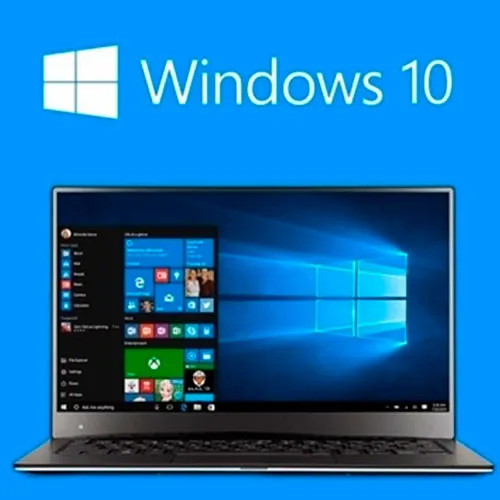
Windows 10 Home(终身许可证——全球版)

Windows 10 Home(终身许可证——全球版)

評級

評論
價格
  • $3.53
cards klarna GPay Apple Pay affirm afterpay

官方授权: Global | 7x24小时美国支持 | Gamers Outlet - CD Keys

平台
Microsoft Lifetime License
獲得的積分:
2
可用性
有貨
支援
24/7 支援
交付
免费数字交付
您的地区
支持
可用选项 Windows 10 options

$3.53

即时发货: Microsoft Windows 10 Home (Lifetime License / Global) Game Key

尽管已有更新版本推出,Windows 10 仍被广泛应用于全球数亿台计算机上。其独特的风格、视觉设计以及对细节的极致关注,使其成为一款不可错过的产品。而最棒的是,它能以实惠的价格让您体验到一款卓越的操作系统。

Windows 10 Home 有什么不同之处?

获取 Windows 10 家庭版 CD 激活码 OEM 的优势之一是,您可体验到我们许久以来最出色的 Windows 功能,其中包括: • 简体中文(大陆)支持

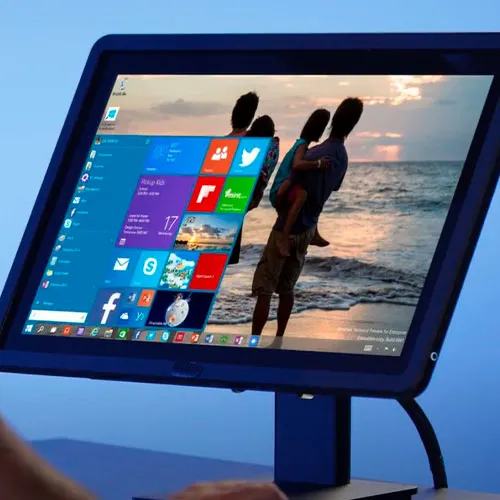
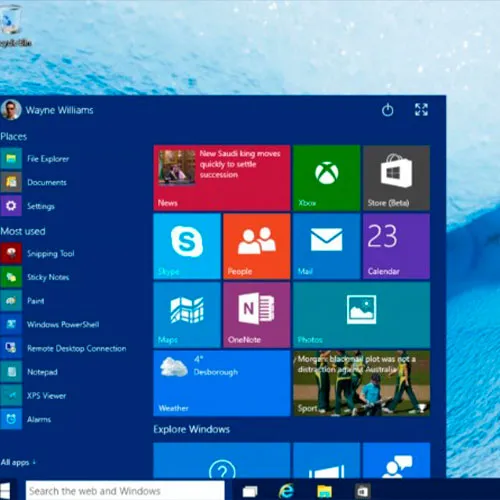
· “开始”菜单已重返,该功能在上一版本中曾被移除。

· Windows 10 Home 还新增了 Cortana 作为虚拟助手。

· 用户可以使用诸如任务视图、虚拟桌面、Windows Hello 生物识别认证等功能。

· 此外还有操作中心、DirectX 12 支持,以及全新的 Microsoft Edge 浏览器。

Windows 10 Home 面向游戏玩家的亮点

作为游戏玩家,您会发现我们的 Windows 10 Home CD 激活码 OEM 为您提供了一个性能卓越、运行稳定的操作系统,且在未来数年内将持续获得大量更新。  

此外,此版本的 Windows 完全支持 Direct X 12 以及 Auto HDR。得益于 HDR 功能,你的游戏将提供出色的护眼体验。总而言之,作为一名玩家,你将获得高质量的视觉效果和流畅的运行体验。

不过,关于 Windows 10 版需要考虑的一点是,它 仅接收安全更新至 2025 年 10 月。这意味着它将不再获得任何 新的安全更新,但您可以配合最新的安全软件使用,以 保护自己免受黑客攻击。

为什么应该使用 Windows 10 家庭版?

Windows 10 家庭版对硬件的要求较低, 因为与 Windows 11 等版本相比,其系统要求更低,例如。您依然可以享受响应迅速、外观现代且功能强大的操作系统。

Windows 10 家庭版的系统要求包括:

· 1 GHz 处理器

· 1 GB 内存(适用于 32 位版本),2 GB 内存(适用于 64 位版本)

· 32 位版本需 16 GB 存储空间, 64 位版本需 32 GB 存储空间

· DirectX 9 及 WDDM 1.0 驱动程序

您不仅能获得强大的防御能力以抵御黑客和攻击者, 还能享受惊艳的视觉效果和卓越的技术支持。

在以下情况下,购买 Windows 10 Home 密钥是个不错的选择:

· 您拥有一台较旧的PC, 该PC不支持或仅勉强支持 Windows 11

· 您是预算有限的用户, 希望以低价购得 Windows 10 密钥

· 您是游戏玩家,且 希望获得稳定的性能,尤其是运行老游戏时

· 如果您正在寻找一个 界面熟悉的产品

OEM 对 Windows 10 Home 意味着什么?

如果您从我们这里购买 Windows 10 Home 的 CD 激活码 OEM,OEM 代表原始设备制造商(OEM)。这些激活码最初作为 更大套装的一部分(包含部分设备),直接销售给一家大型公司,该公司以批量形式购买了这些产品。

当您购买廉价的 Windows 10 密钥时,请注意以下几点:

· OEM 密钥与您的 设备绑定,且只能在主板上激活一次。即使您保留原有的 PC,但在升级过程中更换了主板,您也需 要一个新的 OEM 密钥。

· OEM 许可证无法用于 降级或升级您的系统。这意味着,若要使用 Windows 10 Home 版 CD 激活码 OEM,您需要已安装的操作系统版本。
请注意,我们可提供在激活前将 Home 版升级至 Pro 版的指南。若需协助,请联系我们的支持团队: [email protected] 。

购买后您将获得什么?

每次您从我们这里购买 Windows 10 家庭版密钥,您将 获得以下内容:

· 一个 25 字符的 Windows 10 激活密钥

· 官方下载链接 用于获取最新版本的 Windows 10

· 在线及电话激活的 激活说明

· 分步操作的 安装指南

如果您打算购买全球版的 Windows 10 Home OEM 激活密钥, 您将能够快速完成安装,同时若遇到任何问题,还可获得我们团队的支援。 请注意,在您的计算机上安装 Windows 10 需要使用 USB 安装介质,并且由于 OEM 的限制,您应始终进行干净安装。

立即获取您的 Windows 10 Home CD 激活码 OEM!

如果您想安装并使用 Windows 10 Home,那么今天就购买一个正版密钥是个 非常明智的选择。 Gamers Outlet 为您提供直接 获取各类游戏密钥的通道,包括 Windows 以及许多其他游戏, 您只需立即浏览我们的产品目录即可。

凭借我们价格实惠的 Windows 10 激活码,您终于可以按自己的节奏畅玩 Windows 10 Home,完全按照自己的节奏,没有任何限制。您只需抓住这个机会, 今天就试用一下。您还将获得卓越的保修服务和 直接支持,所以不要犹豫,以惊人的价格购买您的 Windows 10 激活密钥吧!

  • 我会收到发票吗?
    订单提交后,系统将自动生成发票。

  • 我的发票在哪里可以找到?
    订单完成后,发票将在“我的账户”(顶部栏右上角)->“订单历史记录”中提供。

  • 我可以修改我的发票吗?
    目前您无法自行操作。请发送电子邮件至 [email protected] 联系我们的客服,我们将竭诚为您提供帮助。为了加快处理速度,请在邮件中提供订单号以及您希望显示的任何相关信息(例如您的姓名、身份证/税号等)。

  • 我可以在macOS上安装这个吗?
    不,本产品不支持MacOS。

  • 我可以在哪里兑换这个产品?
    是的,本产品为全球版本。

  • 我可以将此产品转移到新的硬件上吗?
    是的,如果重新安装或格式化操作系统或软件,此密钥可以再次使用。
    如需帮助,请联系我们的客服邮箱:[email protected]

  • 安装这款产品有什么特定方法吗?
    该密钥适用于未激活的 Windows 10 家庭版系统或全新安装的 Windows 10 家庭版系统。
    更多信息,请阅读“激活”选项卡。

  • 如果我需要该产品的COA标签怎么办?
    如有需要,我们可以扫描 COA 标签打印件并发送给您,但需额外收费。

Download link: https://www.microsoft.com/en-us/software-download/windows10

In order to install the software on your PC, please follow the instructions here.

In case of an issue with activating your Windows key, please use one of the methods:


Method 1:

After Windows installation

1. Go to "Settings''

2. Select "Update & Security"

3. Find "Activation"

4. Select "Activate" or "Change Product Key"

5. Enter your windows product key


Method 2:

1. Click on ”Start” icon , then open ”Settings”, choose ”Update & security”, and then select ”Activation”.

2. Choose the ”Activate by phone” option.

3. Click the drop-down menu, select your country, and then click ”Next”.

4. Call the Toll free number and follow instructions to generate confirmation ID to activate your Windows.


Method 3:

1. Press and hold "Windows" key and press "R" on your keyboard.

2. Type "SLUI 4" in the window that pops up and press enter.

3. Click the drop-down menu, select your country and then click Next.

4. Call the Toll free number and follow instructions to generate confirmation ID to activate your Windows.

More information regarding phone activation can be found here.

Ares 06/09/2026

Se ha activado perfectamente y al momento

Ivan mendes 05/09/2026

Sou do brasil, se vc estiver com duvida e for br me chama no insta @trelozitos, comigo funcionou deboa, foi 20 reais

FRANCOIS 31/08/2026

The win 10 is working on my old Samsung Laptop ..thank you Gamers outlet
in the past i bought also win 11 and office 24 also O.K.

FRANCOIS SACK 31/08/2026

win 10 works on my old Samsung laptop ...thank You
in the past i bought also win 11 and office 2024 ...also O.K.

Varot Parthompark 26/08/2026

this is my second key. the first one is windows 11. it works perfectly.

寫評論

注意: HTML 未翻譯!
Captcha
Review Score: 5 / 5
Ares 06/09/2026

Se ha activado perfectamente y al momento

Ivan mendes 05/09/2026

Sou do brasil, se vc estiver com duvida e for br me chama no insta @trelozitos, comigo funcionou deboa, foi 20 reais

FRANCOIS 31/08/2026

The win 10 is working on my old Samsung Laptop ..thank you Gamers outlet
in the past i bought also win 11 and office 24 also O.K.

FRANCOIS SACK 31/08/2026

win 10 works on my old Samsung laptop ...thank You
in the past i bought also win 11 and office 2024 ...also O.K.

Varot Parthompark 26/08/2026

this is my second key. the first one is windows 11. it works perfectly.

Support