如果您想大量购买,请联系 [email protected]
该代码仅适用于 1 台电脑/1 次安装 - 如果您卸载/重新安装,则可能需要购买新的代码。
Microsoft Windows Server Datacenter 2022 (Lifetime License / Global)
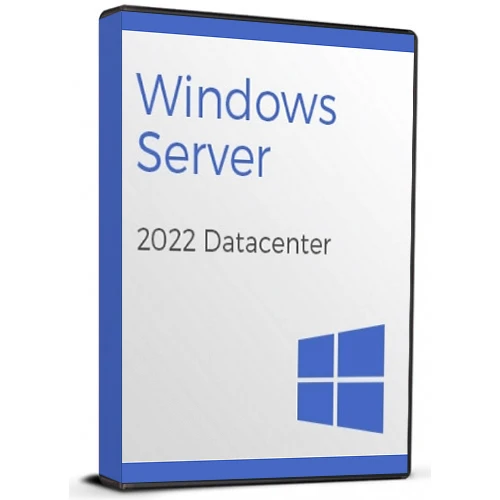
Microsoft Windows Server Datacenter 2022 (Lifetime License / Global)
評級

評論
價格
  • $5.16
cards klarna GPay Apple Pay affirm afterpay

官方授权: Global | 7x24小时美国支持 | Gamers Outlet - CD Keys

平台
Microsoft Lifetime License
獲得的積分:
4
可用性
有貨
支援
24/7 支援
交付
免费数字交付
您的地区
支持
可用选项 Windows Server Option

$5.16

即时激活: Microsoft Windows Server Datacenter 2022 (Lifetime License / Global) CD Key
Windows Server 2022 数据中心版是该软件最全面的版本,在一个软件包中提供了所有功能。此版本包含构建安全且优化的云原生服务器和本地服务器所需的所有工具和基础架构。


  • 我会收到发票吗?
    订单提交后,系统将自动生成发票。

  • 我的发票在哪里可以找到?
    订单完成后,发票将在“我的账户”(顶部栏右上角)->“订单历史记录”中提供。

  • 我可以修改我的发票吗?
    目前您无法自行操作。请发送电子邮件至 [email protected] 联系我们的客服,我们将竭诚为您提供帮助。为了加快处理速度,请在邮件中提供订单号以及您希望显示的任何相关信息(例如您的姓名、身份证/税号等)。

  • 我可以在macOS上安装这个吗?
    不,本产品不支持MacOS。

  • 我可以在哪里兑换这个产品?
    是的,本产品为全球版本。

  • 我可以将此产品转移到新的硬件上吗?
    不,该代码仅适用于一台电脑或一次安装——如果您卸载或重新安装,可能需要购买新的代码。

  • 安装这款产品有什么特定方法吗?
    请阅读“激活”选项卡。

  • 如果我需要该产品的COA标签怎么办?
    如有需要,我们可以扫描 COA 标签打印件并发送给您,但需额外收费。

To activate your Windows Server 2022, Please follow the activation instructions below.

Download the ISO here:

https://www.microsoft.com/en-us/evalcenter/evaluate-windows-server-2022

or

https://software-static.download.prss.microsoft.com/sg/download/20348.169.210806-2348.fe_release_svc_refresh_SERVER_EVAL_x64FRE_en-us.iso


Run this command from an elevated command prompt:
DISM /online /Set-Edition:<edition ID> /ProductKey:XXXXX-XXXXX-XXXXX-XXXXX-XXXXX /AcceptEula

(Use key from table below)

Operating system edition Product Key
Windows Server 2022 Datacenter WX4NM-KYWYW-QJJR4-XV3QB-6VM33
Windows Server 2022 Standard     
 VDYBN-27WPP-V4HQT-9VMD4-VMK7H

The Edition ID will be ServerStandard, Or ServerDatacenter, and then insert the generic code. The server will run through the image conversion process, then restart twice.

After the server has restarted, you will need to re-activate the server. Go to settings > activation > change product key, and enter the code you purchased from us.

Note: It may take some time for the command to complete.

John 04/08/2026

Had an activated trial before hand, upgraded version with DISM and then entered the key. Very easy and painless.

Gary Young 16/11/2025

Works well but needs a space after the generic key like this:
DISM /online /Set-Edition:ServerDatacenter /ProductKey:WX4NM-KYWYW-QJJR4-XV3QB-6VM33 /AcceptEula

Jeuzel 09/03/2025

windows server 2022 datacenter zonder problemen geactiveerd.

Marco Mattioli 21/02/2025

Perfetto!! Al primo colpo.

Rovlin Moodley 19/10/2024

It worked with no issues. Activated online.

寫評論

注意: HTML 未翻譯!
Captcha
Review Score: 5 / 5
John 04/08/2026

Had an activated trial before hand, upgraded version with DISM and then entered the key. Very easy and painless.

Gary Young 16/11/2025

Works well but needs a space after the generic key like this:
DISM /online /Set-Edition:ServerDatacenter /ProductKey:WX4NM-KYWYW-QJJR4-XV3QB-6VM33 /AcceptEula

Jeuzel 09/03/2025

windows server 2022 datacenter zonder problemen geactiveerd.

Marco Mattioli 21/02/2025

Perfetto!! Al primo colpo.

Rovlin Moodley 19/10/2024

It worked with no issues. Activated online.

Support