即时发货: Game Pass Ultimate 1 Month (Xbox Key / Global) Game Key
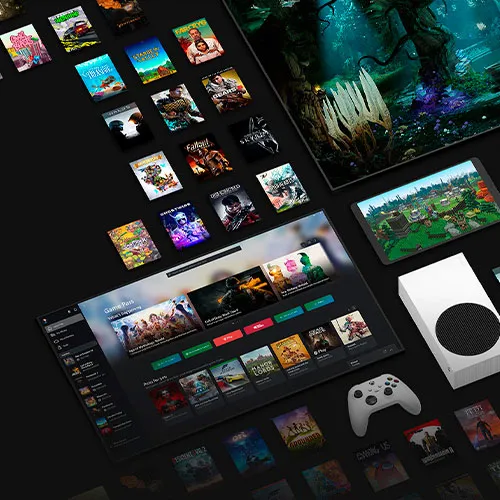
通过 Xbox Game Pass Ultimate 体验极致游戏乐趣。此 1 个月会员资格让您可以在 Xbox 游戏主机和 Windows PC 上无限畅玩 100 多款高品质游戏。
权益:
- 在 Xbox One 和 Series X|S 主机上畅玩 100 多款游戏。新游戏持续更新。
- 在 Windows 的 10 台设备上畅玩 100 多款 PC 游戏。PC 游戏库持续扩充。
- 将 Game Pass、Xbox Live Gold 以及会员专属折扣整合到一项订阅中。
- 将完整版游戏下载至 Xbox 或 PC,随时离线游玩。
- 在支持在线多人模式的游戏中与好友同乐。
- 发售当天将新增来自 Bethesda、ID@Xbox 等厂商的 Xbox 独家新作。
本产品不可叠加使用,且无法在已订阅 Xbox Game Pass Ultimate 的账户上兑换。
Xbox Game Pass Ultimate 非常适合希望在不花费巨资的情况下扩充游戏库的玩家。随着新游戏的持续加入,总有新鲜内容等待您探索。只需支付低廉的月费,即可通过此 1 个月会员资格享受无限畅玩。
您还有 Xbox Live Gold 或 Game Pass 的预付时长吗?
若要升级至 Xbox Game Pass Ultimate 并将 Xbox Live Gold 服务与 Xbox Game Pass 合并为一个捆绑包,请按照以下步骤操作:
- 请先确认您是否还有剩余的 Xbox Live Gold 或 Game Pass 预付时长。
- 当您升级至 Xbox Game Pass Ultimate 时,任何现有的预付时长都将自动应用于新的 Ultimate 订阅。
- 有关 Xbox Game Pass Ultimate 的更多详情和常见问题,请参阅 Xbox Game Pass Ultimate 常见问题解答
通过
升级至 Xbox Game Pass Ultimate,您可以在一个便捷的
捆绑包中同时享受
Xbox Live Gold 和 Xbox Game Pass 两项服务的权益。

- 我会收到发票吗?
订单提交后,系统将自动生成发票。
- 我的发票在哪里可以找到?
订单完成后,发票将在“我的账户”(顶部栏右上角)->“订单历史记录”中提供。
- 我可以修改我的发票吗?
目前您无法自行操作。请发送电子邮件至 [email protected] 联系我们的客服,我们将竭诚为您提供帮助。为了加快处理速度,请在邮件中提供订单号以及您希望显示的任何相关信息(例如您的姓名、身份证/税号等)。
- 该产品适用于所有平台吗?
不,这款产品仅适用于微软平台。
- 我可以在哪里兑换这个产品?
是的,本产品为全球版本。
- 这个产品是游戏、游戏币、订阅服务还是DLC?
本产品为 Game Pass Ultimate 订阅服务。
订阅期间,您将获得 Game Pass Ultimate 的访问权限。
- 我可以将这款游戏转移到新的硬件或新的游戏机上吗?
是的,此密钥已绑定到您的微软帐户。
- 安装这款产品有什么特定方法吗?
本产品可堆叠。
更多信息,请阅读“激活”选项卡。
How to activate the key for Xbox Game Pass Ultimate
Xbox One Console:
1-Sign in to your Xbox Live account and navigate to the "Home" screen.
2-Go to the "Store" in the "Categories" section.
3-Choose "Games" and then select "Use a code."
4-Opt to "enter the 25 character code" and input the code.
Web Browser:
1-Visit redeem.microsoft.com in a web browser.
2-Log in with your Microsoft account details.
3-Enter the code and click "Next"; follow the instructions to complete the redemption process.
Note: Currently, the Microsoft activation servers are experiencing an issue when redeeming Xbox Game Pass. In the meantime, please change the country of your account to Mexico (Here), and it should work. No VPN is needed.








































 Xbox Key



