Activation immédiate : Microsoft Office 2021 Pro Plus (activation par téléphone) (licence à vie / Mondial) Clé CD
Contenu de Microsoft Office 2021 Professional Plus (ISO)
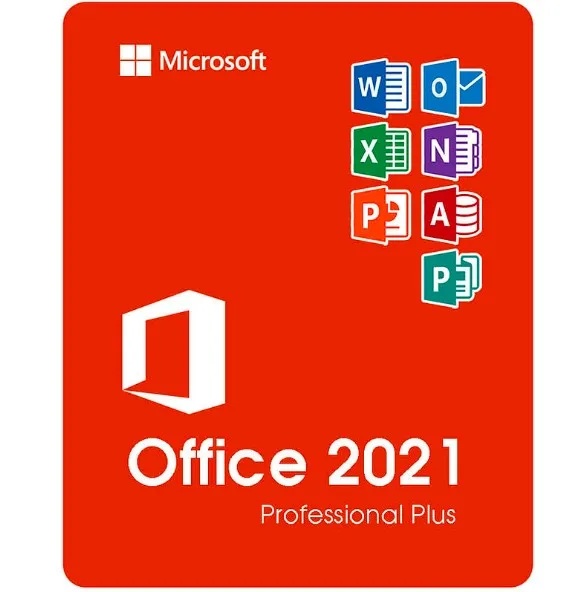
Microsoft Office 2021 Professional Plus est la version la plus complète de Office, disponible en achat unique, destinée aux utilisateurs de Windows. Cette édition comprend toutes les applications de productivité Microsoft essentielles utilisées dans les environnements professionnels, éducatifs et d'entreprise :
Word 2021 – Création et édition avancées de documents
Excel 2021 – Feuilles de calcul puissantes, analyse de données et formules
PowerPoint 2021 – Présentations professionnelles et outils de conception
Outlook 2021 – Gestion des e-mails, du calendrier et des contacts
Publisher 2021 – Supports marketing, brochures et mises en page
Access 2021 – Création et gestion de bases de données (uniquement Windows)
Vous recevez les versions de bureau complètes de ces programmes — aucun abonnement n’est requis.
Que signifie « Professional Plus » (par rapport aux versions Famille et Petite Entreprise)
Office 2021 est disponible en plusieurs éditions, mais « Professional Plus » est la version la plus complète.
Version | Applications incluses | Idéale pour |
|---|
Famille et Étudiant | Word, Excel, PowerPoint | Étudiants et usage domestique |
Particuliers et entreprises | Word, Excel, PowerPoint, Outlook | Utilisateurs de petites entreprises |
Professionnel Plus | Word, Excel, PowerPoint, Outlook, Publisher, Access | Professionnels, entreprises, utilisateurs avancés |
Professional Plus inclut Access et Publisher, ce qui en fait la solution idéale pour :
Les entreprises gérant des données
Supports marketing et de conception
Les environnements Office nécessitant toutes les fonctionnalités
Systèmes et langues pris en charge
Ce produit fonctionne sur :
✔ Windows
10✔ Windows 11❌
Non compatible avec macOS, les Chromebooks, iOS ou Android.
Prise en charge linguistique :
l'ISO permet d'installer dans plusieurs langues prises en charge par Microsoft, notamment l'anglais, l'espagnol, l'allemand, le français, l'italien et bien d'autres encore.
Fonctionnement de la livraison
Après votre achat :
Vous recevez instantanément votre clé d'activation par e-mail.
Vous recevez un lien pour télécharger le fichier ISO Office 2021.
Suivez les étapes simples pour installer le logiciel.
Activez Office à l'aide de votre Clé de produit.
Aucun disque physique n'est expédié : tout est numérique et immédiat.
Qu'est-ce que le fichier ISO Office 2021 ?
Un fichier ISO est une image d'installation complète de Microsoft Office. Il vous permet de :
Installer Office sans avoir besoin d'un abonnement à un compte Microsoft
Conserver une copie pour de futures réinstallations
Installer même sans connexion Internet permanente
Comment utiliser le fichier ISO
Téléchargez le fichier ISO.
Cliquez avec le bouton droit sur le fichier → sélectionnez « Monter ».
Lancez Setup.exe pour installer Office.
Saisissez votre clé de produit lorsque vous y êtes invité.
L'ISO contient le package d'installation officiel de Office utilisé pour les déploiements système.
Pourquoi choisir la version ISO ?
✔
Package d'installation complet de Office✔ Utile pour les utilisateurs avancés et les
environnements informatiques✔ Pratique pour les
réinstallations✔ Pas de frais d'abonnement — payez une seule fois, utilisez-le à vie
- Vais-je recevoir une facture ?
La facture sera générée automatiquement lors de la passation de la commande.
- Où puis-je trouver ma facture ?
Une fois la commande finalisée, la facture sera disponible dans la section « Mon compte » (en haut à droite de la barre supérieure) -> « Historique des commandes ».
- Puis-je modifier ma facture ?
Actuellement, vous ne pouvez pas effectuer cette opération vous-même. Veuillez contacter notre service client par e-mail à l'adresse [email protected] ; nous serons ravis de vous aider. Pour un traitement plus rapide, veuillez indiquer votre numéro de commande ainsi que toute information pertinente que vous souhaitez nous communiquer (nom, numéro d'identification fiscale, etc.).
- Puis-je installer ceci sur macOS ?
Non, ce produit n'est pas compatible avec macOS, il l'est uniquement avec Windows 10 et 11.
- Puis-je utiliser ce produit n'importe où ?
Oui, ce produit est une version internationale.
- Puis-je transférer ce produit sur un nouveau matériel ?
Non, le code est valable pour 1 PC ou 1 installation. Si vous désinstallez ou réinstallez le logiciel, vous devrez peut-être acheter un nouveau code.
- Existe-t-il une méthode spécifique pour installer ce produit ?
Veuillez lire l'onglet « Activation ».
- Que se passe-t-il si j'ai besoin d'un certificat d'authenticité pour ce produit ?
L'étiquette du certificat d'analyse peut être scannée et vous être envoyée sur demande, moyennant des frais supplémentaires.
ACTIVATION INSTRUCTIONS:
Download the official ISO/image to activate: https://officecdn.microsoft.com/pr/492350f6-3a01-4f97-b9c0-c7c6ddf67d60/media/en-us/ProPlus2021Retail.img (Other languages can be found below)
1-After installation, open Word (or any Office app)
When the Office Activation Wizard appears, select “Activate by phone.”
The wizard will display your Installation ID (IID) - you will need this shortly.
The IID is shown as 9 groups of 7 digits.
2-Go to the activation website
Open your browser and go to: https://aka.ms/aoh
3-Sign in
Choose Microsoft Account as the login method and sign in with your Microsoft account.
4-Select “Activate a Microsoft Product”
On the first page, click Activate a Microsoft Product.
5-Choose the product type
Select the category that matches what you are activating:
- Windows → for Windows activation
- Microsoft Office → for Office, Project, or Visio
- Windows Server, etc., if applicable
Note: For Project and Visio, choose Microsoft Office.
6-Select your operating system
7-Choose the product version
Select the version you are activating, for example:
- Office / Project / Visio 2024
- Office / Project / Visio 2021
- Office / Project / Visio 2019, etc.
8-Enter your Installation ID (IID)
You will see nine empty boxes.
Enter each group of digits from your IID into the matching box (9 groups of 7 digits).
When finished, submit the form to continue.
9-Answer the usage question
When asked, “How many computers have you installed this copy on?”
Type 0, then continue.
10-Receive your Confirmation ID
The website will display your Confirmation ID.
11-Enter the Confirmation ID into your PC
Return to the Office activation wizard and enter the Confirmation ID to finish activation.
More languages:
https://www.gamers-outlet.net/download-office-2021-professional-plus-download-links-languages
Video Guide:












































 Lifetime License


