Activation immédiate : Microsoft Office 2019 Pro Plus (activation par téléphone) (licence à vie / Mondial) Clé CD
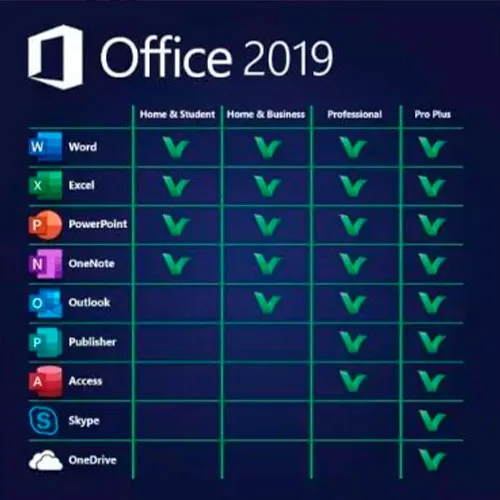
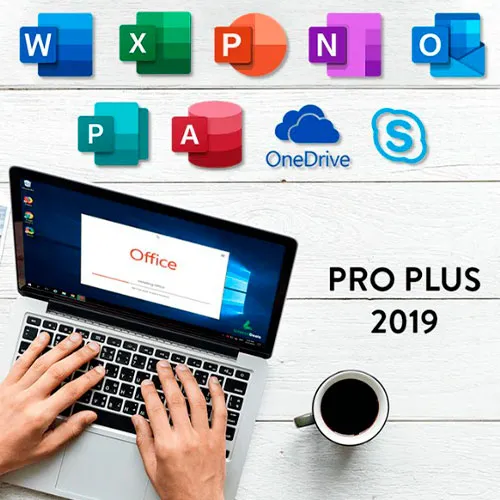
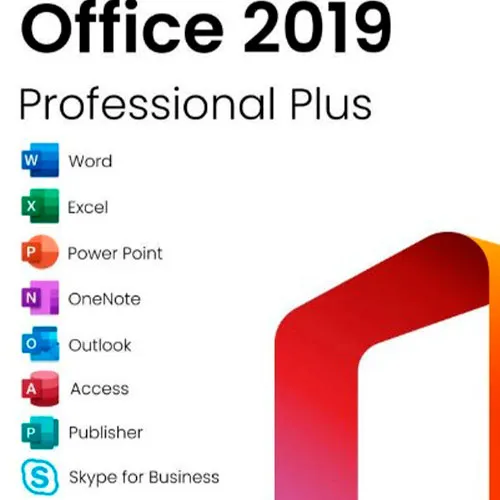
Microsoft Office 2019 Professional Plus comprend les versions classiques 2019 de Word, Excel, PowerPoint, OneNote, Outlook, Access, Publisher et Skype Entreprise.
Office 2019 Professional Plus est un outil puissant qui nous sert, en tant qu'utilisateurs finaux, presque quotidiennement. Que ce soit pour le travail, les études, la prise de notes ou la messagerie électronique. Office 2019 Pro Plus propose une nouvelle interface et de nouvelles fonctionnalités qui nous faciliteront encore davantage la vie ! Dépêchez-vous de vous procurer votre exemplaire au prix le plus bas du marché. Stock garanti et assistance 24 h/24, 7 j/7.
INSTRUCTIONS D'ACTIVATION :
1. Téléchargez le programme d'installation officiel à partir de ce lien :
Ici2. Saisissez la Clé de produit que nous vous avons fournie pour activer le logiciel.
3. Sélectionnez l'option « Activer par téléphone ».
Pour des instructions plus détaillées, rendez-vous dans la section de téléchargement et cliquez sur le bouton « Comment activer ».
Nous proposons également Windows 11 clés CD ICI 
- Vais-je recevoir une facture ?
La facture sera générée automatiquement lors de la passation de la commande.
- Où puis-je trouver ma facture ?
Une fois la commande finalisée, la facture sera disponible dans la section « Mon compte » (en haut à droite de la barre supérieure) -> « Historique des commandes ».
- Puis-je modifier ma facture ?
Actuellement, vous ne pouvez pas effectuer cette opération vous-même. Veuillez contacter notre service client par e-mail à l'adresse [email protected] ; nous serons ravis de vous aider. Pour un traitement plus rapide, veuillez indiquer votre numéro de commande ainsi que toute information pertinente que vous souhaitez nous communiquer (nom, numéro d'identification fiscale, etc.).
- Puis-je installer ceci sur macOS ?
Non, ce produit n'est pas compatible avec MacOS.
- Puis-je utiliser ce produit n'importe où ?
Oui, ce produit est une version internationale.
- Puis-je transférer ce produit sur un nouveau matériel ?
Non, le code est valable pour 1 PC ou 1 installation. Si vous désinstallez ou réinstallez le logiciel, vous devrez peut-être acheter un nouveau code.
- Existe-t-il une méthode spécifique pour installer ce produit ?
Veuillez lire l'onglet « Activation ».
- Que se passe-t-il si j'ai besoin d'un certificat d'authenticité pour ce produit ?
L'étiquette du certificat d'analyse peut être scannée et vous être envoyée sur demande, moyennant des frais supplémentaires.
ACTIVATION INSTRUCTIONS:
Download the official ISO/image to activate: https://officecdn.microsoft.com/pr/492350f6-3a01-4f97-b9c0-c7c6ddf67d60/media/en-US/ProPlus2019Retail.img
1-After installation, open Word (or any Office app)
When the Office Activation Wizard appears, select “Activate by phone.”
The wizard will display your Installation ID (IID) - you will need this shortly.
The IID is shown as 9 groups of 7 digits.
2-Go to the activation website
Open your browser and go to: https://aka.ms/aoh
3-Sign in
Choose Microsoft Account as the login method and sign in with your Microsoft account.
4-Select “Activate a Microsoft Product”
On the first page, click Activate a Microsoft Product.
5-Choose the product type
Select the category that matches what you are activating:
- Windows → for Windows activation
- Microsoft Office → for Office, Project, or Visio
- Windows Server, etc., if applicable
Note: For Project and Visio, choose Microsoft Office.
6-Select your operating system
7-Choose the product version
Select the version you are activating, for example:
- Office / Project / Visio 2024
- Office / Project / Visio 2021
- Office / Project / Visio 2019, etc.
8-Enter your Installation ID (IID)
You will see nine empty boxes.
Enter each group of digits from your IID into the matching box (9 groups of 7 digits).
When finished, submit the form to continue.
9-Answer the usage question
When asked, “How many computers have you installed this copy on?”
Type 0, then continue.
10-Receive your Confirmation ID
The website will display your Confirmation ID.
11-Enter the Confirmation ID into your PC
Return to the Office activation wizard and enter the Confirmation ID to finish activation.
For other Office languages, scroll down here: https://gamersoutlet.zendesk.com/hc/en-us/articles/360058263113-Office-2019-pro-plus-activation-methods
Video Guide:









































 Lifetime License


