如果您想大量购买,请联系 [email protected]
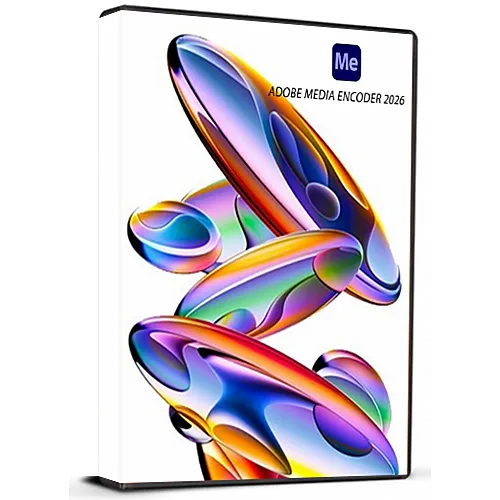
Adobe Encoder 2026 (Lifetime License - Global)

Adobe Encoder 2026 (Lifetime License - Global)

評級

評論
價格
  • $34.21
cards klarna GPay Apple Pay affirm afterpay

官方授权: Global | 7x24小时美国支持 | Gamers Outlet - CD Keys

平台
Adobe Lifetime License
獲得的積分:
28
可用性
有貨
支援
24/7 支援
交付
免费数字交付
您的地区
支持
可用选项 Adobe Options

$34.21

即时发货: Adobe Media Encoder 2026 (Lifetime License / Global) Game Key

Adobe Media Encoder 2026是业界标准的媒体处理应用程序,用于自动执行视频和音频文件的编码、渲染和导出过程。它既可以作为独立应用程序运行,也可以作为 Adobe Premiere Pro、After Effects、Audition 和 Character Animator 的后台渲染引擎。

主要特性和功能:

  • 通用转码:将视频、音频和图像序列转换为几乎任何专业或消费级交付格式(例如,H.264、HEVC/H.265、ProRes、DNxHR)。
  • 批量处理:同时将多个文件放入队列,并使用不同的导出预设,以最大限度地提高工作效率。
  • 自动监视文件夹:指定电脑上的特定文件夹;媒体编码器会根据预设规则自动编码放入这些文件夹中的任何文件。
  • 社交媒体发布:渲染完成后,直接将完成的视频上传到 YouTube、Vimeo 和 Facebook 等平台。
  • 时间调节器:通过在场景切换期间悄无声息地添加或删除帧来自动调整导出视频的持续时间。
  • 多语言支持
  • 我会收到发票吗?
    订单提交后,系统将自动生成发票。

  • 我的发票在哪里可以找到?
    订单完成后,发票将在“我的账户”(顶部栏右上角)->“订单历史记录”中提供。

  • 我可以修改我的发票吗?
    目前您无法自行操作。请发送电子邮件至 [email protected] 联系我们的客服,我们将竭诚为您提供帮助。为了加快处理速度,请在邮件中提供订单号以及您希望显示的任何相关信息(例如您的姓名、身份证/税号等)。

  • 我可以在macOS上安装这个吗?
    不,本产品不支持MacOS。

  • 我可以在哪里兑换这个产品?
    是的,本产品为全球版本。

  • 我可以将此产品转移到新的硬件上吗?
    不,该代码仅适用于一台电脑或一次安装——如果您卸载或重新安装,可能需要购买新的代码。

  • 安装这款产品有什么特定方法吗?
    请阅读“激活”选项卡。

How to activate Adobe Media Encoder 2026 for Windows Multilingual | Lifetime License Key

Thank you for purchasing Adobe Media Encoder 2026 for Windows (Multilingual – Lifetime License Key). Please carefully follow the steps below to install and activate the software on your Windows PC.


Step 1: Watch the Installation Video (Important)

  • Before starting the installation, we strongly recommend watching the complete installation video to ensure a smooth and error-free setup.


Step 2: Download the Software


Step 3: Installation & Activation

  • Open the downloaded file on your Windows PC.
  • Follow the on-screen instructions to install the software.
  • When prompted, enter the lifetime license key provided with your purchase.
  • Complete the installation and launch Adobe Media Encoder 2026.
  • You can choose your preferred language during installation.


Step 4: Support

If you encounter any issues during installation or activation, please contact our support team. We are always ready to assist you.

該產品沒有評論。

寫評論

注意: HTML 未翻譯!
Captcha
Support