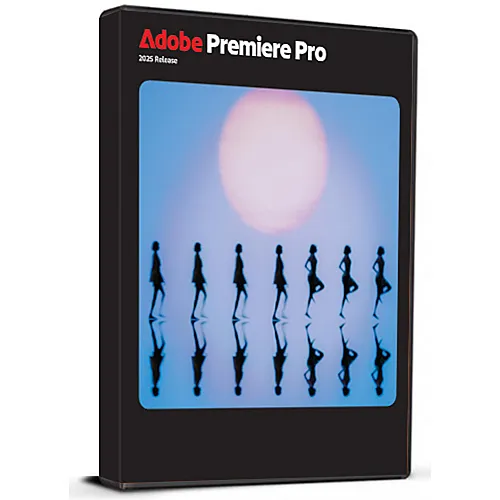
即时激活: Adobe Premiere Pro 2025 (Windows) (Lifetime License / Global) CD Key
适用于 Windows 的Adobe Premiere Pro 2025带来新一代专业视频编辑体验,拥有无与伦比的速度、精度和创意控制力。这款多语言终身许可证密钥(全球通用)让您永久使用 Adobe 的旗舰级编辑软件,无需支付月费或年费。
Premiere Pro 2025 专为各个级别的创作者而设计,从 YouTube 用户和电影制作人到营销团队和制作工作室,它引入了更快的渲染速度和更流畅的编辑工作流程,并针对 Windows 10 和 Windows 11 进行了优化。
该版本支持 20 多种语言,全球激活,并采用一次性购买模式,非常适合想要获得高级编辑功能并终身拥有该功能的用户。
请注意,Adobe 的云服务和生成式 AI 工具(例如 Firefly、Live Cloud Projects 和在线协作功能)仅可通过 Adobe 官方 Creative Cloud 订阅获得。这些服务不包含在终身许可证中。
✅包含:完整的离线桌面软件、多语言支持、终身激活。
❌不包含: Adobe 云存储、团队协作、Firefly AI 功能。
高级创意工具
Lumetri Color 用于电影级调色
动态图形模板和标题动画
多机位剪辑和时间线精度
针对 Windows 系统进行了优化
兼容 Windows 10 和 Windows 11
改进了 4K/8K 工作流程的 GPU 加速
更快的渲染速度和更流畅的播放
全球多语言版本
支持英语、西班牙语、法语、德语、意大利语、葡萄牙语、阿拉伯语、中文、日语、韩语等多种语言
在全球范围内开展工作,并进行全球推广
终身许可证
永久激活
一次性付款
无订阅或续费费用
- 我会收到发票吗?
订单提交后,系统将自动生成发票。
- 我的发票在哪里可以找到?
订单完成后,发票将在“我的账户”(顶部栏右上角)->“订单历史记录”中提供。
- 我可以修改我的发票吗?
目前您无法自行操作。请发送电子邮件至 [email protected] 联系我们的客服,我们将竭诚为您提供帮助。为了加快处理速度,请在邮件中提供订单号以及您希望显示的任何相关信息(例如您的姓名、身份证/税号等)。
- 我可以在macOS上安装这个吗?
不,本产品不支持MacOS。
- 我可以在哪里兑换这个产品?
是的,本产品为全球版本。
- 我可以将此产品转移到新的硬件上吗?
不,该代码仅适用于一台电脑或一次安装——如果您卸载或重新安装,可能需要购买新的代码。
- 安装这款产品有什么特定方法吗?
请阅读“激活”选项卡。
How to activate Adobe Premiere Pro 2025 for Windows Multilingual Lifetime License Key Global
Thank you for purchasing Adobe Premiere Pro 2025. Please follow this guide to install the software on your Windows PC.
Step 1: Watch the Installation Video
Before you begin, we recommend watching the full installation video to ensure a smooth setup, click here to watch installation video.
Step 2: Download the Software
Step 3: Installation Instructions
- Open the downloaded file.
- Follow the on-screen instructions to install the software.
- When prompted, enter your license key to activate Adobe Premiere Pro 2025.
- Once installation is complete, start using it.









































 Lifetime License


