即时激活: Microsoft Visual Studio 2019 Professional (Lifetime License / Global) CD Key
Microsoft Visual Studio 2019 专业版是一个全面的软件开发平台,为开发人员提供丰富的工具和功能。借助 Visual Studio 2019 专业版,您可以创建和调试适用于 Windows、Linux、macOS、Android 和 iOS 的应用程序,以及 Web 和云应用程序。
Visual Studio 2019 专业版的一些主要功能包括:
IntelliSense:此功能为 C#、Visual Basic 和 C++ 以及 Python 和 TypeScript 提供智能代码补全、参数信息和快速信息。
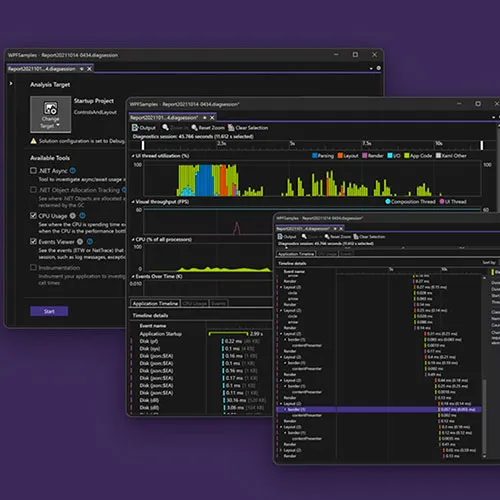
调试和诊断:Visual Studio 2019 专业版包含高级调试和诊断工具,可帮助您识别和修复代码中的问题。
代码导航:Visual Studio 2019 专业版中的代码导航工具可让您轻松浏览代码、查找定义和访问引用。
代码重构:Visual Studio 2019 专业版包含一系列代码重构工具,可帮助您提高代码的质量和可维护性。
要了解更多关于 Visual Studio 2019 专业版的信息并购买许可证,请访问我们的网站https://www.gamers-outlet.net 。我们还提供各种其他软件产品,包括操作系统、办公软件和安全软件。我们的团队很乐意解答您关于我们产品和服务的任何疑问。
激活说明:
下载官方安装程序并进行兑换:
请访问此链接: https://visualstudio.microsoft.com/vs/older-downloads/并点击“下载 Visual Studio 2019”。
使用您的帐户登录
然后转到“下载”页面,从那里下载产品。
程序下载并运行后,转到“帮助”并点击“注册产品”。
点击“使用产品密钥解锁”,然后输入提供的密钥。
- 我会收到发票吗?
订单提交后,系统将自动生成发票。
- 我的发票在哪里可以找到?
订单完成后,发票将在“我的账户”(顶部栏右上角)->“订单历史记录”中提供。
- 我可以修改我的发票吗?
目前您无法自行操作。请发送电子邮件至 [email protected] 联系我们的客服,我们将竭诚为您提供帮助。为了加快处理速度,请在邮件中提供订单号以及您希望显示的任何相关信息(例如您的姓名、身份证/税号等)。
- 我可以在macOS上安装这个吗?
不,本产品不支持MacOS。
- 我可以在哪里兑换这个产品?
是的,本产品为全球版本。
- 我可以将此产品转移到新的硬件上吗?
不,该代码仅适用于一台电脑或一次安装——如果您卸载或重新安装,可能需要购买新的代码。
- 安装这款产品有什么特定方法吗?
请阅读“激活”选项卡。
- 如果我需要该产品的COA标签怎么办?
如有需要,我们可以扫描 COA 标签打印件并发送给您,但需额外收费。
Download the Visual Studio 2019 Package:
Visual Studio 2019 Download HERE
Steps to install Visual Studio 2019:
- Double-click the downloaded file to run the installer.
- Open the Visual Studio Installer and click "Continue" to agree to the Microsoft Software License Terms. (Image 1)
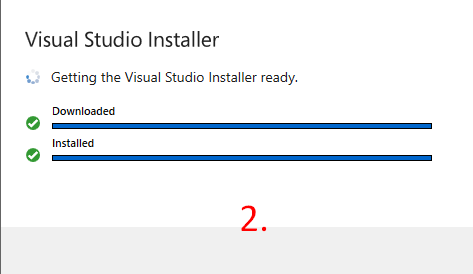
- Wait for the Visual Studio Installer to get ready. This involves downloading and installing necessary files. (Image 2)
- Select your preferred installation locations for the Visual Studio IDE and other components. (Image 3)
- Click "Install" to begin the installation process.
Wait for the installation to complete and then launch Visual Studio from the Start menu or desktop.
Activating Visual Studio:
- Open Visual Studio.
- Click on "Help" in the top menu.
- Select "Register Visual Studio."
- Enter your product key to unlock.













































 Lifetime License


