即时激活: Microsoft Windows Server Datacenter 2019 (Lifetime License / Global) CD Key
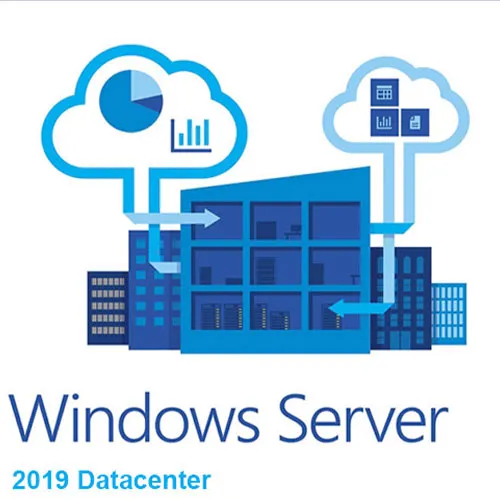
Windows Server 2019 是一款能够连接本地环境和 Azure 服务的操作系统,支持混合部署方案,从而最大限度地利用现有投资。操作系统内置多层保护,可增强安全性并降低业务风险。借助超融合基础架构,您可以升级数据中心基础架构,实现更高的效率和更大的扩展性。Windows Server 2019 还支持使用容器和微服务创建云原生应用并实现传统应用的现代化。更多详情,请访问 Windows Server 网站。
尝试 Windows Server 2019 的方法:
除了下载 Windows Server 2019 ISO 镜像之外,您还可以通过以下方式体验新功能:
在 Azure 中试用:Azure 提供了一种使用预构建映像测试 Windows Server 2019 的好方法。
微软动手实验室:无需设置,即可登录我们的免费动手实验室,体验真实环境,并获得分步指导,帮助您尝试新功能。
选择版本和安装方式:
下载完整 ISO 镜像的客户需要选择版本和安装选项。此 ISO 评估版适用于数据中心版和标准版。数据中心版功能最齐全,除了提供无限服务器虚拟化之外,还包含数据中心专属的新功能(屏蔽虚拟机、存储空间直通和软件定义网络)。
安装选项:
服务器核心版:这是推荐的安装选项。它是一种较小的安装包,包含 Windows Server 的核心组件,支持所有服务器角色,但不包含本地图形用户界面 (GUI)。它用于“无头”部署,可通过 Windows 管理中心、PowerShell 或其他服务器管理工具进行远程管理。
服务器桌面体验版:这是完整的安装包,包含完整的图形用户界面,适合喜欢此选项的客户。
在开始评估之前,请务必查看 Windows Server 2019 的新增功能。
完成评估后,您可以将评估版本转换为零售版本。
我们也在此处提供 Windows 11 CD 密钥
- 我会收到发票吗?
订单提交后,系统将自动生成发票。
- 我的发票在哪里可以找到?
订单完成后,发票将在“我的账户”(顶部栏右上角)->“订单历史记录”中提供。
- 我可以修改我的发票吗?
目前您无法自行操作。请发送电子邮件至 [email protected] 联系我们的客服,我们将竭诚为您提供帮助。为了加快处理速度,请在邮件中提供订单号以及您希望显示的任何相关信息(例如您的姓名、身份证/税号等)。
- 我可以在macOS上安装这个吗?
不,本产品不支持MacOS。
- 我可以在哪里兑换这个产品?
是的,本产品为全球版本。
- 我可以将此产品转移到新的硬件上吗?
不,该代码仅适用于一台电脑或一次安装——如果您卸载或重新安装,可能需要购买新的代码。
- 安装这款产品有什么特定方法吗?
请阅读“激活”选项卡。
- 如果我需要该产品的COA标签怎么办?
如有需要,我们可以扫描 COA 标签打印件并发送给您,但需额外收费。
ACTIVATION INSTRUCTIONS:
Download the ISO here:
https://www.microsoft.com/en-us/evalcenter/evaluate-windows-server-2019
Then change your version from Evaluation to Standard:
youtube video
Activate windows server 2019 using command prompt:
1. Enter key via GUI or run the command: slmgr.vbs /ipk XXXXX-XXXXX-XXXXX-XXXXX-XXXXX
To get the available editions:
1. Open an elevated command prompt.
2. Run the following command: DISM.exe /Online /Get-TargetEditions
To set your Windows Server to a higher edition:
1. Run the following command: DISM.exe /online /Set-Edition:ServerStandard /ProductKey:XXXXX-XXXXX-XXXXX-XXXXX-XXXXX /AcceptEula (Use key from table below)
Windows Server 2019 Standard: N69G4-B89J2-4G8F4-WWYCC-J464C
Windows Server 2019 Datacenter: WMDGN-G9PQG-XVVXX-R3X43-63DFG
Note: It may take some time for the command to complete.
The code is valid for 1 pc / 1 installation - if you uninstall/reinstall you might need to buy a new code.












































 Lifetime License