如果您想大量购买,请联系 [email protected]
该代码仅适用于 1 台电脑/1 次安装 - 如果您卸载/重新安装,则可能需要购买新的代码。
Microsoft Windows 服务器数据中心 2025(终身许可证 / 全球版)
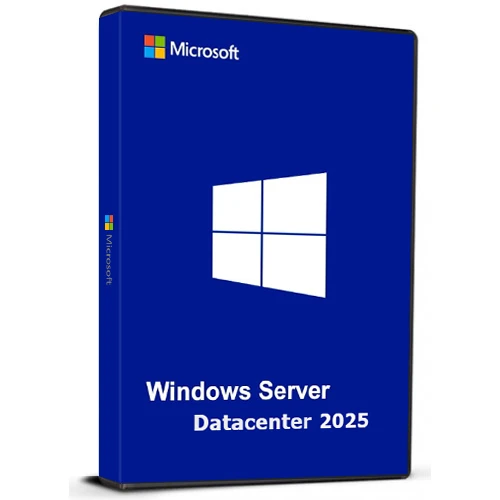

Microsoft Windows 服务器数据中心 2025(终身许可证 / 全球版)

評級

評論
價格
  • $17.24
cards klarna GPay Apple Pay affirm afterpay

官方授权: Global | 7x24小时美国支持 | Gamers Outlet - CD Keys

平台
Microsoft Lifetime License
獲得的積分:
15
可用性
有貨
支援
24/7 支援
交付
免费数字交付
您的地区
支持
可用选项 Windows Server Option

$17.24

即时激活: Microsoft Windows Server Datacenter 2025 (Lifetime License / Global) CD Key

Windows Server Datacenter 2025 为企业提供高度可扩展、安全且支持混合部署的平台。它专为管理本地和云端的大规模、数据密集型应用程序而设计。

主要亮点:

混合云集成
通过 Azure Arc 管理本地和云资源,获得统一的体验。
高级安全
通过升级 Active Directory 增强保护,提高身份和数据安全性。
卓越性能
针对 SQL Server 等高负载工作负载进行了优化,具有更快的网络速度和实时热补丁功能,可最大限度地减少停机时间。
人工智能就绪
利用GPU加速高效运行AI和机器学习任务。
方便使用的
界面熟悉易用,并支持 WiFi 和蓝牙等现代功能。

专为满足当今快速发展的企业需求而打造,提供灵活性,可随着未来技术的发展而扩展和适应。

  • 我会收到发票吗?
    订单提交后,系统将自动生成发票。

  • 我的发票在哪里可以找到?
    订单完成后,发票将在“我的账户”(顶部栏右上角)->“订单历史记录”中提供。

  • 我可以修改我的发票吗?
    目前您无法自行操作。请发送电子邮件至 [email protected] 联系我们的客服,我们将竭诚为您提供帮助。为了加快处理速度,请在邮件中提供订单号以及您希望显示的任何相关信息(例如您的姓名、身份证/税号等)。

  • 我可以在macOS上安装这个吗?
    不,本产品不支持MacOS。

  • 我可以在任何地方兑换此产品吗?
    是的,本产品为全球版本。

  • 我可以将此产品转移到新的硬件上吗?
    不,该代码仅适用于一台电脑或一次安装——如果您卸载或重新安装,可能需要购买新的代码。

  • 安装这款产品有什么特定方法吗?
    请阅读“激活”选项卡。

  • 如果我需要该产品的COA标签怎么办?
    如有需要,我们可以扫描 COA 标签打印件并发送给您,但需额外收费。

ACTIVATION INSTRUCTIONS

Download and install Windows Server Datacenter 2025 using the ISO below:

X23-81958_26100.1742.240906-0331.ge_release_svc_refresh_SERVER_OEMRET_x64FRE_en-us.iso

M D 18/03/2026

i can confirm this method is working : DISM /online /Set-Edition:ServerDatacenter /ProductKey:D764K-2NDRG-47T6Q-P8T8W-YP6DF /AcceptEula

Sebastiaan 05/03/2026

Works when you use the iso linked in 'how to activate'

RayGreen 22/01/2026

I purchased this Windows Server 2025 license recently and it worked well, thanks! The price is reasonable too. If you already downloaded the ISO from Microsoft, with the OS installed, run the DISM /online .... command using an administrator account as others said in the reviews, but with your own purchased key. Thanks again! I will definitely consider this company for my software needs in the future.

Carl 10/07/2025

I purchased a Windows Server 2025 Datacenter key after installing the official ISO downloaded directly from Microsoft's website (Evaluation version). Before activating the OS with your purchased key, you must first upgrade the edition using the following steps:

How to Activate:
Click Start, type CMD, right-click and select Run as Administrator.

Enter the following command and press Enter:

DISM /online /Set-Edition:ServerDatacenter /ProductKey:D764K-2NDRG-47T6Q-P8T8W-YP6DF /AcceptEula

Wait for the process to complete (may take several minutes).

The server will automatically reboot.

Once restarted, go to Settings > Activation.

Click Activate Now, then Change Product Key.

Enter your purchased key and follow the prompts.

After activation, proceed with Windows Updates and you're good to go.

Oliver Krause 26/02/2025

Super-Schneller Versand online direkt nach Bezahlung. Funktioniert auch mit deutschem Evaluierungs-ISO und anschließendem Befehl "DISM /online /Set-Edition:ServerDatacenter /ProductKey:D764K-2NDRG-47T6Q-P8T8W-YP6DF /AcceptEula", anschließendem Neustart - zum Schluss den gekauften Key eingeben. Aktivierung hat reibungslos funktioniert.

寫評論

注意: HTML 未翻譯!
Captcha
Review Score: 5 / 5
M D 18/03/2026

i can confirm this method is working : DISM /online /Set-Edition:ServerDatacenter /ProductKey:D764K-2NDRG-47T6Q-P8T8W-YP6DF /AcceptEula

Sebastiaan 05/03/2026

Works when you use the iso linked in 'how to activate'

RayGreen 22/01/2026

I purchased this Windows Server 2025 license recently and it worked well, thanks! The price is reasonable too. If you already downloaded the ISO from Microsoft, with the OS installed, run the DISM /online .... command using an administrator account as others said in the reviews, but with your own purchased key. Thanks again! I will definitely consider this company for my software needs in the future.

Carl 10/07/2025

I purchased a Windows Server 2025 Datacenter key after installing the official ISO downloaded directly from Microsoft's website (Evaluation version). Before activating the OS with your purchased key, you must first upgrade the edition using the following steps:

How to Activate:
Click Start, type CMD, right-click and select Run as Administrator.

Enter the following command and press Enter:

DISM /online /Set-Edition:ServerDatacenter /ProductKey:D764K-2NDRG-47T6Q-P8T8W-YP6DF /AcceptEula

Wait for the process to complete (may take several minutes).

The server will automatically reboot.

Once restarted, go to Settings > Activation.

Click Activate Now, then Change Product Key.

Enter your purchased key and follow the prompts.

After activation, proceed with Windows Updates and you're good to go.

Oliver Krause 26/02/2025

Super-Schneller Versand online direkt nach Bezahlung. Funktioniert auch mit deutschem Evaluierungs-ISO und anschließendem Befehl "DISM /online /Set-Edition:ServerDatacenter /ProductKey:D764K-2NDRG-47T6Q-P8T8W-YP6DF /AcceptEula", anschließendem Neustart - zum Schluss den gekauften Key eingeben. Aktivierung hat reibungslos funktioniert.

Support