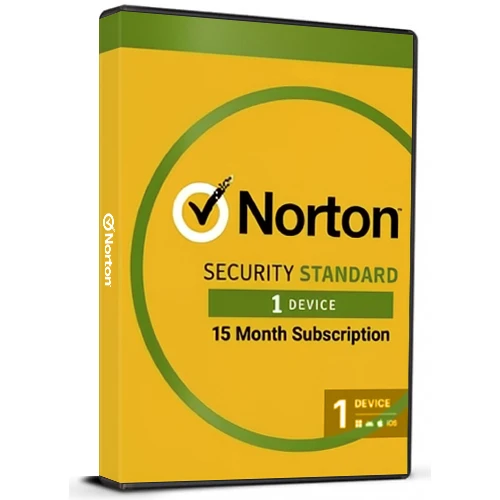
即时激活: Norton 360 Standard (15 Month / 1 Device License) (Subscription / United States) CD Key
使用 Norton 360 标准版保护您的数字生活。该版本采用预付费订阅模式,可为一台设备提供长达 15 个月的安全保障。这款多功能安全套装旨在提供持续保护,同时确保设备性能不受影响,无论您是在家还是外出。
立即下载,持续保护:只需几分钟即可激活您的应用程序,开始保护您的设备免受各种数字威胁。
实时威胁防护:** 我们实施尖端安全措施,有效抵御当前及未来的恶意软件。我们承诺在保护您免受勒索软件、病毒和间谍软件侵害的同时,确保设备运行速度和响应能力不受影响。
无缝安全 VPN 使用体验:使用我们的安全 VPN,安心连接。享受匿名浏览、规避广告追踪器,并通过零日志功能保护您在公共 Wi-Fi 网络上的数据安全,让您倍感安心。
暗网监控:我们会持续扫描暗网,查找您的个人信息,一旦发现就会立即发出警报,帮助您快速反应,防止潜在的身份盗窃,让您始终领先一步。
10GB 安全云备份(适用于 PC):通过自动云存储防止数据丢失,确保您最珍贵的文件安全,并在硬件故障或被盗时提供可靠的备份。
轻松预付费订阅:无需立即付费,即可设置安全保障,确保成功。您的付款方式将被保存,只有在预付费期结束后才会扣款,让您完全掌控,无需预付任何费用。
**15 个月预付费订阅,自动续订:** 享受不间断的保护。自动续订功能确保无缝安全保障,但您始终拥有主动权——如果您在初始期限结束后选择不续订,可以随时通过您的 Norton 帐户取消订阅。
体验 Norton 360 Standard 带来的安心保障,Norton 360 Standard 是网络安全领域的领导者。立即激活您的订阅,畅享强大全面的保护,安心畅游数字世界。

- 我会收到发票吗?
订单提交后,系统将自动生成发票。
- 我的发票在哪里可以找到?
订单完成后,发票将在“我的账户”(顶部栏右上角)->“订单历史记录”中提供。
- 我可以修改我的发票吗?
目前您无法自行操作。请发送电子邮件至 [email protected] 联系我们的客服,我们将竭诚为您提供帮助。为了加快处理速度,请在邮件中提供订单号以及您希望显示的任何相关信息(例如您的姓名、身份证/税号等)。
- 我可以在macOS上安装这个吗?
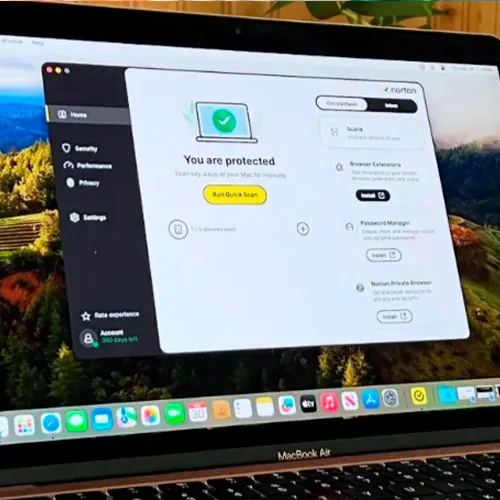
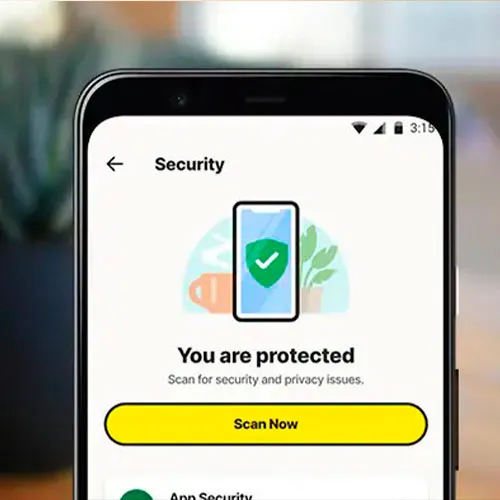
是的,本产品支持 macOS、Windows、iOS 和 Android 系统。
- 我可以在任何地方兑换此产品吗?
不,该产品只能在美国激活。
如果您居住在美国境外,可以使用 VPN 激活产品。(如需了解具体操作方法,请联系 [email protected]。)
- 我可以将此产品转移到新的硬件上吗?
不,该代码仅适用于一台电脑或一次安装——如果您卸载或重新安装,可能需要购买新的代码。
- 安装这款产品有什么特定方法吗?
请阅读“激活”选项卡。
ACTIVATION INSTRUCTIONS:
To view the current system requirements, please visit this link: link to Norton support https://support.norton.com/sp/en/us/home/current/solutions/v133891548
Important! You must enroll with Norton to activate Norton 360 Enrollment Version, which offers continuous protection and automatically renews each year. Activation requires a credit/debit card or PayPal (Auto Renewal direct with Norton), but you can switch it off at any time. Norton will notify you of the renewal price 30-45 days before the end of your subscription, giving you plenty of time to review your current subscription and protection plan. You can then adjust or cancel the auto-renewal with Norton as desired.
1- Please visit norton.com/setup
2- Click on "Enter a Product Key" for new customers or sign in for returning customers.
3- If you aren't already signed in to Norton, you'll be prompted to do so. Enter your email address and password for Norton, and click on "Sign In."
*If you don't have an account, click "Create Account," and complete the sign-up process.
4-Once signed in, click on "Enter a New Product Key" and enter your license key.
5-Finally, click on "Download Norton" and proceed with installing Norton 360 Standard.











































 Subscription


