即时激活: Microsoft Office 2021 Pro Plus (Phone Activation) (Lifetime License / Global) CD Key
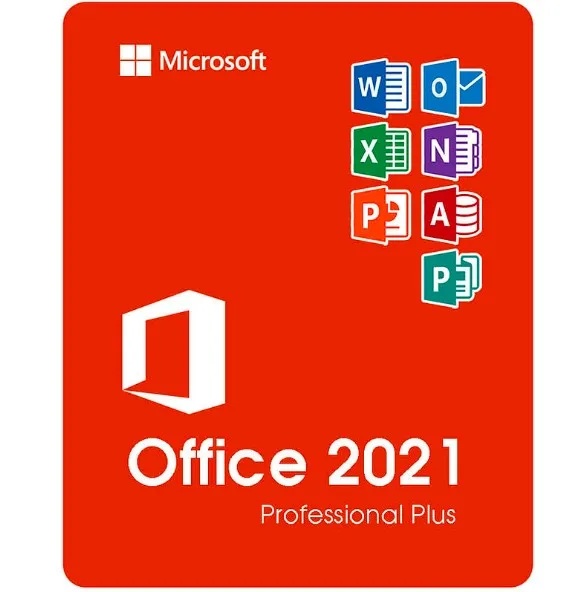
Microsoft Office 2021 专业增强版 (ISO) 包含哪些内容
Microsoft Office 2021 专业增强版是面向 Windows 用户最全面的 Office 一次性购买版本。此版本包含商业、教育和专业环境中使用的所有核心 Microsoft 办公软件:
Word 2021 – 高级文档创建和编辑
Excel 2021 – 强大的电子表格、数据分析和公式
PowerPoint 2021 – 专业演示文稿和设计工具
Outlook 2021 – 电子邮件、日历和联系人管理
2021年出版商——营销材料、宣传册和版面设计
Access 2021 – 数据库创建和管理(仅限 Windows)
您将获得这些程序的完整桌面版本——无需订阅。
“专业增强版”的含义(与家庭版和商业版相比)
Office 2021 有多个版本,但专业增强版是最高级别的版本。
版本 | 包含的应用 | 最适合 |
|---|
首页 & 学生 | Word、Excel、PowerPoint | 学生和家庭使用 |
首页 & 商业 | Word、Excel、PowerPoint、Outlook | 小型企业用户 |
专业增强版 | Word、Excel、PowerPoint、Outlook、Publisher、Access | 专业人士、公司、高级用户 |
Professional Plus 版本增加了Access 和 Publisher ,使其成为以下用户的理想选择:
管理数据的企业
营销和设计材料
需要完整功能的办公环境
支持的系统和语言
本产品适用于:
✔ Windows 10
✔ Windows 11
❌ 与 MacOS、Chromebook、iOS 或 Android 不兼容。
语言支持:
该 ISO 文件支持以微软支持的多种语言进行安装,包括英语、西班牙语、德语、法语、意大利语等。
配送流程
购买后:
您将立即通过电子邮件收到激活密钥。
您将收到Office 2021 ISO 文件的下载链接。
按照简单的安装步骤操作即可。
使用产品密钥激活 Office。
不寄送实体光盘——所有内容都是数字化的,即时可用。
什么是 Office 2021 ISO 文件?
ISO 文件是Microsoft Office 的完整安装镜像。它允许您:
如何使用 ISO
下载ISO文件。
右键单击文件 → 选择“装载” 。
运行Setup.exe 安装 Office。
出现提示时,请输入您的产品密钥。
该 ISO 文件包含用于系统部署的官方 Office 安装包格式。
为什么要选择 ISO 版本?
✔ 完整办公软件安装包
✔ 适用于高级用户和 IT 环境
✔ 便于重新安装
✔ 无订阅费——一次付费,永久使用
- 我会收到发票吗?
订单提交后,系统将自动生成发票。
- 我的发票在哪里可以找到?
订单完成后,发票将在“我的账户”(顶部栏右上角)->“订单历史记录”中提供。
- 我可以修改我的发票吗?
目前您无法自行操作。请发送电子邮件至 [email protected] 联系我们的客服,我们将竭诚为您提供帮助。为了加快处理速度,请在邮件中提供订单号以及您希望显示的任何相关信息(例如您的姓名、身份证/税号等)。
- 我可以在macOS上安装这个吗?
不,本产品不支持macOS,仅兼容Windows 10和11。
- 我可以在哪里兑换这个产品?
是的,本产品为全球版本。
- 我可以将此产品转移到新的硬件上吗?
不,该代码仅适用于一台电脑或一次安装——如果您卸载或重新安装,可能需要购买新的代码。
- 安装这款产品有什么特定方法吗?
请阅读“激活”选项卡。
- 如果我需要该产品的COA标签怎么办?
如有需要,我们可以扫描 COA 标签打印件并发送给您,但需额外收费。
ACTIVATION INSTRUCTIONS:
Download the official ISO/image to activate: https://officecdn.microsoft.com/pr/492350f6-3a01-4f97-b9c0-c7c6ddf67d60/media/en-us/ProPlus2021Retail.img (Other languages can be found below)
1-After installation, open Word (or any Office app)
When the Office Activation Wizard appears, select “Activate by phone.”
The wizard will display your Installation ID (IID) - you will need this shortly.
The IID is shown as 9 groups of 7 digits.
2-Go to the activation website
Open your browser and go to: https://aka.ms/aoh
3-Sign in
Choose Microsoft Account as the login method and sign in with your Microsoft account.
4-Select “Activate a Microsoft Product”
On the first page, click Activate a Microsoft Product.
5-Choose the product type
Select the category that matches what you are activating:
- Windows → for Windows activation
- Microsoft Office → for Office, Project, or Visio
- Windows Server, etc., if applicable
Note: For Project and Visio, choose Microsoft Office.
6-Select your operating system
7-Choose the product version
Select the version you are activating, for example:
- Office / Project / Visio 2024
- Office / Project / Visio 2021
- Office / Project / Visio 2019, etc.
8-Enter your Installation ID (IID)
You will see nine empty boxes.
Enter each group of digits from your IID into the matching box (9 groups of 7 digits).
When finished, submit the form to continue.
9-Answer the usage question
When asked, “How many computers have you installed this copy on?”
Type 0, then continue.
10-Receive your Confirmation ID
The website will display your Confirmation ID.
11-Enter the Confirmation ID into your PC
Return to the Office activation wizard and enter the Confirmation ID to finish activation.
More languages:
https://www.gamers-outlet.net/download-office-2021-professional-plus-download-links-languages
Video Guide:











































 Lifetime License


