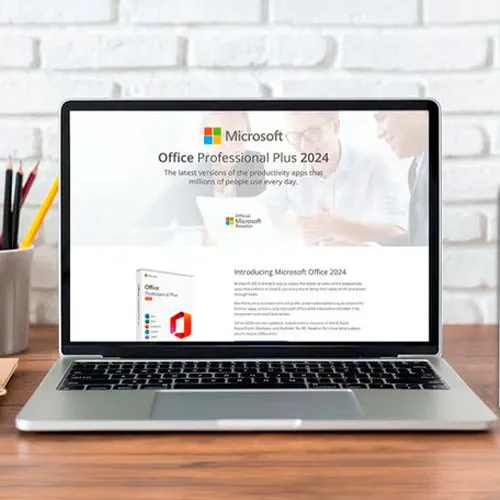
Office 2024 专业增强版 全球数字许可证(电话激活)
- $17.40
2024 版本的 Access、Excel、OneNote、Outlook、PowerPoint 和 Word。
不适用于 MacOS/ChromeOS/Android/iOS 苹果设备。仅兼容 Windows 10、Windows 11。
Office 2024 Professional Plus CD 密钥:释放您的生产力
使用 Microsoft Office 2024 专业增强版,体验极致生产力,它是您实现所有任务无缝高效的关键。释放这款终极生产力套件的强大功能,意味着您可以进入一个充满活力、流畅创建、管理和共享文档、数据和演示文稿的世界。
这款尖端软件套件专为学生、专业人士和企业家量身定制,彻底革新了工作方式。您可以从任何设备轻松访问和编辑文件,确保您的工作流程高效流畅。Word、Excel、PowerPoint、Outlook、Access 和 OneNote 等功能强大的应用程序触手可及,助您成就无限可能。
充分利用 Office 2024 专业增强版提供的最新功能和增强功能,将您的工作提升到创造力和精准度的新高度。告别限制,拥抱生产力无限的未来——所有这一切都归功于 Microsoft Office 2024 专业增强版 CD Key Global。
To install the correct version of Office ProPlus 2024, please check out the instructions in this PDF: https://download.dlr-as.com/instructions/Installation-Office-ProPlus2024.pdf
1-After installation, open Word (or any Office app)
When the Office Activation Wizard appears, select “Activate by phone.”
The wizard will display your Installation ID (IID) - you will need this shortly.
The IID is shown as 9 groups of 7 digits.
2-Go to the activation website
Open your browser and go to: https://aka.ms/aoh
3-Sign in
Choose Microsoft Account as the login method and sign in with your Microsoft account.
4-Select “Activate a Microsoft Product”
On the first page, click Activate a Microsoft Product.
5-Choose the product type
Select the category that matches what you are activating:
Note: For Project and Visio, choose Microsoft Office.
6-Select your operating system
7-Choose the product version
Select the version you are activating, for example:
8-Enter your Installation ID (IID)
You will see nine empty boxes.
Enter each group of digits from your IID into the matching box (9 groups of 7 digits).
When finished, submit the form to continue.
9-Answer the usage question
When asked, “How many computers have you installed this copy on?”
Type 0, then continue.
10-Receive your Confirmation ID
The website will display your Confirmation ID.
11-Enter the Confirmation ID into your PC
Return to the Office activation wizard and enter the Confirmation ID to finish activation.
**For a more visual guide, watch our tutorial video here:

下订单后将自动生成发票可用语言:多语言俄语、英语、德语、法语、意大利语、西班牙语、土耳其语、捷克语、波兰语、日语、中文、韩语等。 该密钥将在未激活的 Win10 PRO 或全新安装的 Windows 10 PRO 上运行。可以根据要求扫描 COA 标签打印并将其发送给您(需额外收费)。无法用于升级 Win10 Home - 我们可以发送有关如何升级的说明。只有当您将其链接到您的 Microsoft 帐户时,重新安装/格式化操作系统后才能再次使用此密钥(我们可以发送说明)。下载链接: https://www.microsoft.com/en-us/software-download/windows10为了在您的电脑上安装该软件,请按照此处的说明进行操作。如果您在激活 Windows 密钥时遇到问题,请使用以下方法之一:方法 1:下载链接: https://www.microsoft.com/en-us/software-download/windows10将安装套件媒体创建工具下载到可启动设备(例如 DVD 或 USB 驱动器)上。 Windows 安装后: 1. 进入“设置” 2. 选择“更新和安全” 3. 找到“激活” 4. 选择“激活”或“更改产品密钥” 5.插入购买的钥匙6. Windows 10 Pro已投入使用方法 2: 1. 点击“开始”图标,然后打开“设置”,选择“更新和安全”,然后选择“激活”。 2. 选择“ 通过电话激活”选项。 3. 点击下拉菜单, 选择您的国家,然后单击“下一步”。 4. 拨打免费电话号码并按照说明生成确认 ID 来激活您的 Windows..
$6.95
下订单后将自动生成发票 可用语言:多语言俄语、英语、德语、法语、意大利语、西班牙语、土耳其语、捷克语、波兰语、日语、中文、韩语等。 该密钥适用于未激活的 Win11 Home 或全新安装的 Windows 11 Home。只有将其链接到您的 Microsoft 帐户(我们可以发送说明)后,重新安装/格式化操作系统后才能再次使用它。下载链接: https://www.microsoft.com/software-download/windows11 只能用于激活 Windows 11 家庭版!它不适用于任何其他 Windows 11 版本。为了在您的电脑上安装该软件,请按照此处的说明进行操作。如果您在激活 Windows 密钥时遇到问题,请使用以下方法之一:方法 1:下载链接: https://www.microsoft.com/software-download/windows11将安装套件媒体创建工具下载到可启动设备(例如 DVD 或 USB 驱动器)上。 Windows 安装后: 1. 进入“设置” 2 找到“激活” 3. 选择“激活”或“更改产品密钥” 4.插入购买的钥匙5. Windows 11 Home 已投入使用方法 2: 1. 点击“开始”图标,然后打开“设置”,选择“更新和安全”,然后选择“激活”。 2. 选择“ 通过电话激活”选项。 3. 点击下拉菜单, 选择您的国家,然后单击“下一步”。 4. 拨打免费电话号码并按照说明生成确认 ID 来激活您的 Windows。方法 3: 1. 按住“Windows”键并按键盘上的“R”。 2. 在弹出的窗口中输入“SLU..
$5.51
Windows 11 Pro 零售 CD 密钥:解锁终极 Windows 体验Windows 11 Pro 零售 CD 密钥是您获得 Microsoft 最新、最强大的操作系统的黄金门票。该软件改变了用户、企业和开发人员的游戏规则。在这篇文章中,我们将讨论您需要了解的有关 Windows 11 Pro 的所有信息,它与其他流行软件(如 Microsoft Office 365 Family Home 1 年 CD 密钥、Office 2021 Professional Plus CD 密钥和 Windows 11 Home CD 密钥 OEM)的比较,以及如何激活您的 Windows 11 Pro 零售 CD 密钥。 Windows 11 Pro:下一代 Windows与其前身 Windows 10 相比,Windows 11 Pro 带来了一整套新功能和改进。凭借其时尚的设计、重新设计的“开始”菜单和强大的性能增强,Windows 11 Pro 是专业人士和高级用户的终极操作系统。其中一个突出的功能是 Snap Layouts,它让您可以像专业人士一样轻松整理打开的窗口并执行多任务。您还会喜欢虚拟桌面功能,它可以让您为不同的任务创建单独的工作区,让保持井然有序变得前所未有的简单。 Windows 11 Pro 与其他微软产品相比如何?现在,让我们逐步看看 Windows 11 Pro 与其他流行的 Microsoft 产品的对比情况: Microsoft Office 365 家庭版 1 年 CD 密钥Microsoft Office 365 Family Home 是一项订..
$8.11
下订单后将自动生成发票可用语言:多语言激活说明: 1. 下载软件: 这里2.安装卡巴斯基软件3.启动卡巴斯基4. 按右下角的“输入激活码” 5. 选择“激活应用程序”选项6. 输入代码并点击“激活”保存7. 软件可能要求您创建或登录卡巴斯基账户帮助保护孩子——高级家长控制阻止网络摄像头间谍在家里监视你加密您在线发送和接收的数据——利用每天 300 MB 的 VPN 使用量进行加密互联网浏览,并轻松管理您的密码和敏感文件。保护个人文件的密码和图像使用银行级加密保护付款拦截病毒、密码锁和其他威胁特征:防病毒、反勒索软件、网络摄像头安全、密码管理器、VPN 和其他 87 种技术 - 全部包含在一个许可证中。 我们还提供 Windows 11 CD 密钥Windows 10 CD 密钥点击此处Office 2021 CD 密钥点击此处..
$17.39
| Mladen Jevtić | 27/11/2025 |
Works perfect, easy install and activation. Just follow the instructions. |
|
| Jonathan Lee | 19/11/2025 |
Works perfectly, you just need to follow the exact steps outlined |
|
| Andrew Smith | 15/11/2025 |
I contacted support because i mistakenly selected online activation for my product, they fixed the issue within 30mins and my product is now working fine. |
|
| Andrew Smith | 15/11/2025 |
I contacted support because i mistakenly selected online activation, and the fixed the issue in less than 30mins... My product is activated and i am 100% satisfied |
|
| Vitor Miguel | 14/11/2025 |
Bought the key, was emailed with the payment confirmation and activated my Office in less than 5 minutes, and had no issues whatsoever. Great! Thumbs up! |
|