如果您想购买大量副本,请联系 [email protected]
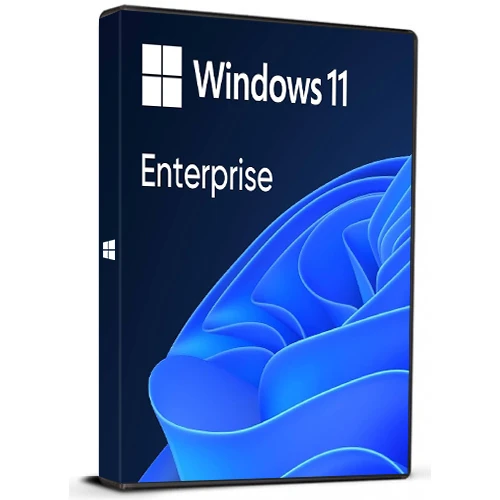
Windows 11 Enterprise Cd Key Retail Microsoft Global

Windows 11 Enterprise Cd Key Retail Microsoft Global

評級

評論
價格
  • $13.91
cards klarna GPay Apple Pay affirm afterpay
平台
Microsoft Windows Windows
獲得的積分:
12
可用性
有貨
支援
24/7 支援
交付
免费数字交付
您的地区
支持
可用选项 Windows 11 options

$13.91

Windows 11 企业版

Windows 11 Enterprise 旨在满足当今混合劳动力的需求,提供企业级安全性、灵活的管理工具和强大的生产力功能。
它专为企业量身定制,提供先进的安全控制来保护数据并确保合规性。
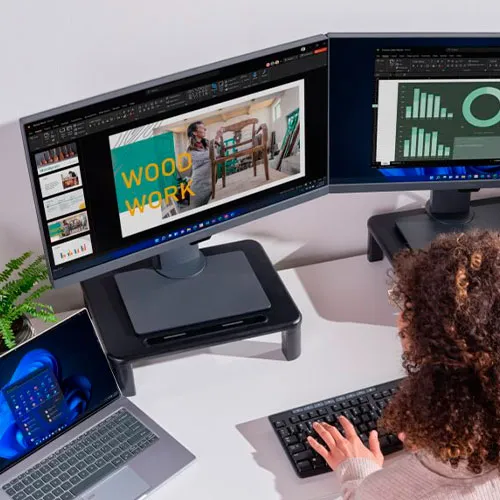
Windows 11 Enterprise 具有直观的界面和增强的多任务处理功能,支持无缝协作和生产力。
它适用于任何规模的组织,旨在帮助团队更聪明地工作,而不是更努力地工作!

    助力非凡体验

    体验简约而现代的视觉效果:
    通过改进但熟悉的 Windows 用户体验专注于重要的事情,并快速开始工作。

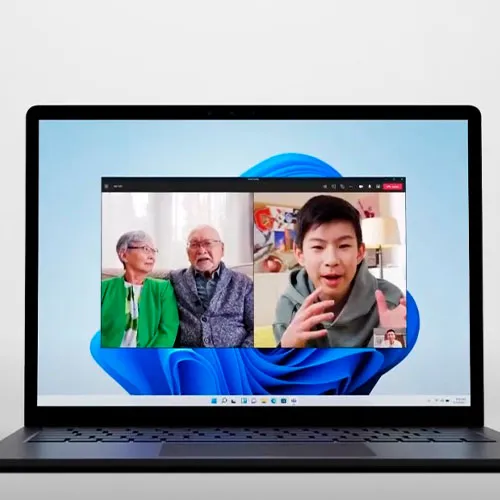
    使用包容性视频会议
    从任务栏打开或关闭麦克风,让每个人都能听到声音。通过智能降噪和模糊功能,让背景保持在背景中。

    与 Microsoft 365 企业应用版无缝协作
    从操作系统到在其上运行的应用程序,一切都能协同运行,让您高枕无忧。

    通过文件资源管理器获得更好的搜索体验
    使用 Context IQ 提供的 Windows 新上下文建议功能轻松查找文件。使用文件资源管理器中的选项卡功能实现多任务处理。

    实现更广泛的可访问性
    为每个人提供 Windows 11 中的一系列辅助功能,包括实时字幕。

    专为安全、灵活的工作而设计

    获取迄今为止最安全的 Windows
    通过默认启用的基于虚拟化的安全性和受虚拟机管理程序保护的代码完整性来提高您的保护。

    忘记密码
    通过 Windows Hello for Business 使用便捷、安全的多因素身份验证。

    实现远程工作
    为用户提供符合公司政策且公司拥有、自动配置的设备。

    使用 Microsoft Intune 实现跨平台端点管理
    减少端点漏洞并维护零信任所需的安全基线和合规性。

    转向通用打印
    消除打印服务器,从云端管理您的打印机。随时随地安全打印。

    获得 99% 的应用程序兼容性
    请放心,Windows 10 应用程序可以在 Windows 11 上运行。桌面应用程序保证 (Desktop App Assure) 可帮助解决任何应用程序问题。

    使用云配置部署设备
    将 Windows 11 PC 转变为简化且易于管理的云端点。

    自动执行 Windows 和 Microsoft 365 更新
    使用 Windows Autopatch 确保更新和补丁的部署及时、安全且高效。

    • 我会收到发票吗?
      下订单后将自动生成发票。

    • 我可以在哪里找到我的发票?
      订单完成后,发票将在“我的帐户”(顶部栏右上角)->“订单历史记录”下显示。

    • 我可以编辑我的发票吗?
      目前,您无法自行执行此操作,但请通过电子邮件 [email protected] 联系我们的支持人员,我们将很乐意为您提供帮助。为了加快处理速度,请提供订单号和您希望显示的所有相关信息(姓名、身份证/税号等)。

    • 我可以在 macOS 上安装这个吗?
      不,该产品不支持 MacOS。

    • 我可以从任何地方兑换此产品吗?
      是的,这个产品是全球版本。

    • 我需要以特定方式安装该产品吗?
      请阅读“激活”标签。

    • 如果我需要该产品的 COA 标签怎么办?
      我们可以根据您的要求,扫描 COA 标签打印件并将其发送给您,但需额外收费。

    Download link: en-us_windows_11_business_editions_version_25h2_updated_jan_2026_x64_dvd_09c1e011.iso

    In case of an issue with activating your Windows key, please use one of the methods:


    Method 1:

    After Windows installation:

    1. Go to "Settings''

    2. Find "Activation"

    3. Select "Activate" or "Change Product Key"

    4. Insert the purchased key

    5. Windows 11 Enterprise is operational


    Method 2:

    1. Click on ”Start” icon , then open ”Settings”, choose ”Update & security”, and then select ”Activation”.

    2. Choose the ”Activate by phone” option.

    3. Click the drop-down menu, select your country, and then click ”Next”.

    4. Call the Toll free number and follow instructions to generate confirmation ID to activate your Windows.


    Method 3:

    1. Press and hold "Windows" key and press "R" on your keyboard.

    2. Type "SLUI 4" in the window that pops up and press enter.

    3. Click the drop-down menu, select your country and then click Next.

    4. Call the Toll free number and follow instructions to generate confirmation ID to activate your Windows.

    More information regarding phone activation can be found here.

    Konstantinos A.  15/10/2025

    Great Site Key Work And Now I Have An Activated Windows

    Carlos Calvo Artavia 24/09/2025

    Excellent!! it was flawless and in no time!! Thanks

    Carlos Calvo Artavia 24/09/2025

    Excellent!! it was flawless and in no time!! Thanks!!!

    leonidas kokonesis 06/08/2025

    it worked for me great site

    Cristhofer 12/07/2025

    ¡Funcionó sin problemas! Tenía mis dudas, pero todo genial.

    寫評論

    注意: HTML 未翻譯!
    Captcha
    Review Score: 5 / 5
    Konstantinos A.  15/10/2025

    Great Site Key Work And Now I Have An Activated Windows

    Carlos Calvo Artavia 24/09/2025

    Excellent!! it was flawless and in no time!! Thanks

    Carlos Calvo Artavia 24/09/2025

    Excellent!! it was flawless and in no time!! Thanks!!!

    leonidas kokonesis 06/08/2025

    it worked for me great site

    Cristhofer 12/07/2025

    ¡Funcionó sin problemas! Tenía mis dudas, pero todo genial.