即时激活: Microsoft Office 2019 Pro Plus Retail (Phone Activation) (Lifetime License / Global) CD Key
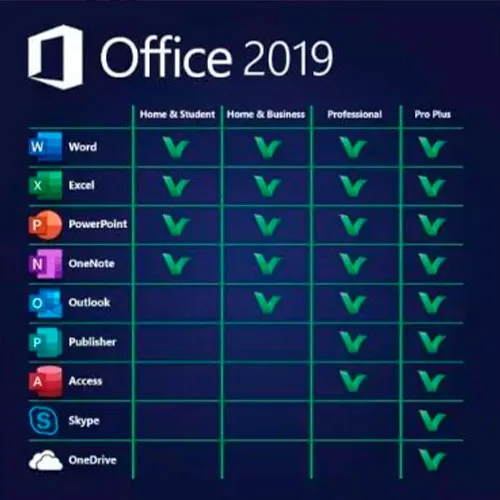
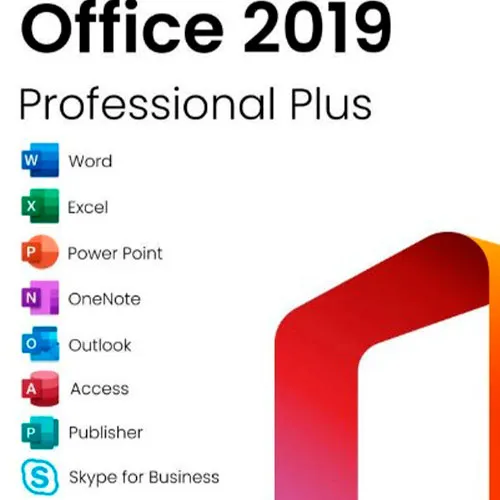
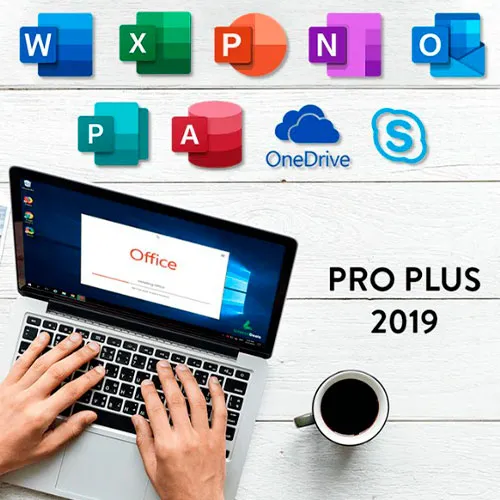
Microsoft Office 2019 专业增强版包括Word、Excel、PowerPoint、OneNote、Outlook、Access、Publisher 和 Skype for Business 的经典 2019 版本。
Office 2019 专业增强版是一款功能强大的工具,几乎每天都能为我们的最终用户提供服务。无论是工作、学习、记笔记还是收发电子邮件,它都能胜任。Office 2019 专业增强版拥有全新的设计和功能,将使我们的生活更加轻松便捷!赶快以最低价格入手一份吧!保证库存充足,并提供全天候 (24/7) 支持。
激活说明:
2. 输入您从我们这里收到的产品密钥以激活软件。
3. 选择“通过电话激活”选项。
如需更详细的说明,请访问下载部分并点击“如何激活”按钮。

- 我会收到发票吗?
订单提交后,系统将自动生成发票。
- 我的发票在哪里可以找到?
订单完成后,发票将在“我的账户”(顶部栏右上角)->“订单历史记录”中提供。
- 我可以修改我的发票吗?
目前您无法自行操作。请发送电子邮件至 [email protected] 联系我们的客服,我们将竭诚为您提供帮助。为了加快处理速度,请在邮件中提供订单号以及您希望显示的任何相关信息(例如您的姓名、身份证/税号等)。
- 我可以在macOS上安装这个吗?
不,本产品不支持MacOS。
- 我可以在哪里兑换这个产品?
是的,本产品为全球版本。
- 我可以将此产品转移到新的硬件上吗?
不,该代码仅适用于一台电脑或一次安装——如果您卸载或重新安装,可能需要购买新的代码。
- 安装这款产品有什么特定方法吗?
请阅读“激活”选项卡。
- 如果我需要该产品的COA标签怎么办?
如有需要,我们可以扫描 COA 标签打印件并发送给您,但需额外收费。
ACTIVATION INSTRUCTIONS:
Download the official ISO/image to activate: https://officecdn.microsoft.com/pr/492350f6-3a01-4f97-b9c0-c7c6ddf67d60/media/en-US/ProPlus2019Retail.img
1-After installation, open Word (or any Office app)
When the Office Activation Wizard appears, select “Activate by phone.”
The wizard will display your Installation ID (IID) - you will need this shortly.
The IID is shown as 9 groups of 7 digits.
2-Go to the activation website
Open your browser and go to: https://aka.ms/aoh
3-Sign in
Choose Microsoft Account as the login method and sign in with your Microsoft account.
4-Select “Activate a Microsoft Product”
On the first page, click Activate a Microsoft Product.
5-Choose the product type
Select the category that matches what you are activating:
- Windows → for Windows activation
- Microsoft Office → for Office, Project, or Visio
- Windows Server, etc., if applicable
Note: For Project and Visio, choose Microsoft Office.
6-Select your operating system
7-Choose the product version
Select the version you are activating, for example:
- Office / Project / Visio 2024
- Office / Project / Visio 2021
- Office / Project / Visio 2019, etc.
8-Enter your Installation ID (IID)
You will see nine empty boxes.
Enter each group of digits from your IID into the matching box (9 groups of 7 digits).
When finished, submit the form to continue.
9-Answer the usage question
When asked, “How many computers have you installed this copy on?”
Type 0, then continue.
10-Receive your Confirmation ID
The website will display your Confirmation ID.
11-Enter the Confirmation ID into your PC
Return to the Office activation wizard and enter the Confirmation ID to finish activation.
For other Office languages, scroll down here: https://gamersoutlet.zendesk.com/hc/en-us/articles/360058263113-Office-2019-pro-plus-activation-methods
Video Guide:









































 Lifetime License


